What I want to do this time is not a sports poster, but a set of black and white ski shots that can be cut into short films. The real trouble is not to "create a snow mountain", but to change the position, movement and environment, the same skier's face, helmet, snow goggles, coat, snow pole and snow board can still match.
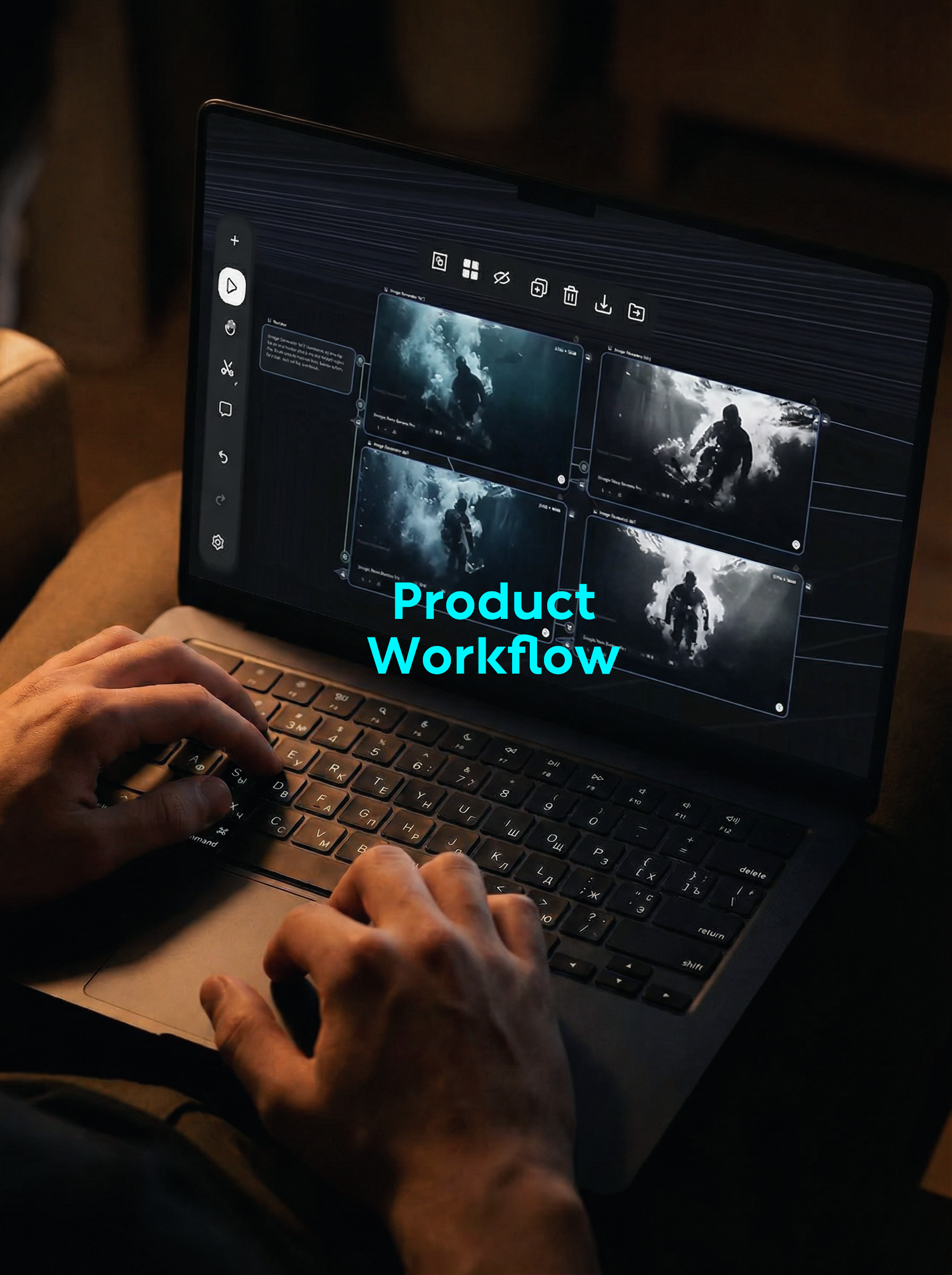
My handling method is very direct: first combine the characters and equipment into a white background makeup map, then use this map to generate scenes, and finally enter the video. The whole process seems to be one more step, but it actually saves the time to repeatedly repair the characters later.
1. first take apart the characters and equipment and prepare them.
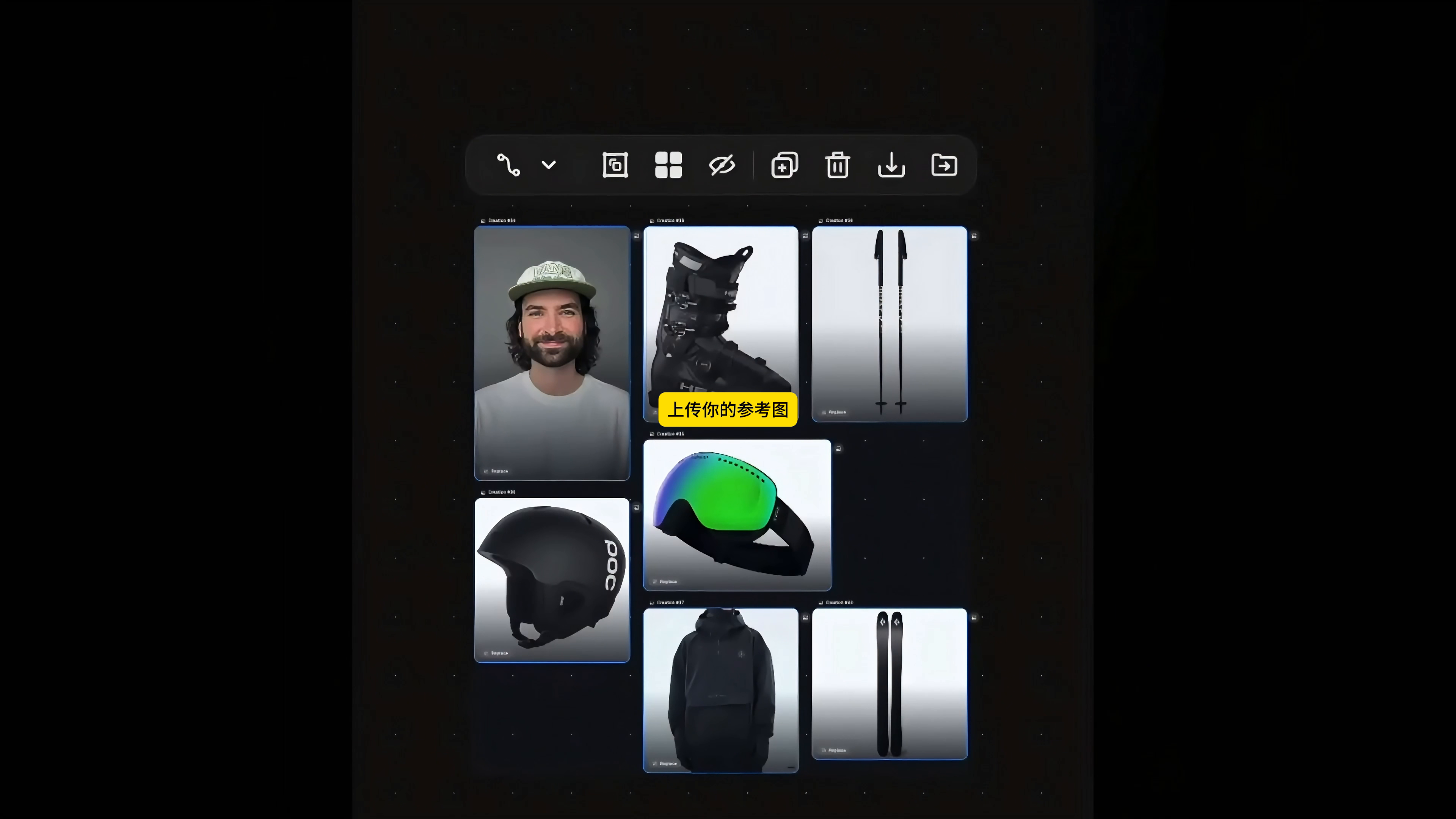
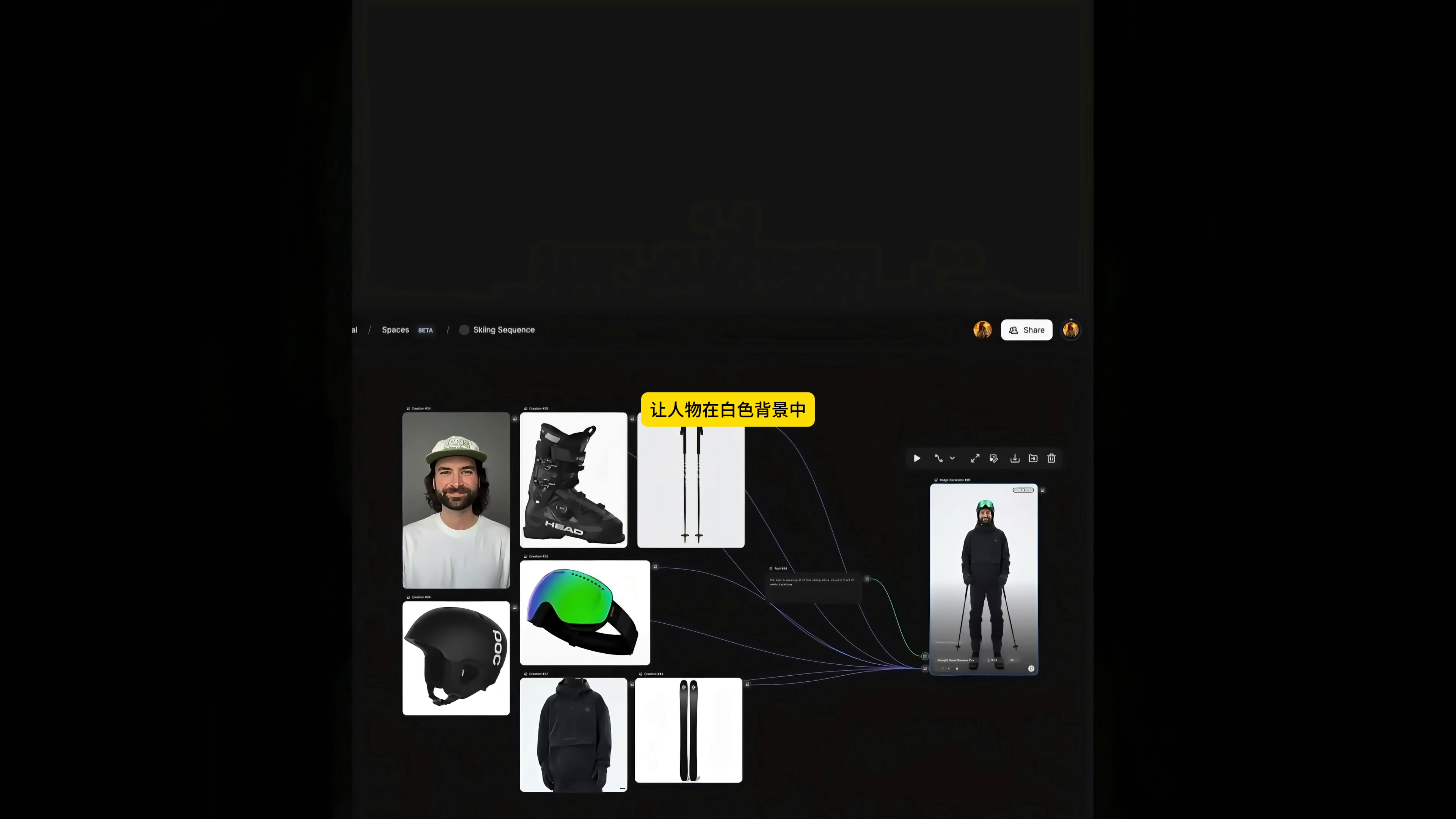
I first prepared seven types of references: head portrait, ski boots, snow poles, helmets, snow goggles, black jacket and snowboard. Each picture is only responsible for one clear information, the background is as clean as possible, and the main body is not blocked. The purpose of this is to let the model see "who this person is and what each piece of equipment looks like", and don't put the action and environment into the reference picture at the beginning.
Here you can easily divide the information into two groups. Character appearance, black wear, helmet, snow goggles and snowboard are fixed items. Snow mountain environment, sliding action, scene and lens movement are variable items. No matter how many shots you make later, try not to change the fixed items, only adjust the variable items.
2. first synthesize a white background "makeup map"
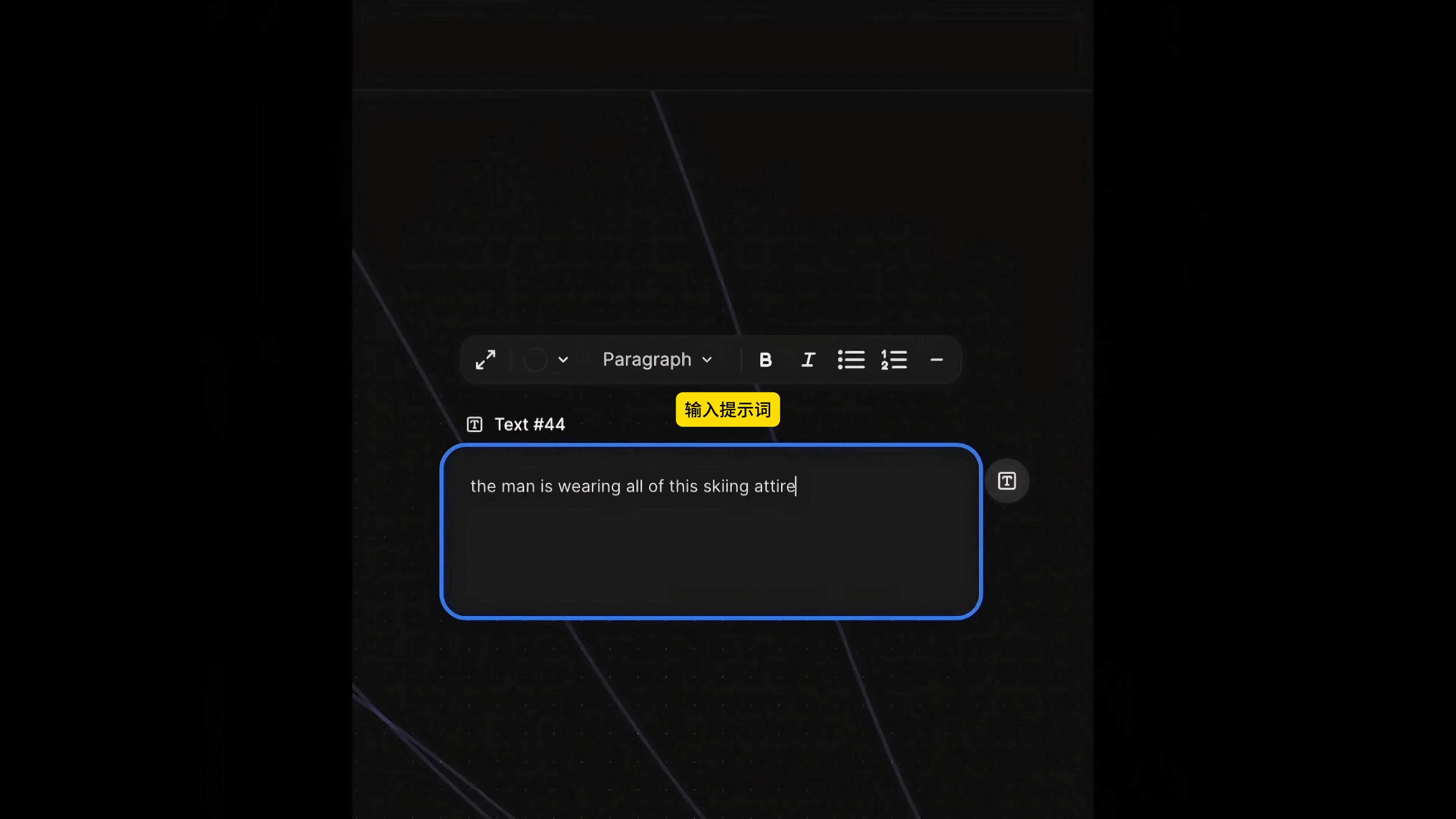
Connect all seven reference diagrams to the Image Generator, followed by a text node. The prompt I use in the video is very short:
the man is wearing all of this skiing attire
This sentence is not responsible for the style of the picture, but only for telling the model to assemble the relationship: let the man put on all the ski equipment. To make the task simpler, the model is easier to put people and equipment together first.
When generating, I asked the characters to stand on a white background and get a complete, clear full-body map without interference from complex environments. It is equivalent to the role setting of the following shots: the face, clothing, helmet, snow goggles, snow staff and snow board are all in the same picture, and the following model does not need to understand seven scattered materials at the same time.
This step don't rush to pursue the film sense. First check whether the equipment is missing, whether the left and right feet and gloves are normal, whether the number of snow sticks is correct, and whether the shape and logo of the snow board are stable. If there are obvious problems with the makeup map, it should be redone here instead of generating more than a dozen scenes with the problems.
3. generate a unified scene map with a makeup map.
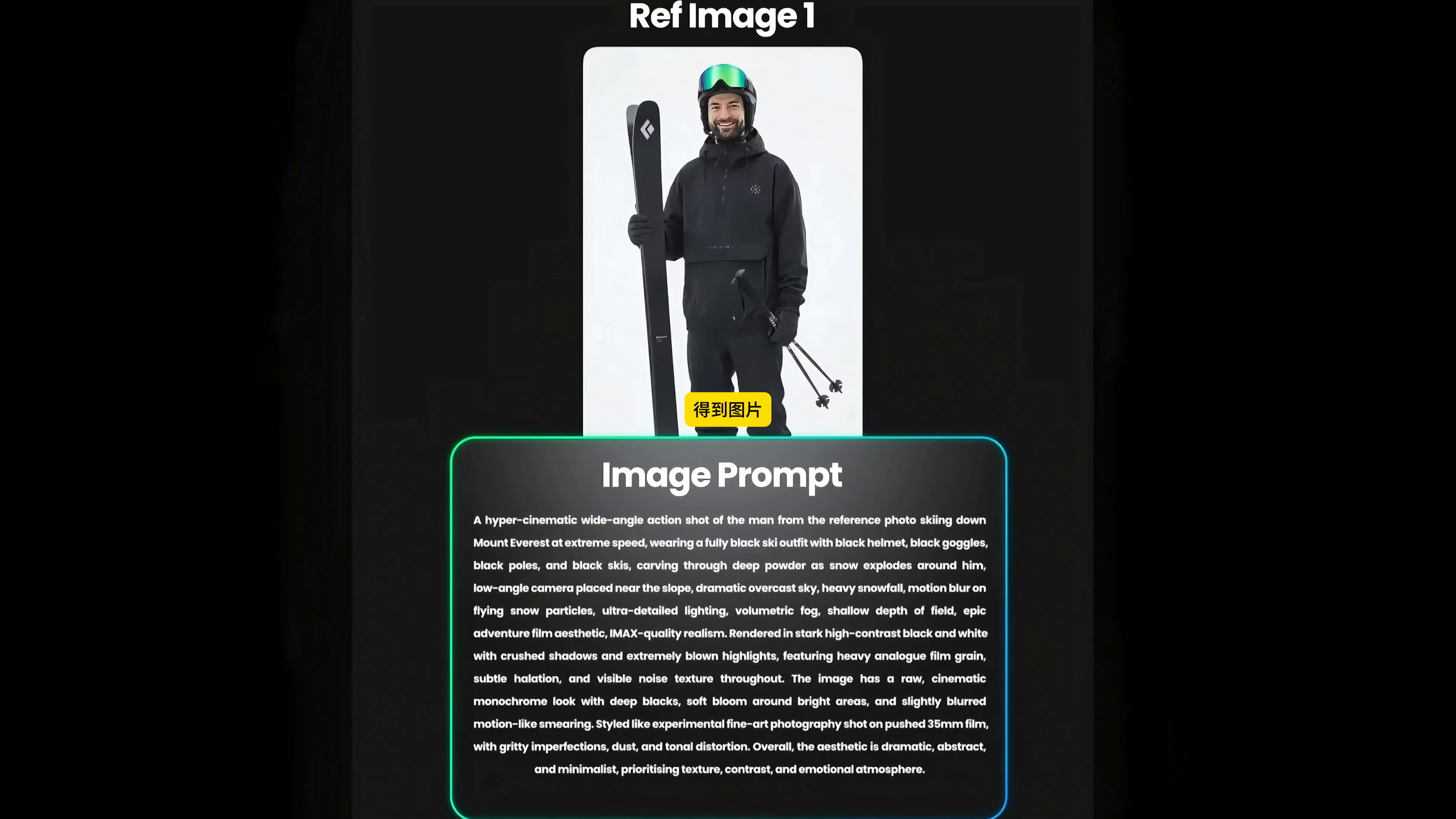
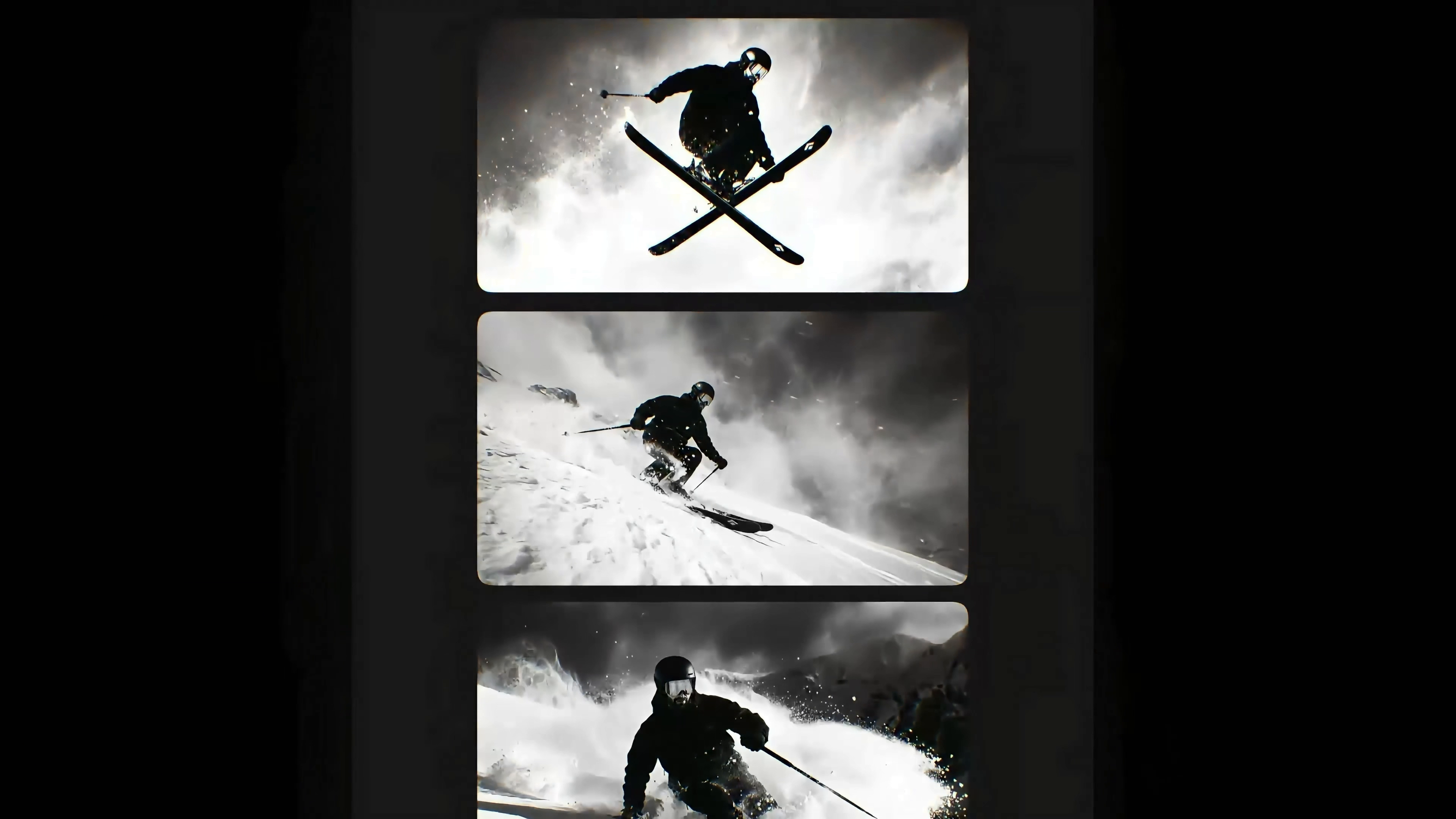
Next, take the white background makeup map as Ref Image 1, and then write Image Prompt. The prompt words should explain five things at the same time: characters and equipment, movement, environment, machine position and final texture. The video uses low-camera snow mountain action shots and locks the overall style into high-contrast black and white, coarse grain and film.
The scene prompt words that can be read in the video are as follows, keeping the original English for direct reuse:
A hyper-cinematic wide-angle action shot of the man from the reference photo skiing down Mount Everest at extreme speed, wearing a fully black ski outfit with black helmet, black goggles, black poles, and black skis, carving through deep powder as snow explodes around him, low-angle camera placed near the slope, dramatic overcast sky, heavy snowfall, motion blur on flying snow particles, ultra-detailed lighting, volumetric fog, shallow depth of field, epic adventure film aesthetic, IMAX-quality realism. Rendered in stark high-contrast black and white with crushed shadows and extremely blown highlights, featuring heavy analogue film grain, subtle halation, and visible noise texture throughout. The image has a raw, cinematic monochrome look with deep blacks, soft bloom around bright areas, and slightly blurred motion-like smearing. Styled like experimental fine-art photography shot on pushed 35mm film, with gritty imperfections, dust, and tonal distortion. Overall, the aesthetic is dramatic, abstract, and minimalist, prioritising texture, contrast, and emotional atmosphere.
This cue is long, but the structure is clear. At the front, "who is doing what" is explained. In the middle, low camera position, cloudy sky, flying snow and shallow depth of field are determined. In the second half, black and white, high contrast, film grain, halo and slight smear are written. When changing the lens, I will keep the character and style part and only change the movement and camera position.
A few more scene maps at a time are more stable than a single direct bet. I will give priority to the pictures with clear outline of the characters, no adhesion of the snowboard, and credible center of gravity of the movement, and then save the jump, slide, close-up and long-range scenes separately as the starting frame of the subsequent videos.
After 4. the static frame confirmation, use Kling 2.6 to do the action.
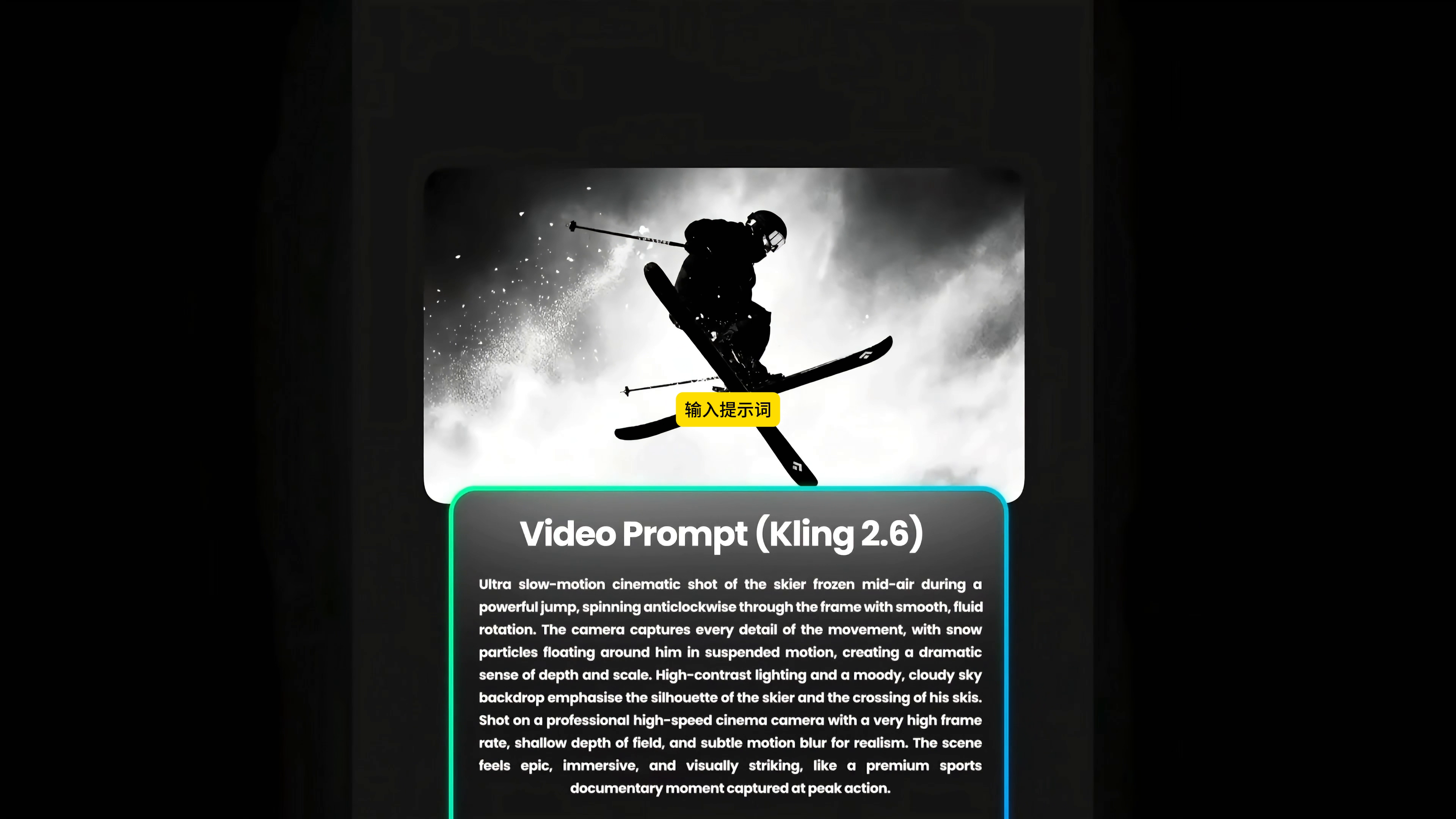
Select a scene with the most stable posture and connect it to Video Prompt(Kling 2.6). The prompt words here do not need to re-describe the appearance of the characters, focusing on how the action occurs, how the camera follows, and how the snow fog and speed sense change.
━━━━━━━━━━━━━━━━━━━━
The action prompt words in the video are:
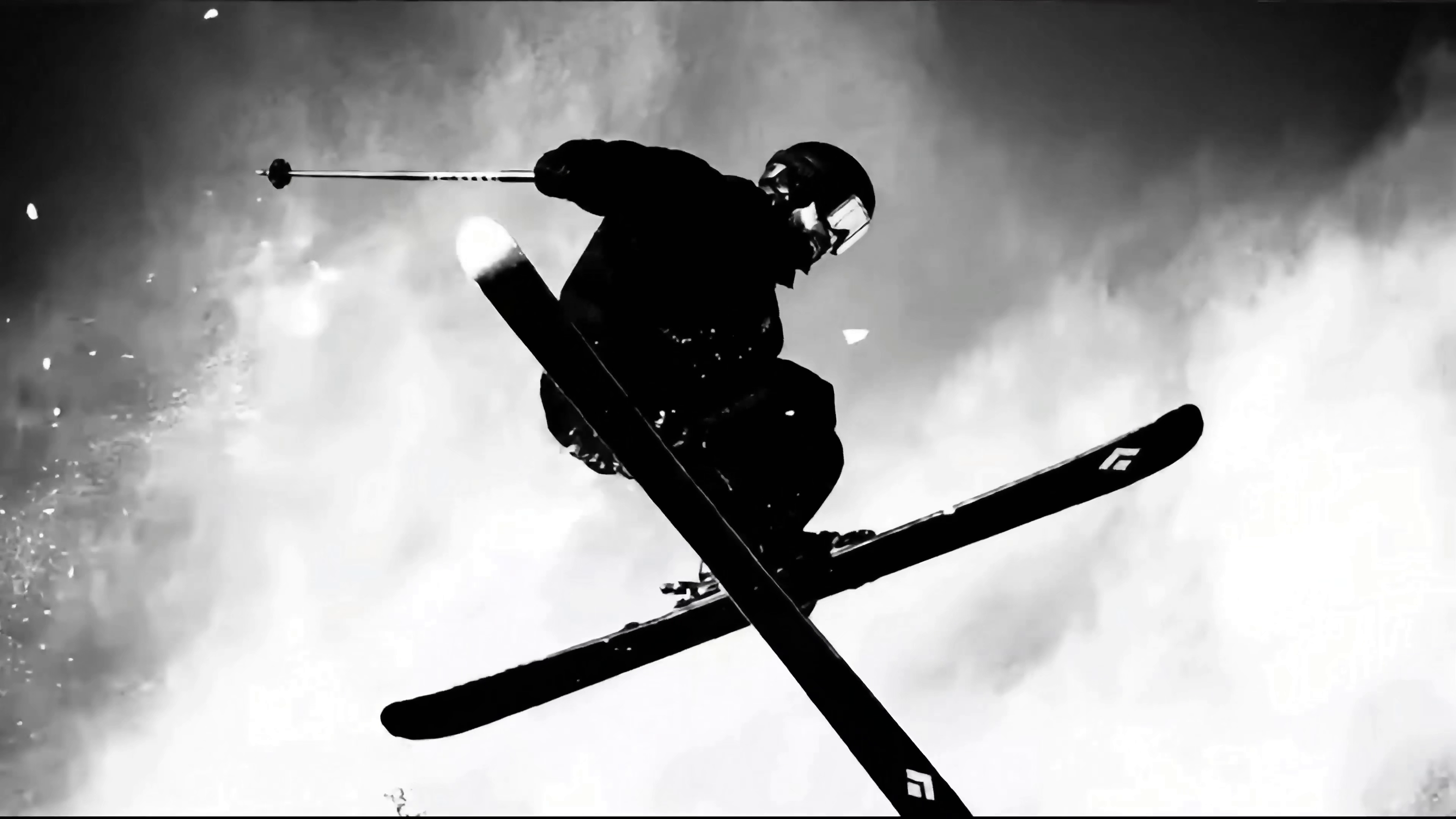
Ultra slow-motion cinematic shot of the skier frozen mid-air during a powerful jump, spinning anticlockwise through the frame with smooth, fluid rotation. The camera captures every detail of the movement, with snow particles floating around him in suspended motion, creating a dramatic sense of depth and scale. High-contrast lighting and a moody, cloudy sky backdrop emphasise the silhouette of the skier and the crossing of his skis. Shot on a professional high-speed cinema camera with a very high frame rate, shallow depth of field, and subtle motion blur for realism. The scene feels epic, immersive, and visually striking, like a premium sports documentary moment captured at peak action.
I will put only one main action per video cue. For example, this one is "jump in the air and rotate counterclockwise". Don't add landing, turning and perspective switching at the same time. The simpler the lens content, the easier it is to control the motion trajectory. When different viewing angles are needed, copying nodes and changing them to low camera position, side follow-up shot, long-range shot or close-up shot is more reliable than mixing multiple camera positions in one prompt.
5. use the front and rear two reference pictures to supplement the connecting lens.
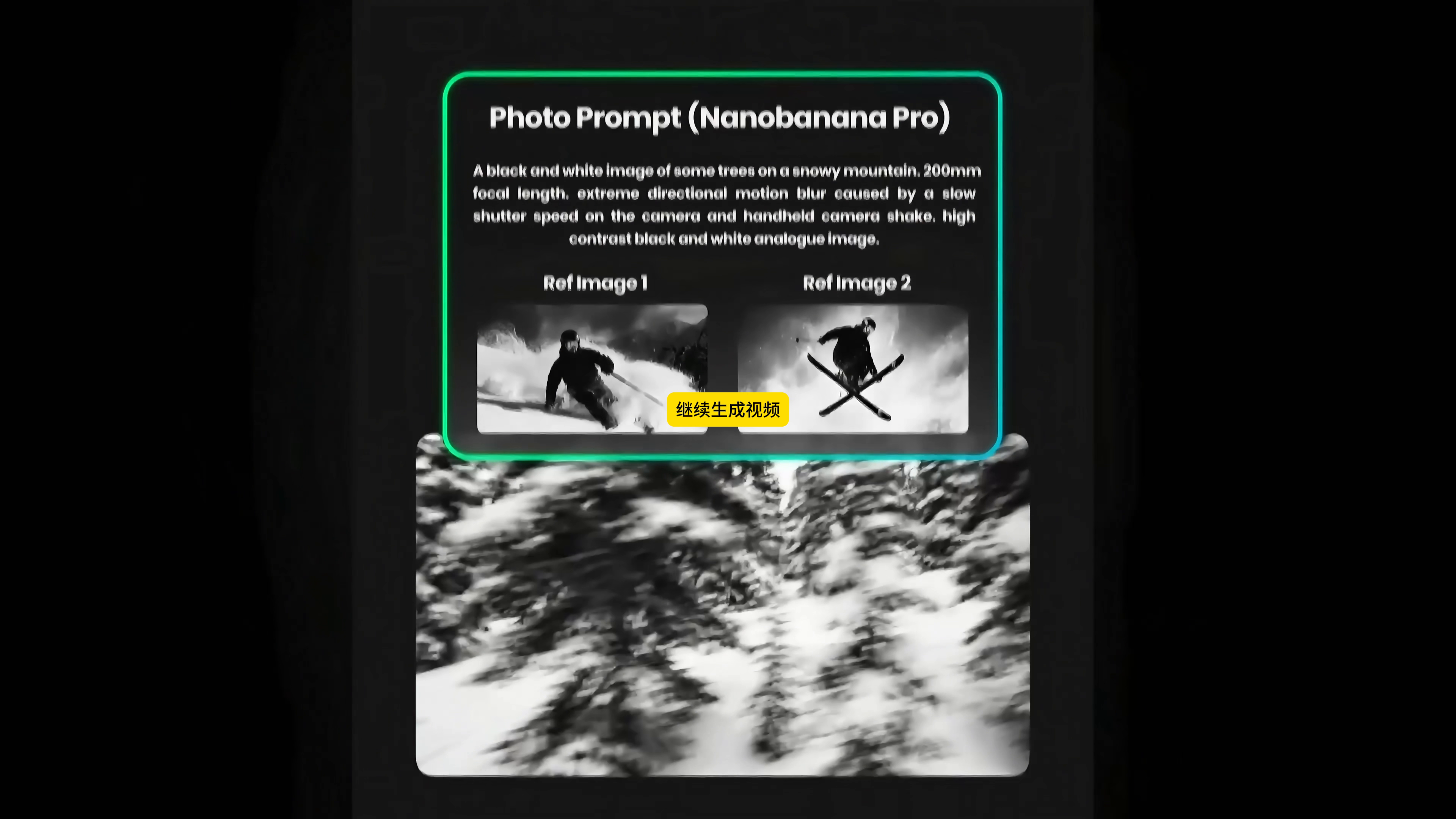
A sense of breathing is also needed between active shots. I gave the two generated ski scenes as Ref Image 1 and Ref Image 2 to Photo Prompt(Nanobanana Pro) to make up a picture of passing through the snow forest at high speed. The prompt word in the video reads:
A black and white image of some trees on a snowy mountain. 200mm focal length. Extreme directional motion blur caused by a slow shutter speed on the camera and handheld camera shake. High contrast black and white analogue image.
Instead of continuing to emphasize the characters, it focuses on 200mm telephoto, slow shutter directional drag, hand shake and black and white film texture. Such an empty mirror or transition lens is placed between the two actions, which can cover up the scene jump and prevent the rhythm from "dazzling the action" from beginning to end ".
The final check 6. is not "like a blockbuster", but whether it can be cut.
During the film formation stage, I will focus on five things: whether the helmet and snow goggles of the same character are stable; Whether the snow stick and snowboard suddenly increase or decrease; Whether the hands and feet, fixator and cross snowboard are deformed; Can the movement direction of adjacent lenses be connected? Whether black and white contrast and graininess are in the same range. High-speed action, snow blocking and cross snowboard are the most prone to problems. It is better to change one to generate results than to expect editing to hide structural errors.
This workflow handles consistency issues ahead of time, but does not automatically guarantee that every frame is correct. In the end, it should be the fragments with stable characters, understandable movements and connecting front and rear lenses, rather than the most exciting results of a single frame.
Looking back, what is really useful this time is not a very long prompt word, but the sequence: part reference picture → white background makeup picture → scene picture → video action → connecting lens. Let the model know "who it is and what to wear" first, and then discuss "where, how to move and how to shoot with the camera". The character consistency and later scissorability will be much better.







Sure, that works.
666
Amazing!
The style is very good.
Awesome
The scene is so cool