A set of advertisements should be put into multiple regions, and the workload is often not as simple as making a few more pictures. The copy needs to be translated, the characters may need to be adjusted, and the color and size will also change due to channels. The more files are copied, the easier it is for Logo, composition and visual style to get out of shape during modification.
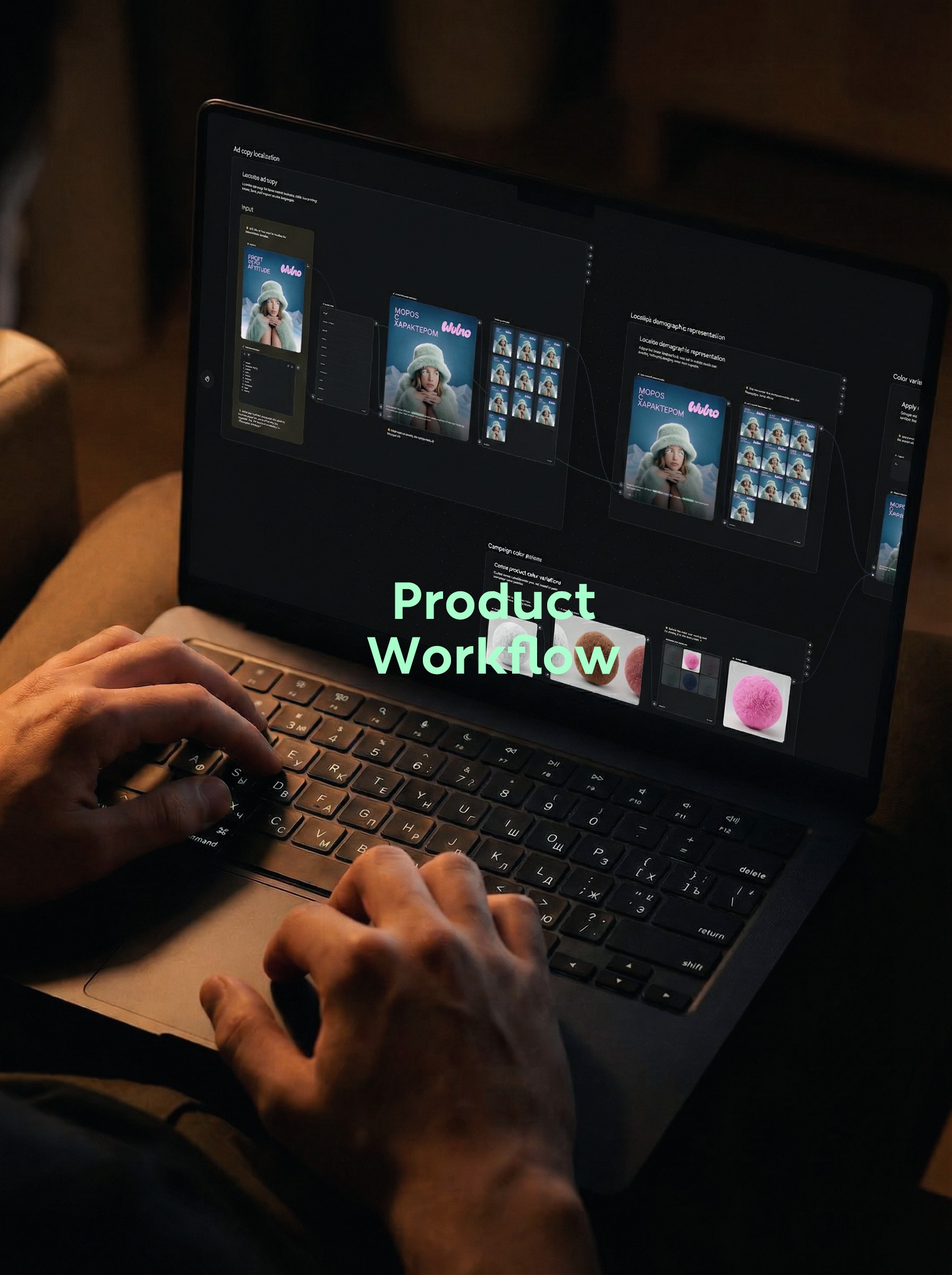
This test starts from a poster of winter characters, and uses node canvases to handle multilingual copy, regional characters, hat color matching and frame size respectively. The video is closer to a template capability demonstration, without demonstrating every click from a blank canvas, so the focus here is on disassembling its variable control methods.
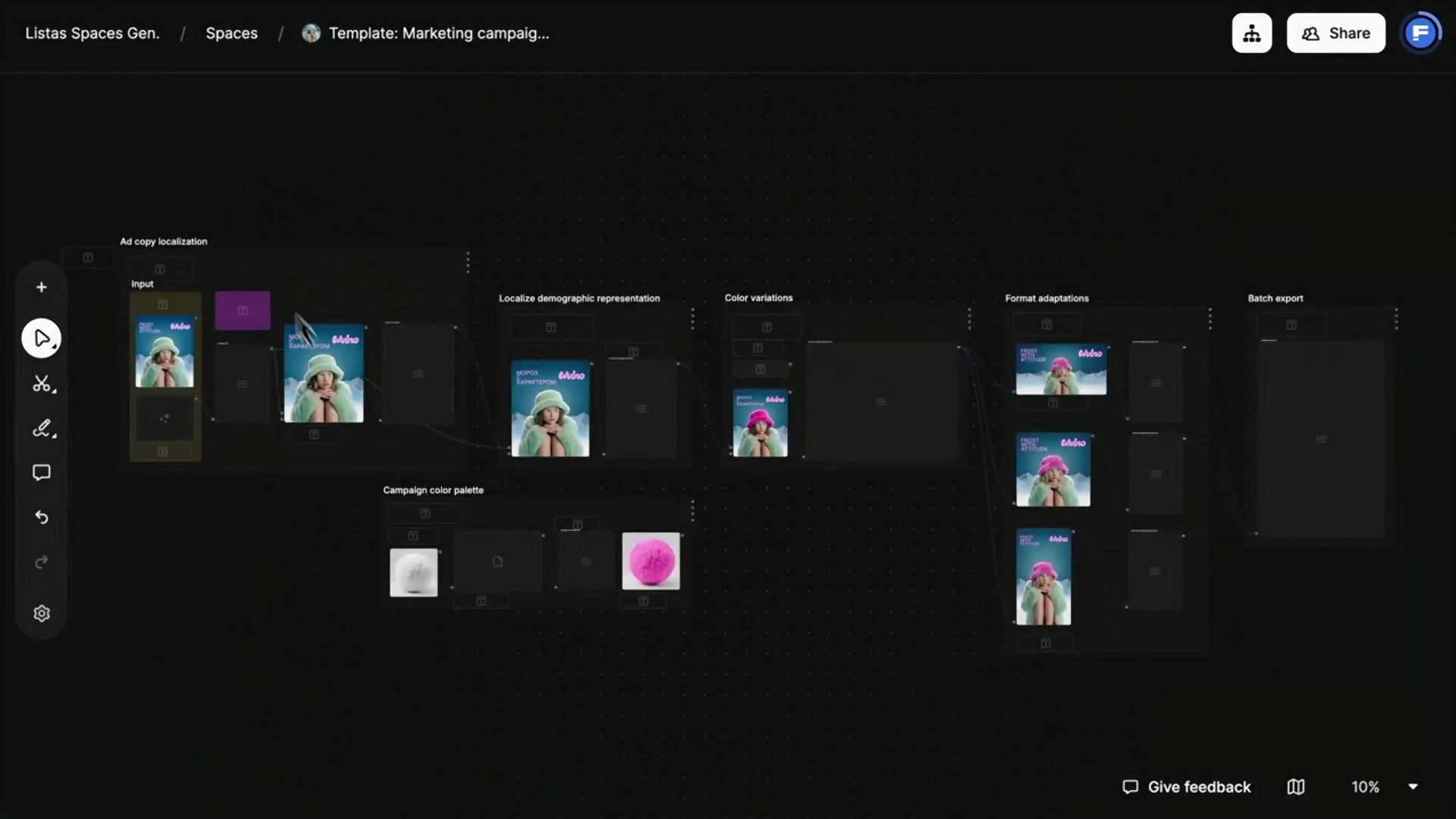
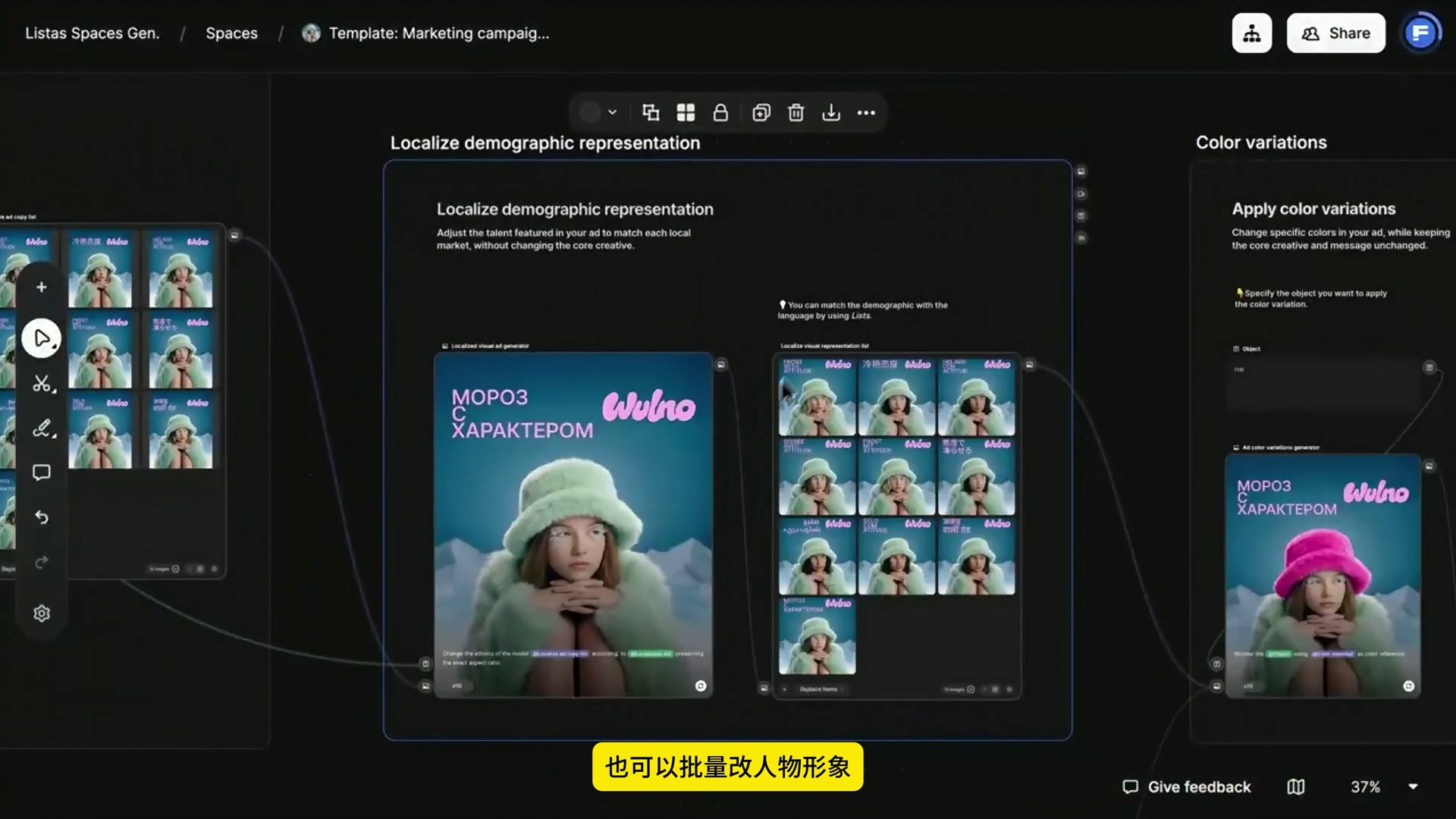
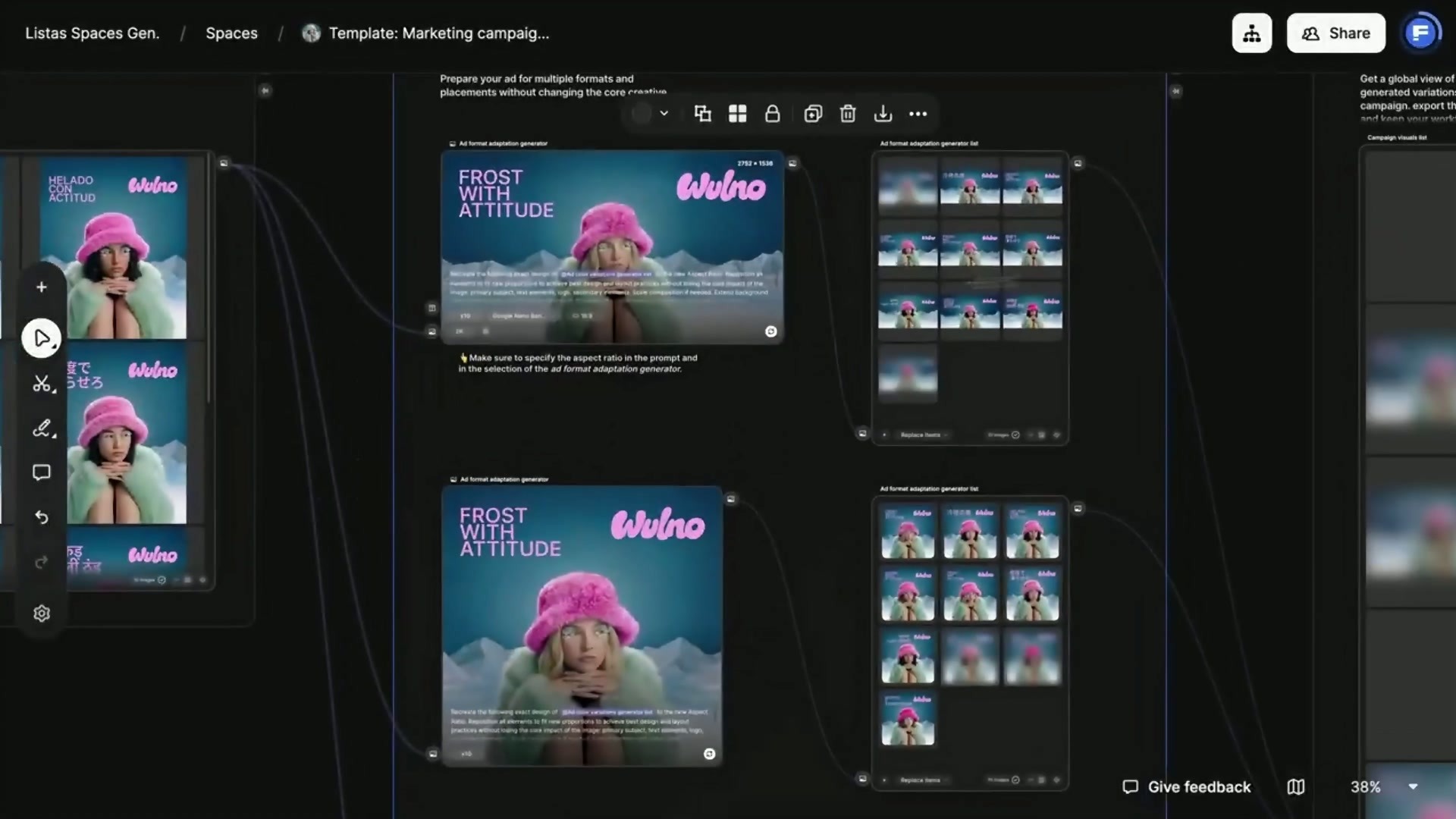
The canvas strings together several relatively independent modules from left to right: ad copy localization, character adaptation, color change, format adaptation, and finally a batch export area. Each segment receives the result of the previous segment, but is responsible for only one change.
1. First, clearly write down what must not be moved.
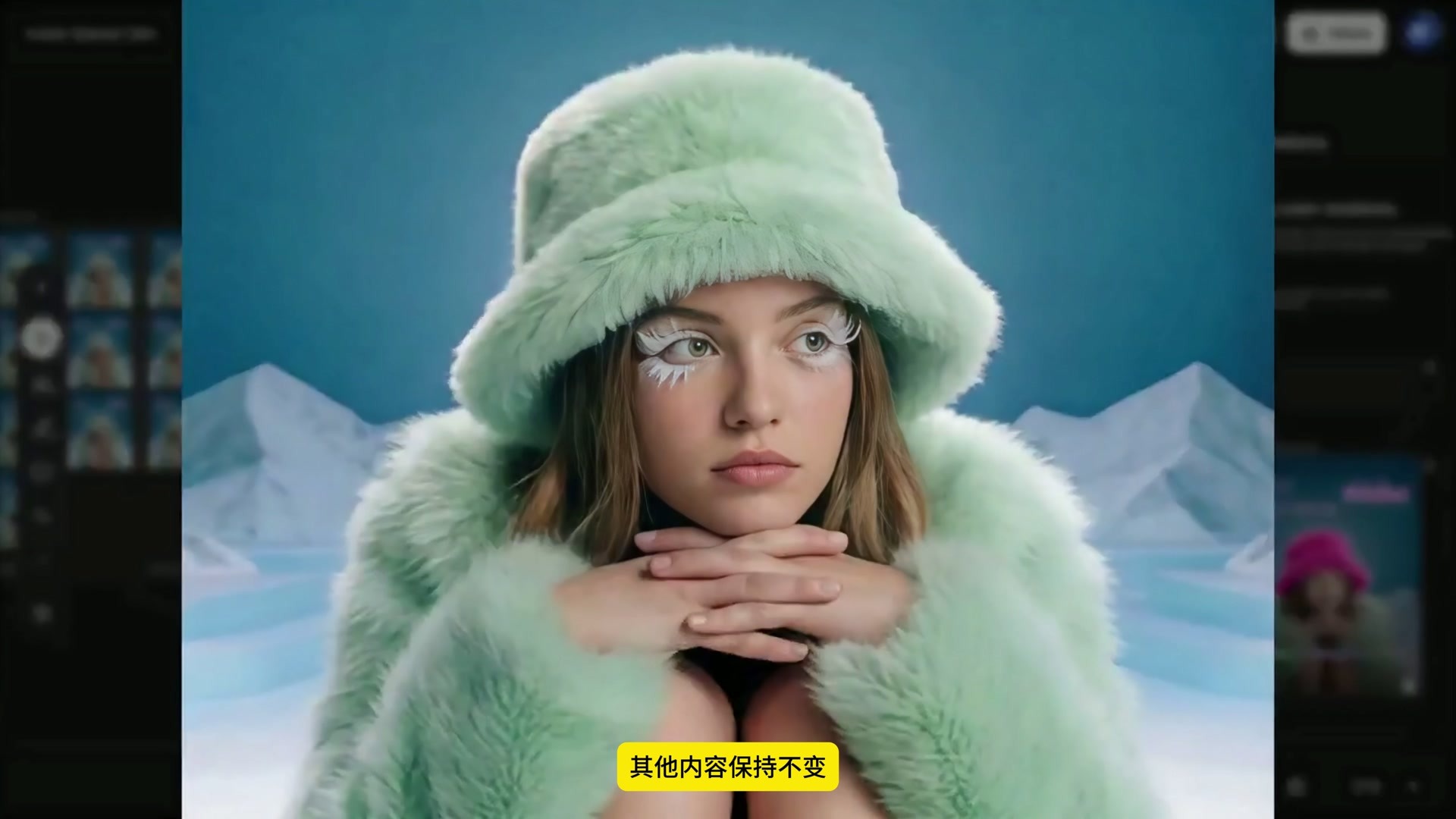
The brand Logo, character posture, snow mountain background, text location and overall composition in the original poster are the fixed items of this adaptation. Language, character characteristics, hat color and frame ratio are variables. Separate the two types of content before each node knows how much it can change.
This kind of constraint is very important. For example, the translation node only deals with copywriting, so it should not change characters conveniently. The color matching node only changes the hat and should not redo the coat or background. The narrower the task boundary, the easier it is to check the batch results.
2. First, complete the localization of the copy.
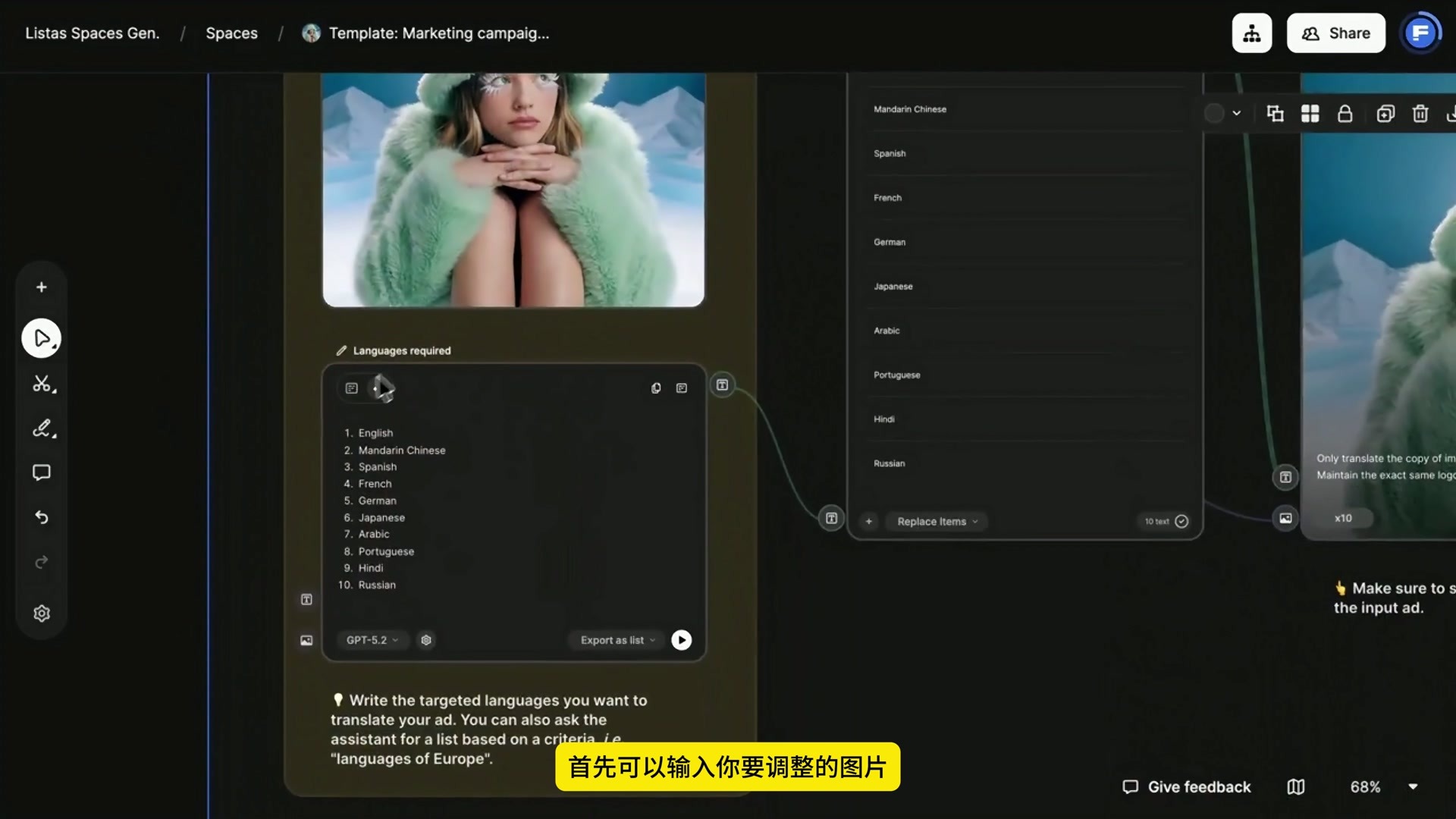
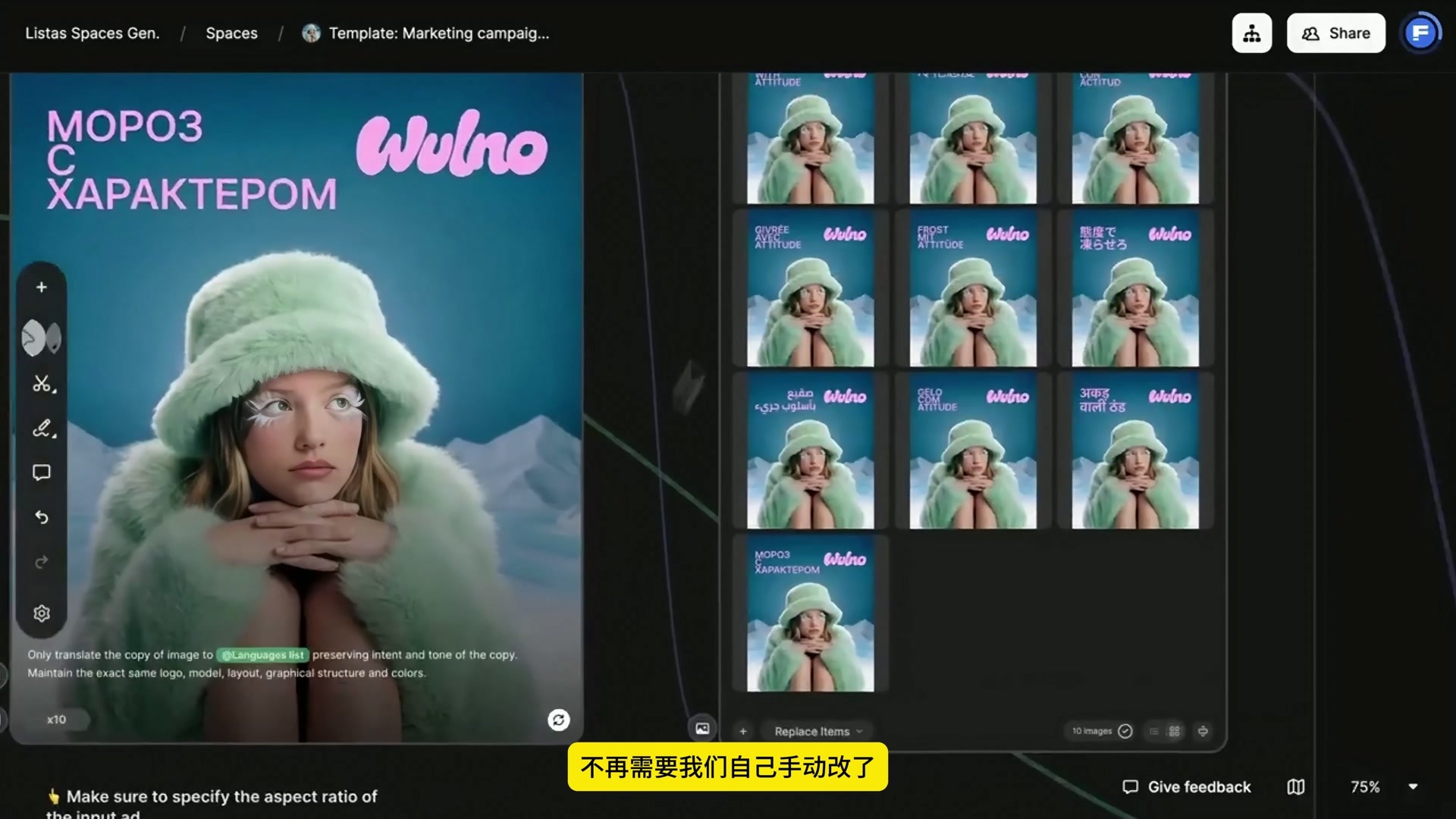
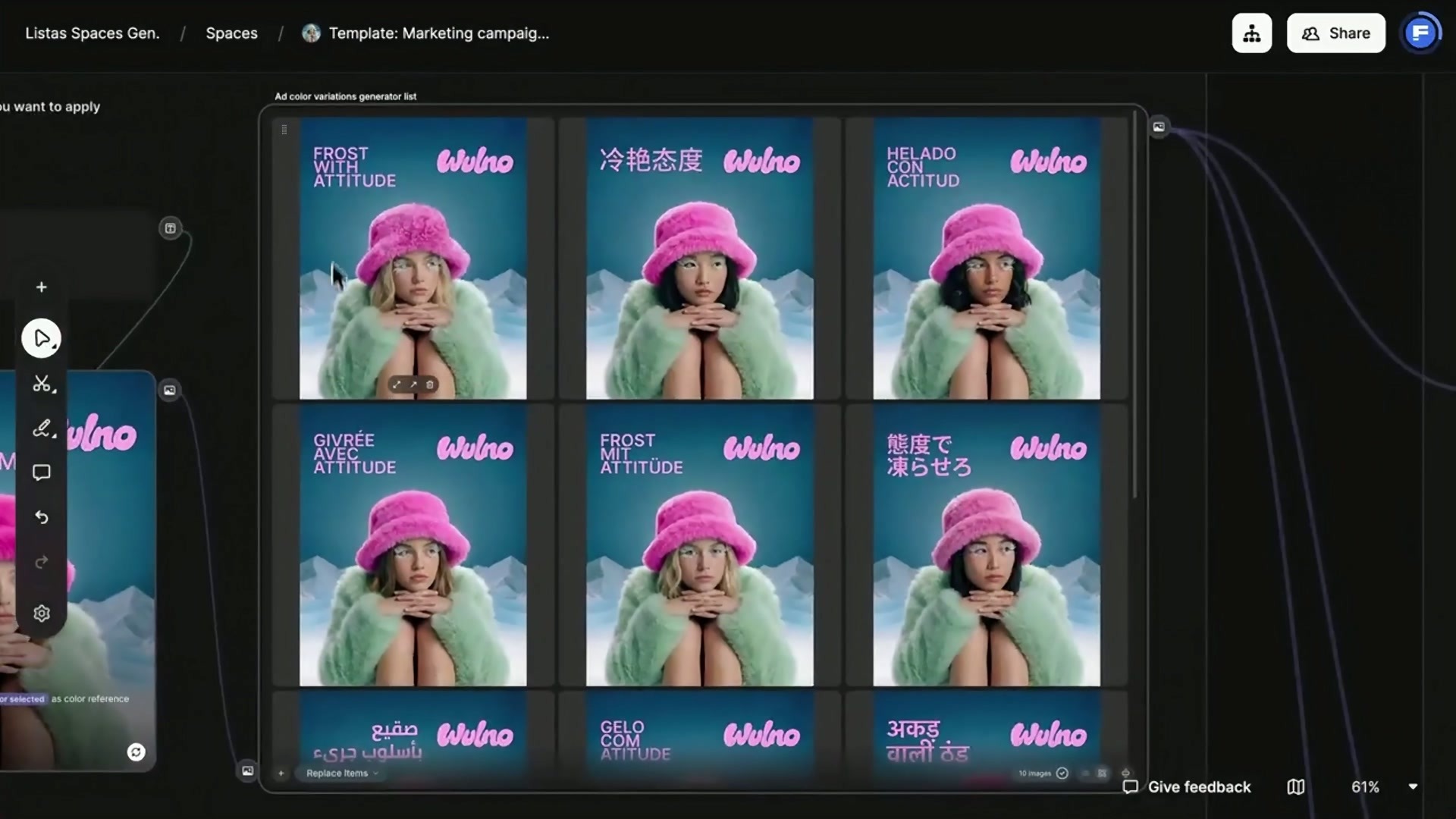
The first paragraph enters the original ad map and lists the target language. The list in the video includes English, Simplified Chinese, Spanish, French, German, Japanese, Arabic, Portuguese, Hindi, and Russian in ten languages. The language list is output separately as a list, which is then connected to the image generation node.
The prompt requirements in the canvas are very clear: only translate the text in the picture, retain the original intention and tone, and maintain the same Logo, characters, layout, graphic structure and color. This is not to let the model redesign the poster, but to let it replace the copy in the existing layout.
Batch results put different languages in the same group to facilitate horizontal viewing. Semantics, spelling, line breaks, and text direction must still be proofread one by one before the actual release. In particular, Arabic, which is read from right to left, should not only look at "like or not", but also confirm whether the content is correct and the layout is really readable.
3. characters adapt to walk a branch alone.
After the copywriting is completed, the canvas continues to send the results of each language to the character adaptation module. The explanation of this module is to make the characters in the advertisement closer to the audiences in various regions, while retaining the original creativity. The language list is also integrated to cater to different markets.
As a result, we can see that the face and hairstyle of the characters have changed, and the posture, clothing, snow mountain background and text position are basically the same as the original image. This is more controllable than the rebirth of the whole poster, but the face, fingers, clothing edges and skin color still need to be manually checked to avoid irrelevant structural errors brought about by character changes.
Specify object first when changing color 4.
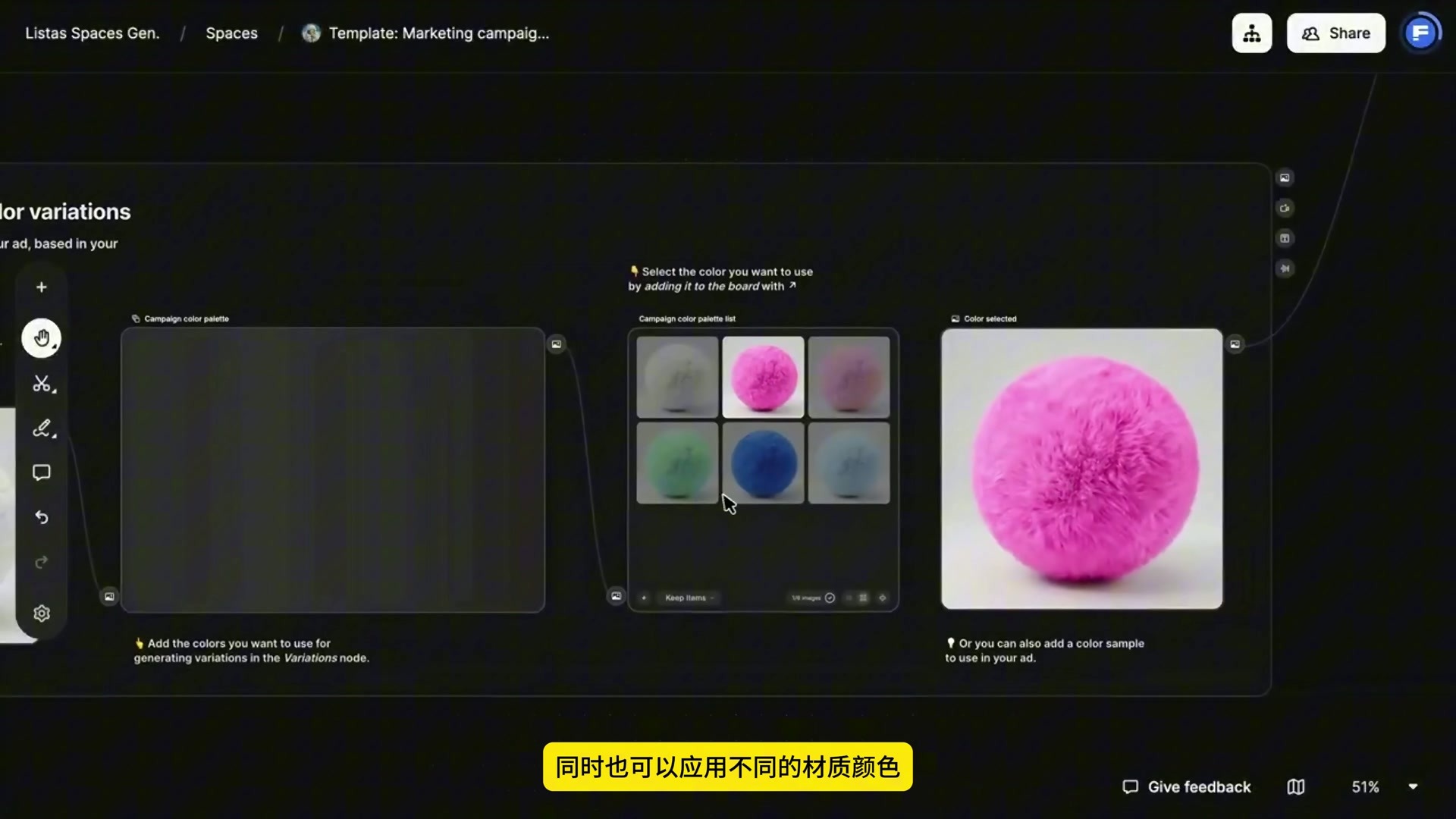
The color matching module does not generally require "change the picture to pink", but first writes the object as hat, that is, only the hat is processed. Colors can be selected from a list, or a color or material reference map can be uploaded. The video uses a pink pompom ball as a reference, so the change has both color and fluff texture.
After this branch, the hat in the multilingual poster turned bright pink, and the original blue-green background and light green coat were retained. When checking these results, I look at the brim profile, hair shade, coat color and logo color value together. As soon as the reference color starts to pollute other areas, the object description should be tightened instead of continuing to generate.
5., the horizontal and vertical version will be adapted at the end.
After the copy, characters and color matching are stable, the workflow enters the format adaptation. The canvas hint needs to state the target aspect ratio in both the text description and the generator. The horizontal version cannot simply cut off both sides of the vertical version. The characters, titles, Logo and snow mountain background should be rearranged, and the safe area should also change according to the channel.
You can see the horizontal and vertical versions in the video, as well as their respective batch result lists. What is to be retained here is the main visual relationship, not the absolute coordinates of each element: the character is still the center, the title and Logo still have a clear reading order, and the background is responsible for filling in the new picture.
The batch export area can also be seen on the right side of the canvas, but the video does not expand the specific export settings, so this step can only confirm that the workflow has reserved a location for centralized sorting of results. In actual delivery, I will filter out translation errors, abnormal characters and incomplete compositions before entering the export phase.
This method is suitable for marketing materials that require rapid expansion of regional versions. It saves the time of repeated copying and sheet-by-sheet revision, and is not a substitute for local language proofreading and brand review. Write down the fixed items clearly, put each variable into a separate branch, and finally check it in a unified way, so that it is not easy to lose the original design in batch generation.






Comment Board (0)
Empty comment