Lock the characters and space first, then change the position, add props, and finally give them to the first and last frames.
Recently, I am studying a very specific problem: the same character has to pass through the living room, kitchen and desk in tens of seconds, and has to touch props such as mobile phones, coffee machines, glasses and beverage cans. how can I do it so that every time I change a lens, it is like changing a person?
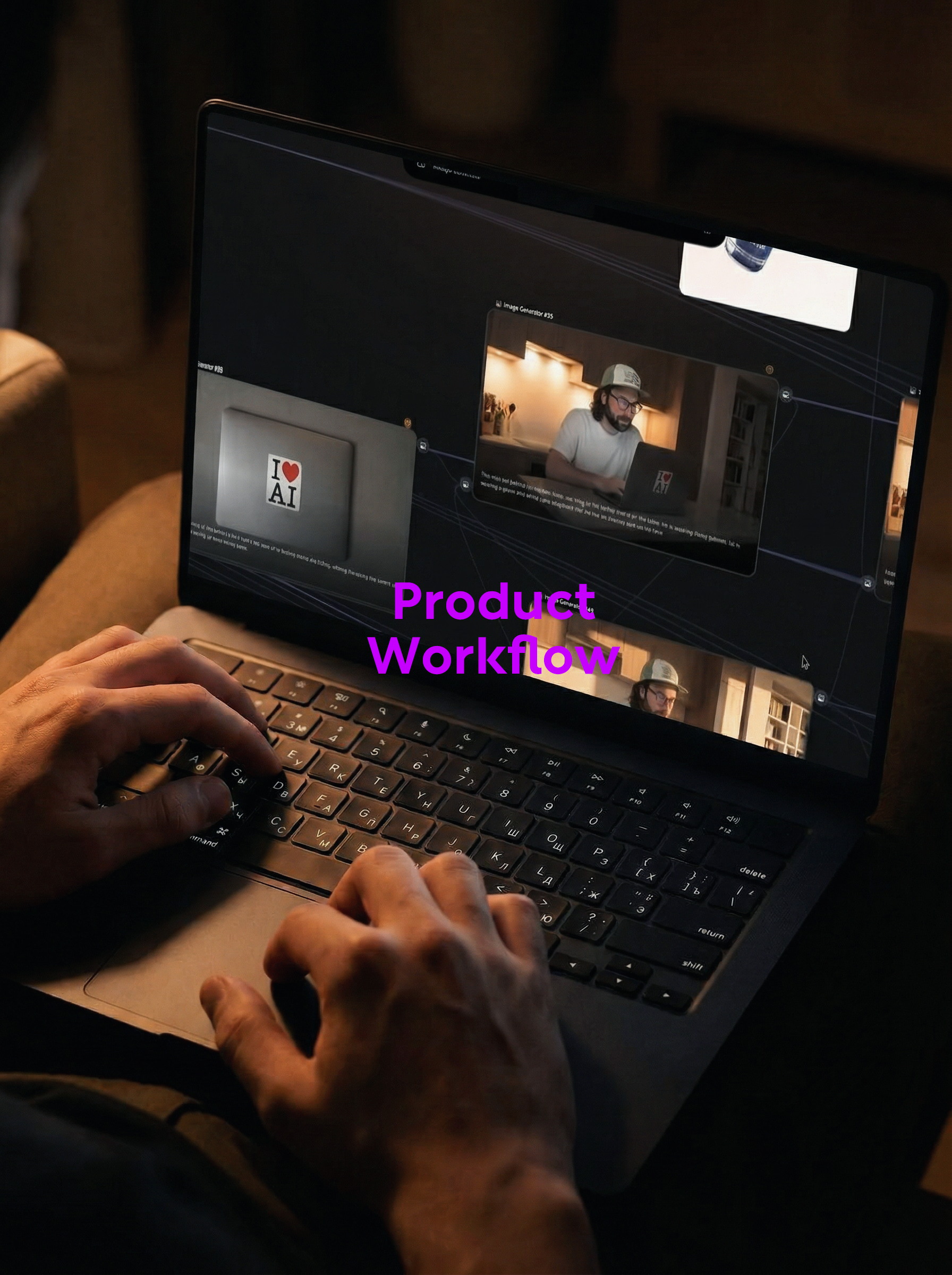
This time the material just gives a relatively clear answer. Instead of putting hope on a "universal cue", it takes characters, spaces, seats, products and actions apart. In the front, the static picture is stabilized first, and then the first and last frames are used to generate actions. It seems that there are many nodes, but the real logic is actually very straightforward.
1. first write things that cannot be changed to death.
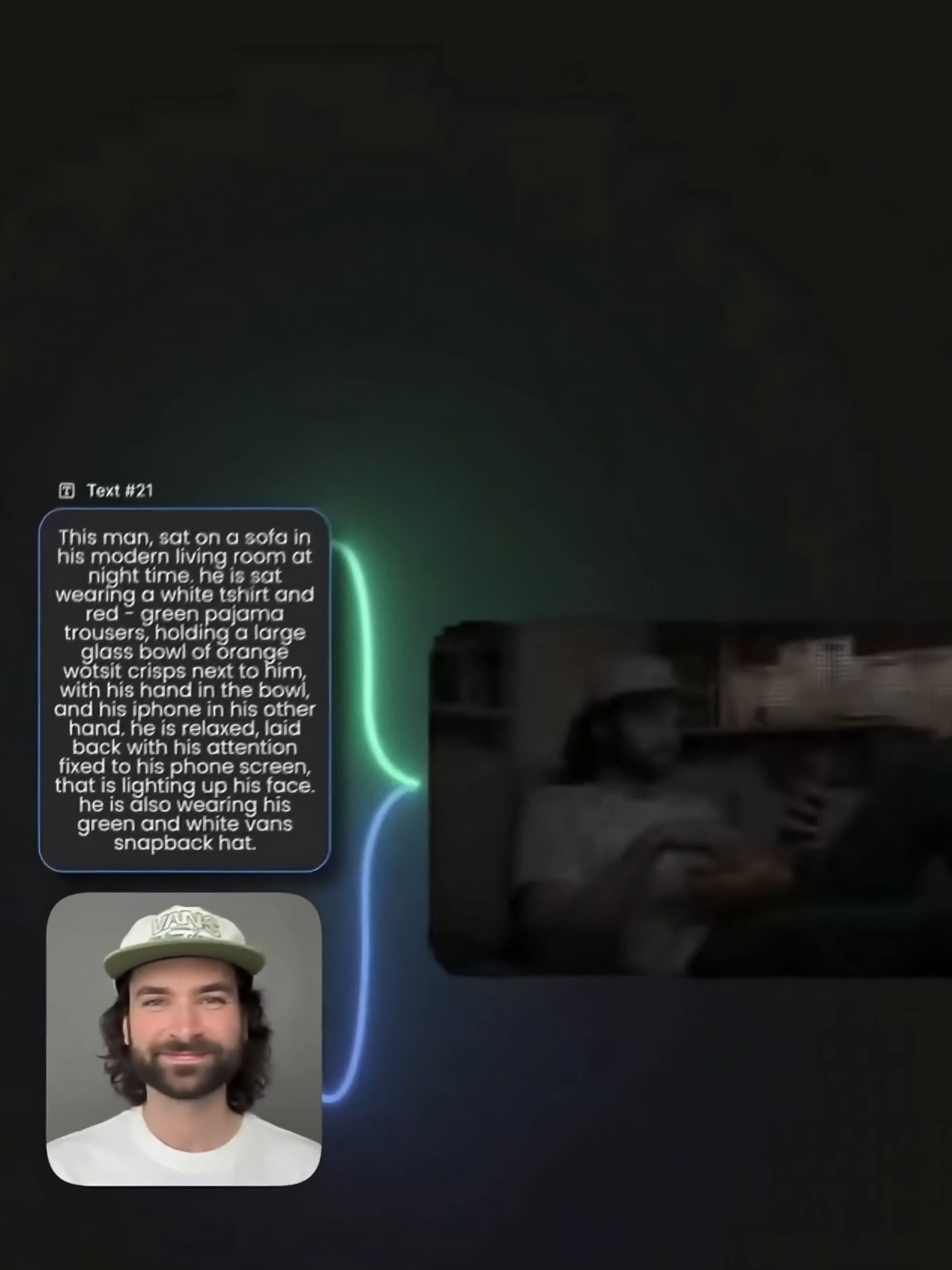
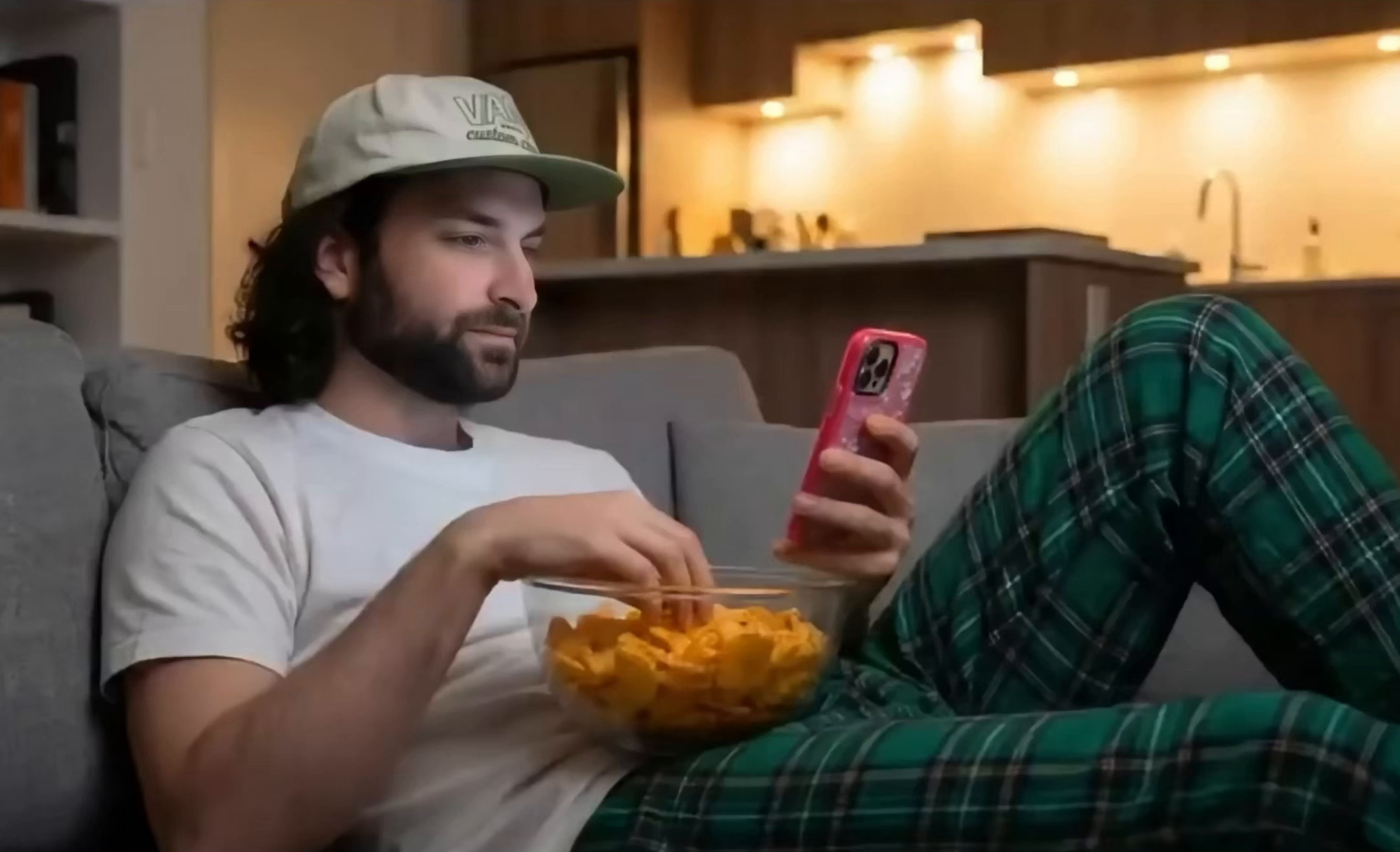
The first step is not to make a video in a hurry, but to determine the character file and the basic scene. The man in the picture always keeps long hair, beard, white T-shirt, green check pajama pants and light baseball cap. The space is fixed as a modern living room and warm kitchen at night. Even the details of him lying on the sofa brushing his cell phone and having a bowl of orange potato chips at hand are also written into the basic description.
The most worthy reference in this step is to separate "identity information" from "plot action. Face shape, hairstyle, clothing and hat belong to identity information, and the follow-up shall not move as much as possible. Sitting, running, making coffee and wearing glasses are the variables to be replaced by each lens. First, draw a clear boundary, and the following prompt words will not be easy to write more and more disorderly.
2. do the environment first, don't put characters in it as soon as you come up.
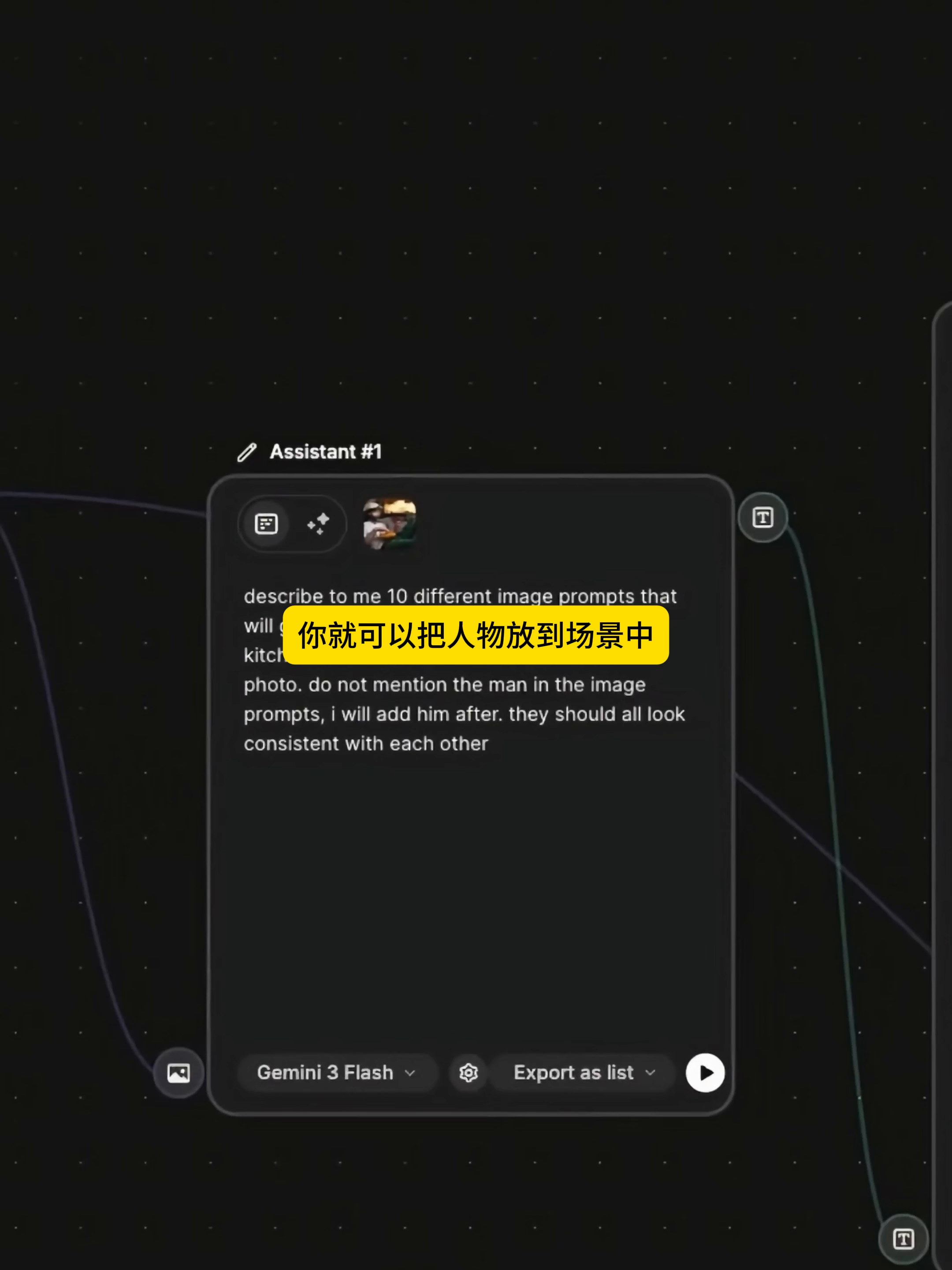
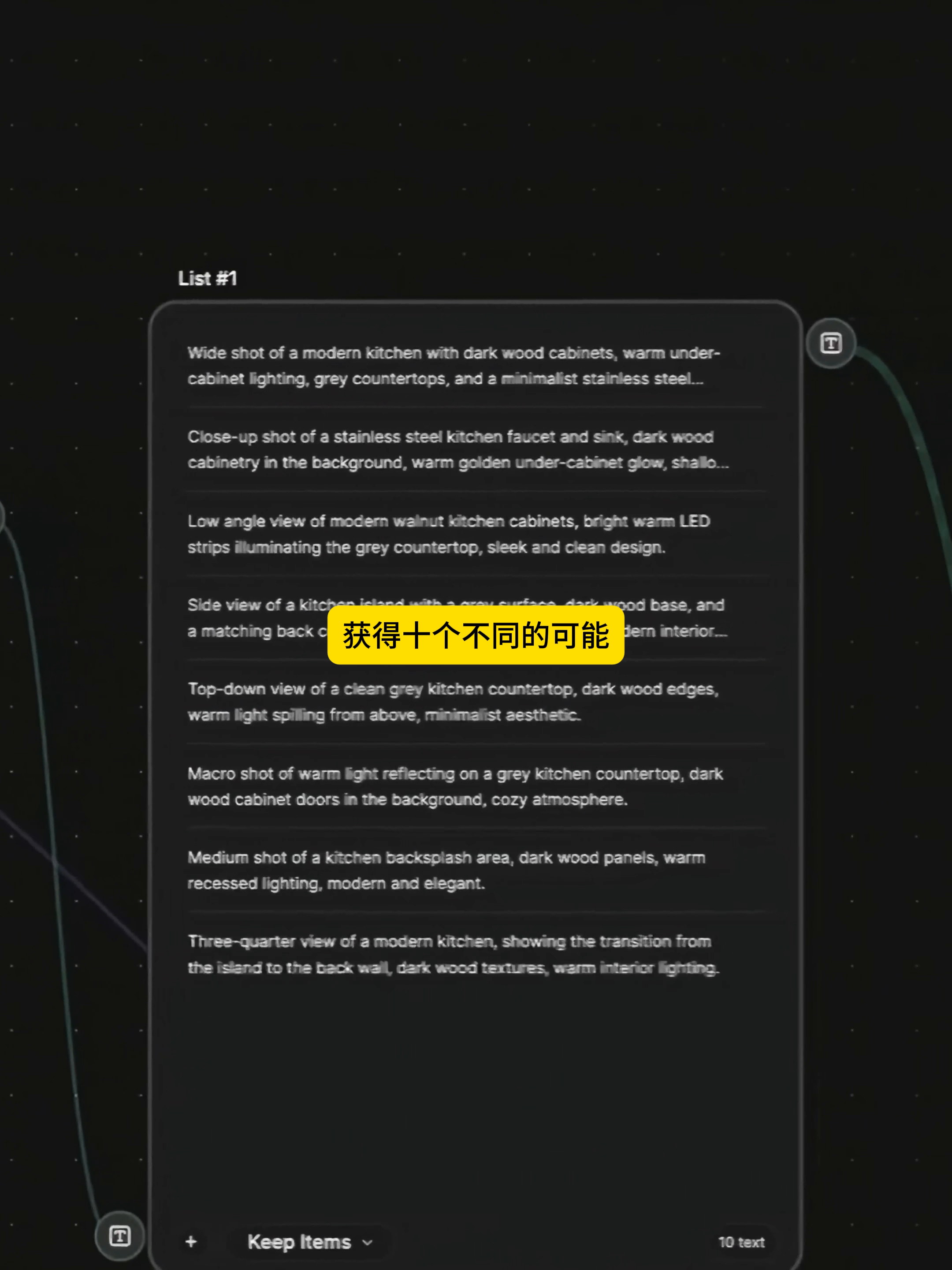
Next, the workflow asked Gemini 3 Flash to write 10 sets of kitchen lens tips first, and explicitly requested not to mention characters for the time being, but to generate only unified kitchen scenes. This limitation is very practical: the model only needs to solve the space, machine position and light at a time, and does not need to take into account the posture of the figure and the placement of the product at the same time.
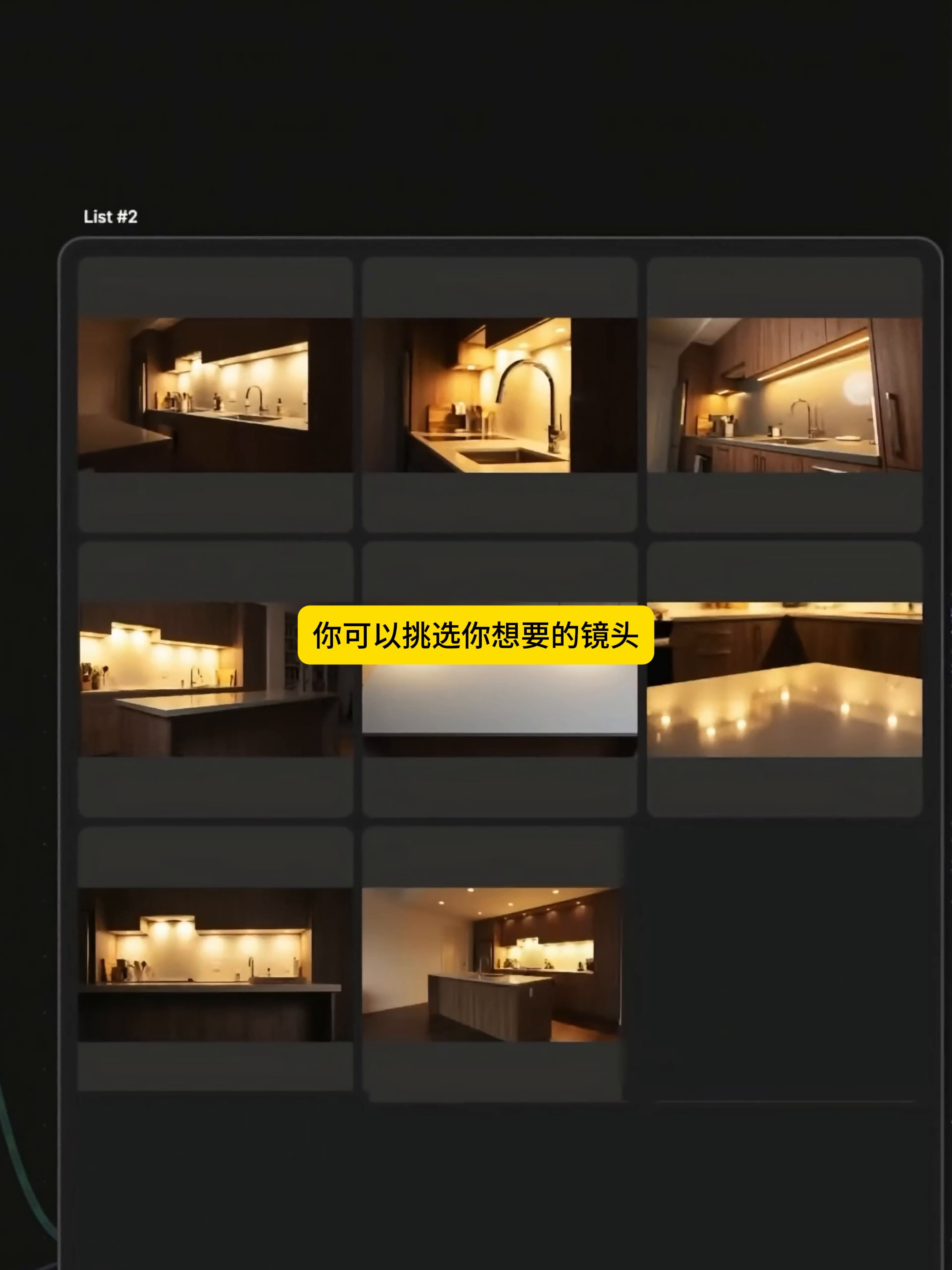
The output position is not just a simple change of angle, but a gradual opening from the wide view, the side of the island, the close view of the sink, the low position, the overhead shot to the details of the table. After exporting these descriptions in list form, each one can continue to be connected to a separate image generation branch.
Subsequently, 10 groups of prompts were converted into the same set of warm color kitchen maps in batches. At this time, don't be in a hurry to keep all of them. I prefer to choose according to the purpose of the lens: the choice of wide view for explaining the space, the choice of table close view for expressing the operation, and the need for emotion to leave another angle close to the line of sight of the characters. Only when the pictures are picked out in this way can they be edited later.
3. select the seat and bring back the character and product.
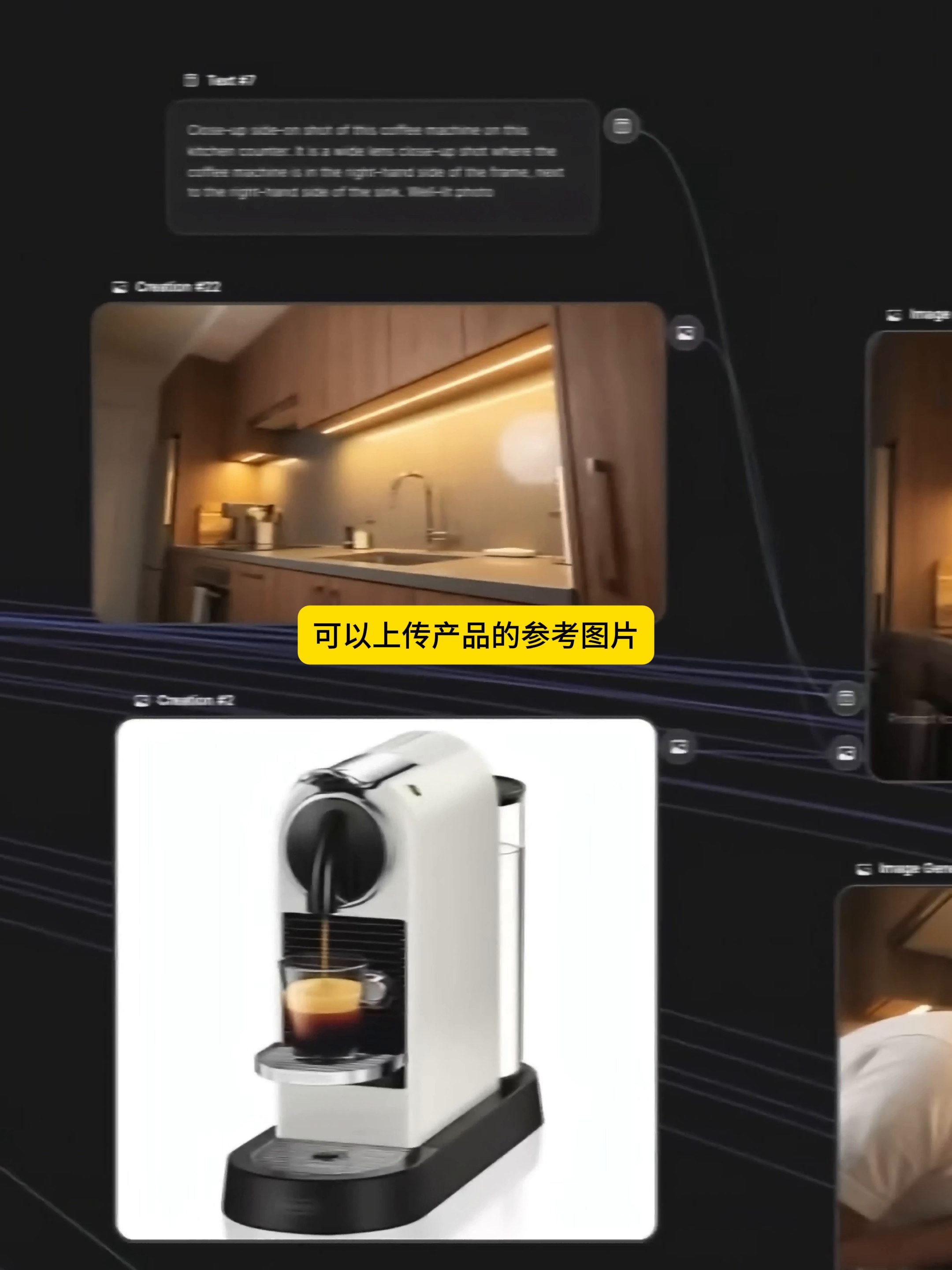
After the scene is stable, upload the product reference separately. The video first uses the coffee machine as an example: one side is the selected kitchen environment, the other side is the white product map, the two enter the new image generation node. The product is not written into the scene prompt from the beginning, but is accessed as an independent reference, so when replacing glasses, stickers, beverage cans or cats, there is no need to redo the entire environment.
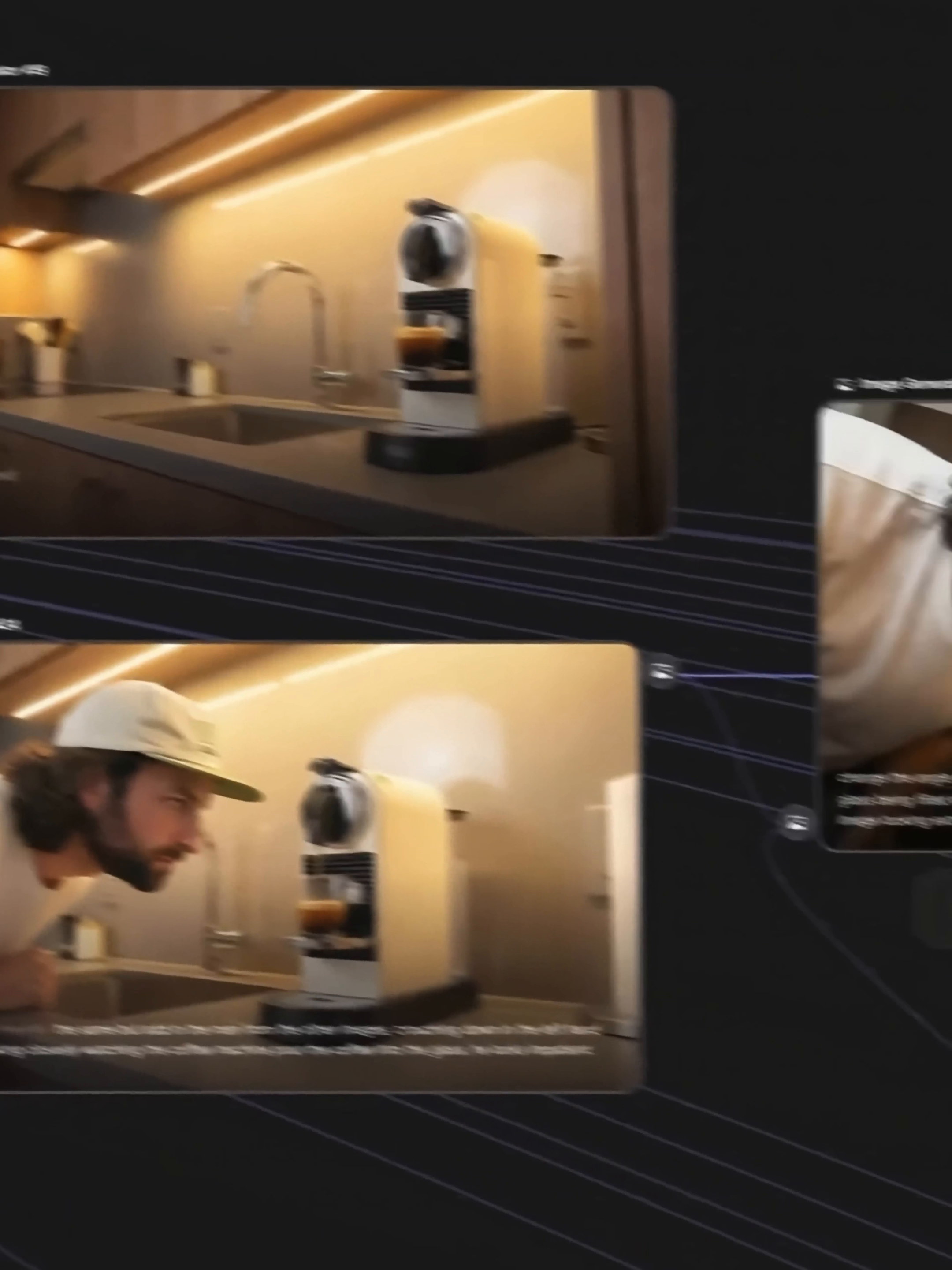
The generated results first confirm whether the position, size and light of the coffee machine in the kitchen are reasonable, and then bring the character in and let him approach the machine or observe the coffee outflow. It is best to take a look at the contact between the hand and the product, whether the hat and clothes drift, and whether the next mirror can continue the same line of sight. The problem is found in the static map stage, and the rework cost is much lower than after the video is generated.
This method of splitting can be summarized in one sentence: the background is responsible for continuity, the characters are responsible for identification, and the product is responsible for the plot. After the three are controlled separately, one of the elements will not easily affect the whole picture.
4. use the first and last frames to turn two pictures into an action.
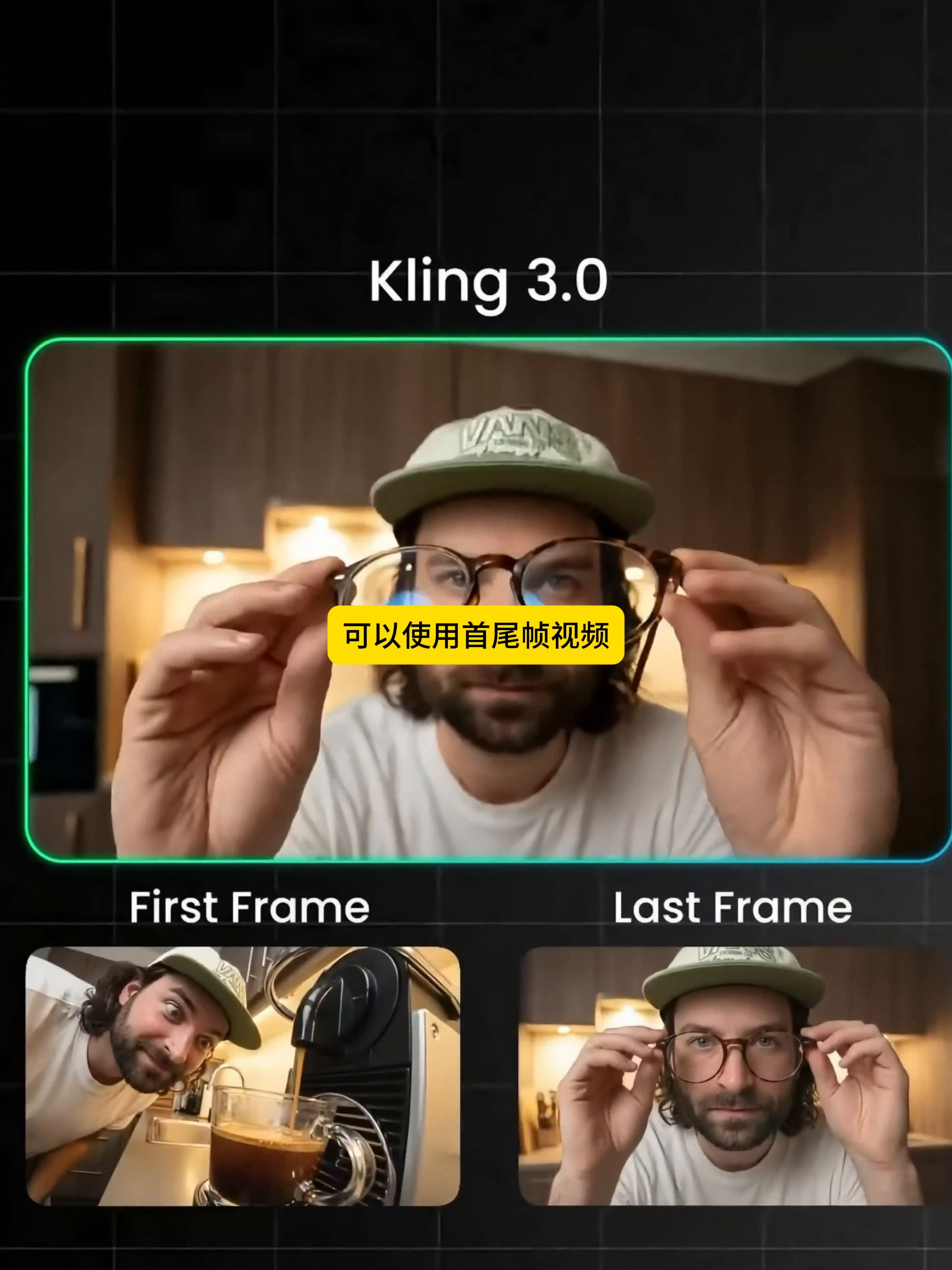
When the start and end screens are confirmed, enter the video of the first and last frames of Kling 3.0. The example in the video puts the adjacent states of "the character is close to the coffee machine" and "the character raises his glasses" into First Frame and Last Frame respectively, so that the model can make up the middle action.
The first and last frames are not two good-looking pictures casually matched together. They are best kept close to the scene, direction and light, only let a main action change. For example, the hand moves from the desktop to the glasses, and the character approaches the lens from the coffee machine. If you change the scene, change the position and change the posture at the same time between the two frames, the model needs to guess too much, and the picture is easy to get out of control.
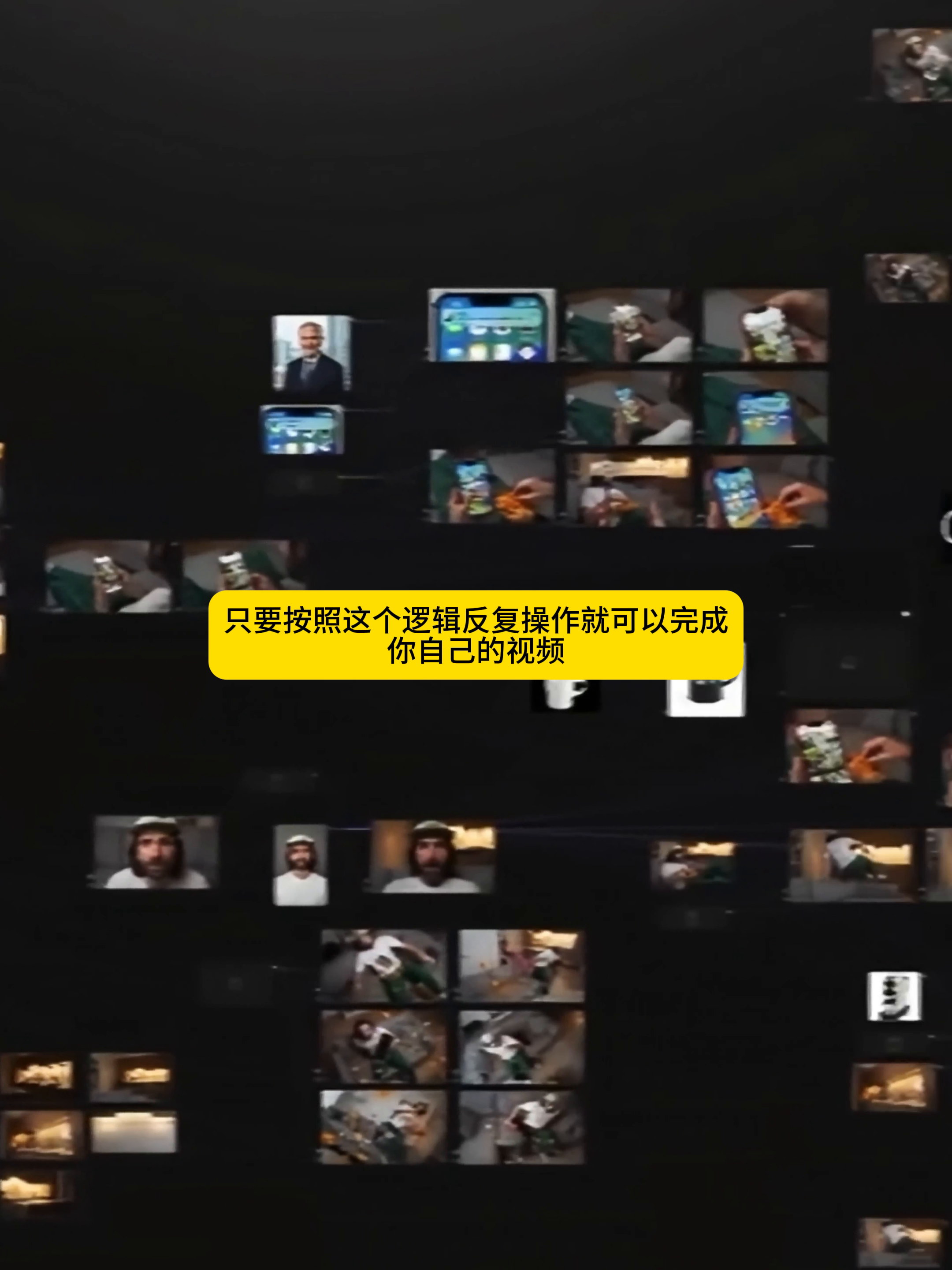
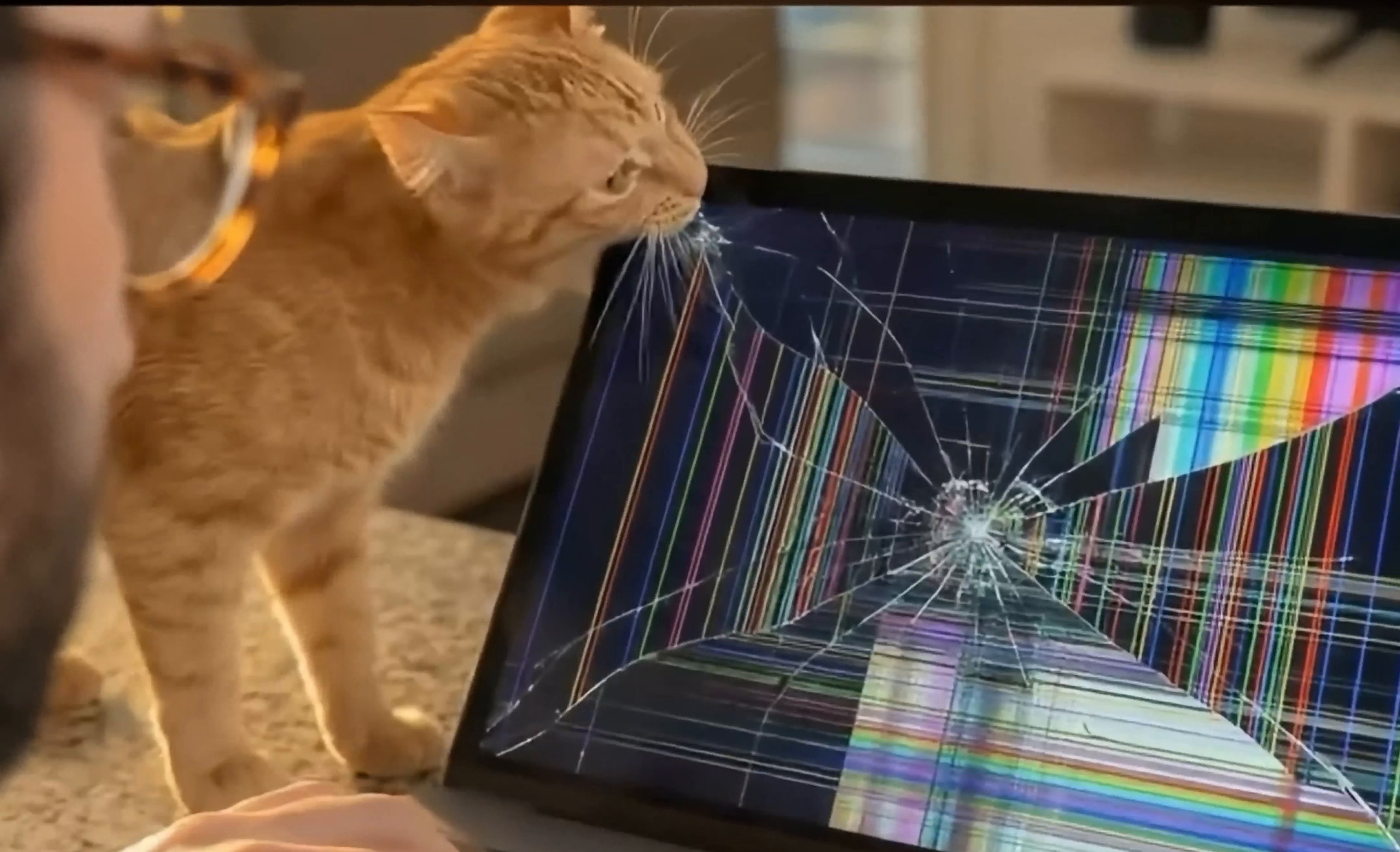
Copy this branch and you'll be able to process the phone notification, rush to the kitchen, make coffee, put on glasses, turn on the computer, and the cat breaks the screen. The node canvas looks very large, and in essence it just repeats the short link "select a scene-pick up a character or product-confirm the first and last frames-generate an action.
5. the final effect depends on continuity, not every frame shows off its skills.
In the opening shot, the character wears the same white T-shirt and green checkered pajama pants and is nestled on the sofa to watch his mobile phone. The kitchen in the background has already appeared in advance. When the characters run into the kitchen later, the audience will not feel that the space has suddenly changed.
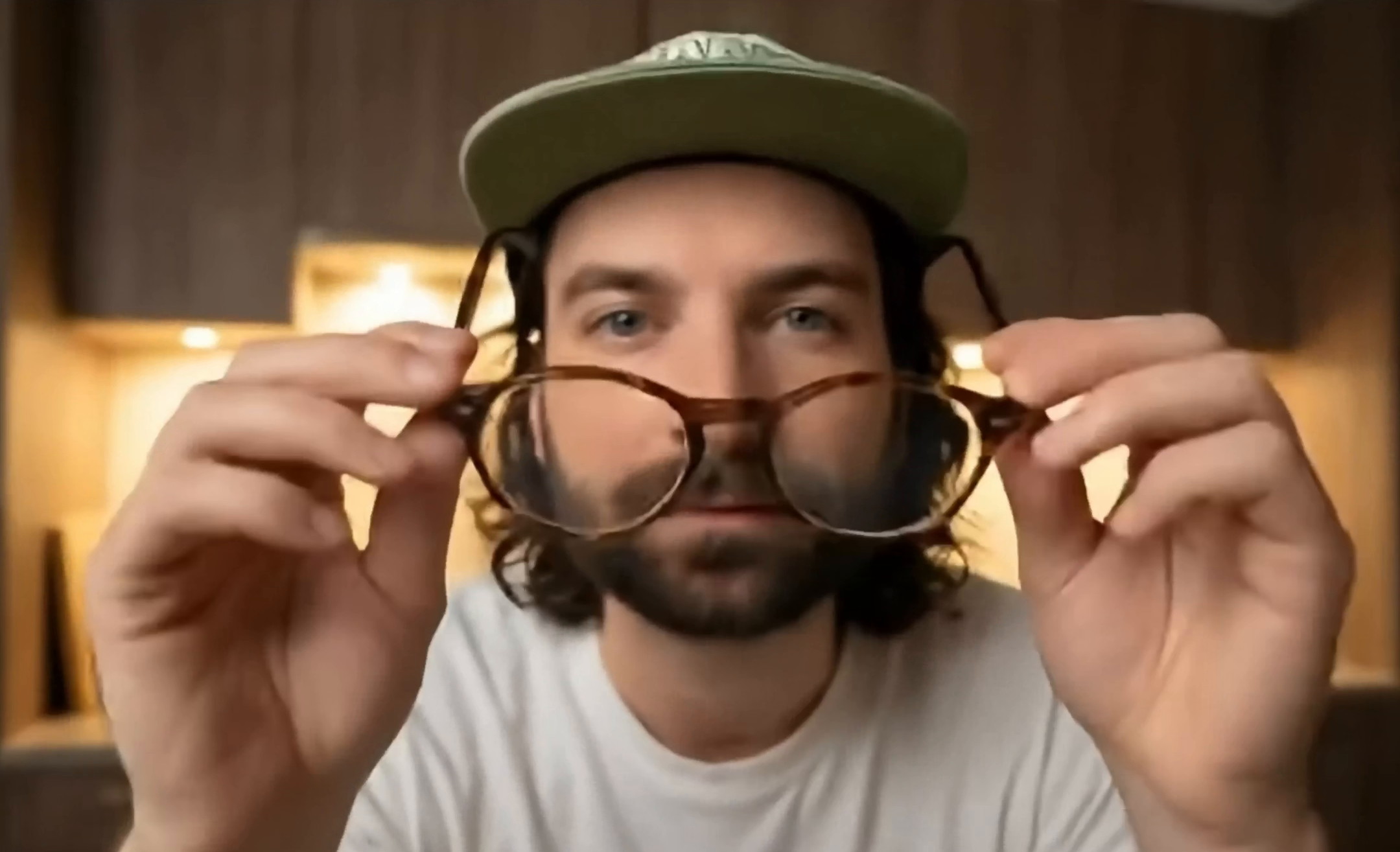
In the coffee and glasses section, the character's hat and hairstyle continue to be consistent with the warm color kitchen, and the changes focus on the props in the hand and the distance of the lens. Instead of deliberately allowing each frame to bear new information, it leaves room for action.
Finally, the picture ending with the cat interrupting the work not only continues the indoor light, but also gives a clear turning point to the continuous "rush work" plot. Mobile phones, coffee machines, glasses, computers and cats are not cluttered into the same picture, but are assigned to different shots, gradually pushing the story forward.
After this disassembly, I am more sure of one thing: the consistency of AI video is rarely solved by a longer prompt word. A more effective approach is to first decide what must be fixed and then allow a few variables to change mirror by mirror. By taking characters, spaces and products apart and controlling them, and finally processing actions with the first and last frames, complex workflows become easy to check and rework.







Learn it, huh
Not bad