When working on product visuals, the real time‑consuming part is often not creating a single image, but rather organizing brand guidelines, product references, visual direction, and output specifications into a repeatable, scalable workflow. When there are too many nodes, the sequence of dependencies can easily become disorganized.
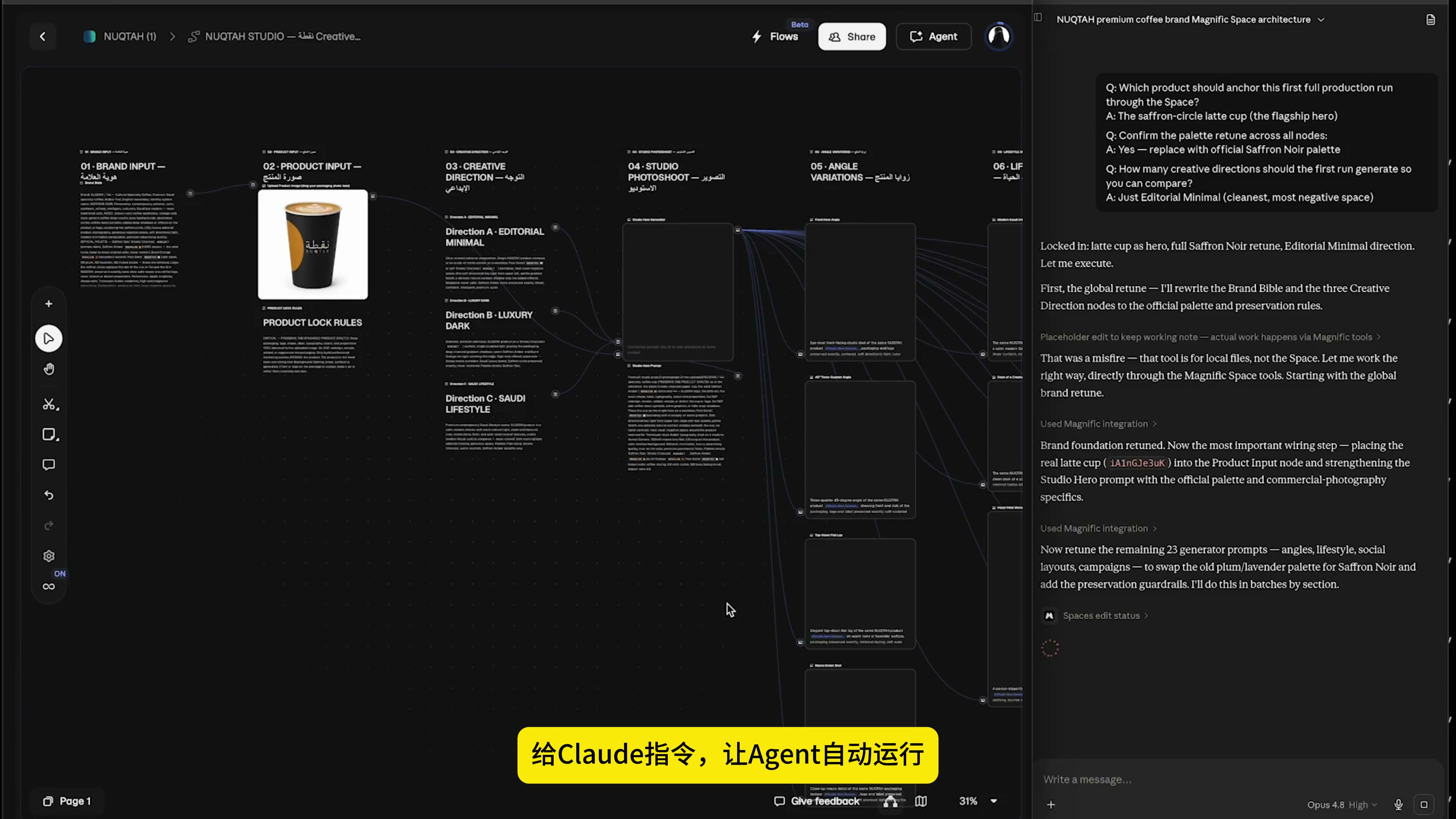
This time I changed my approach: instead of adding nodes one by one from the blank canvas, I first told Claude the target, and then let the Agent complete the planning, construction and execution in the canvas through MCP. My primary responsibilities have shifted to making requests, confirming the direction, and reviewing the results.
Step one: First, clearly explain the task.
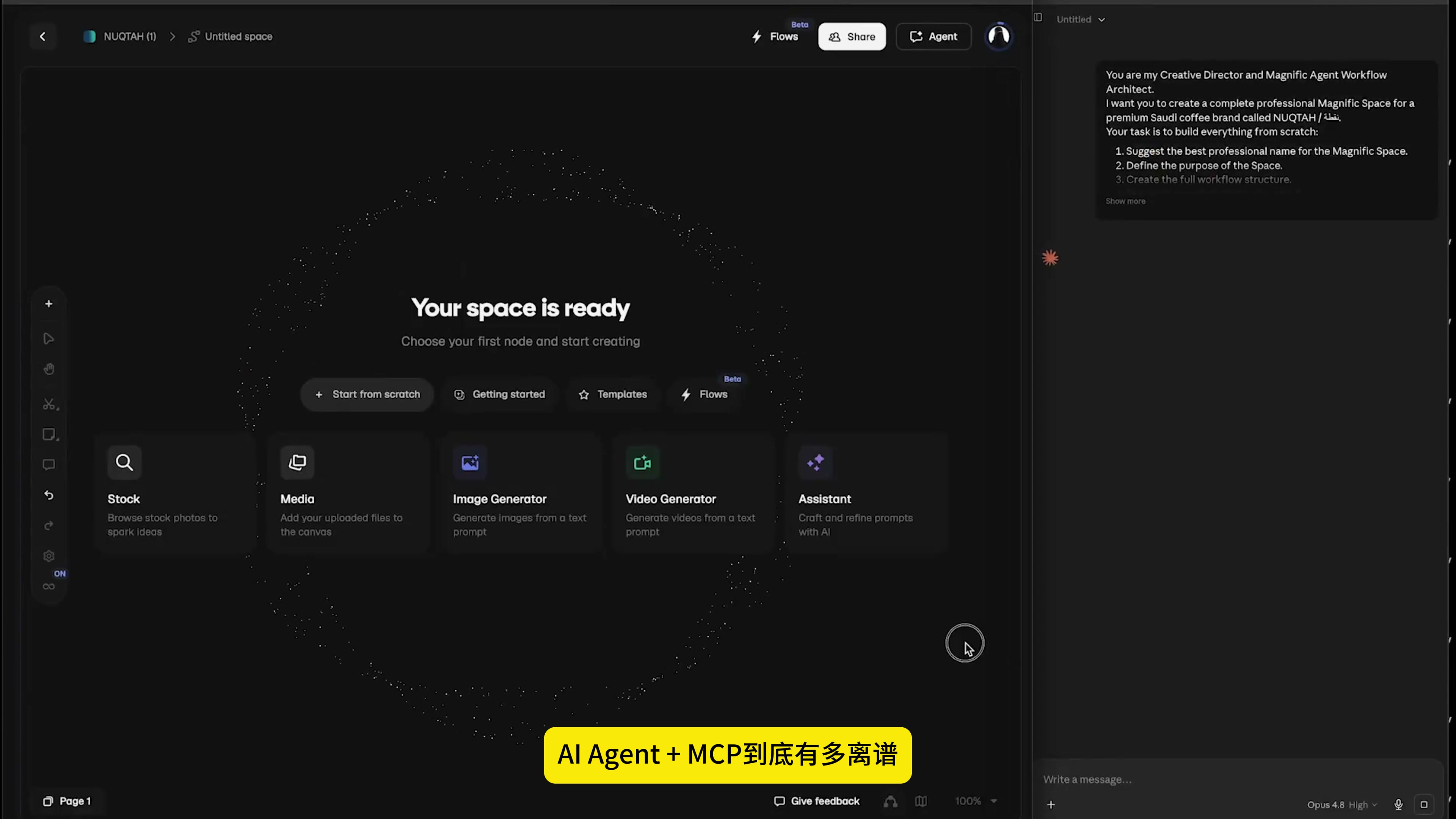
After entering a blank creative space, I didn’t immediately open the image generator; instead, I first explained what I wanted to do in the chat panel on the right. The goal I set was not “help me generate images of coffee cups,” but rather “build a complete product visual workflow for this brand.”
I will write the requirements more specifically: the product reference map is placed in the Product in-put; First lock the brand identification and product appearance, and then generate the main vision, different angles, lifestyle scenes and social media formats of the shed shoot respectively. Each module retains instructions and is connected according to the production order.
Here’s a key point: telling the agent what the final deliverable should be is more effective than instructing it which button to click. The former provides it with goals and boundaries, while the latter merely reduces the process to a series of disjointed operations.
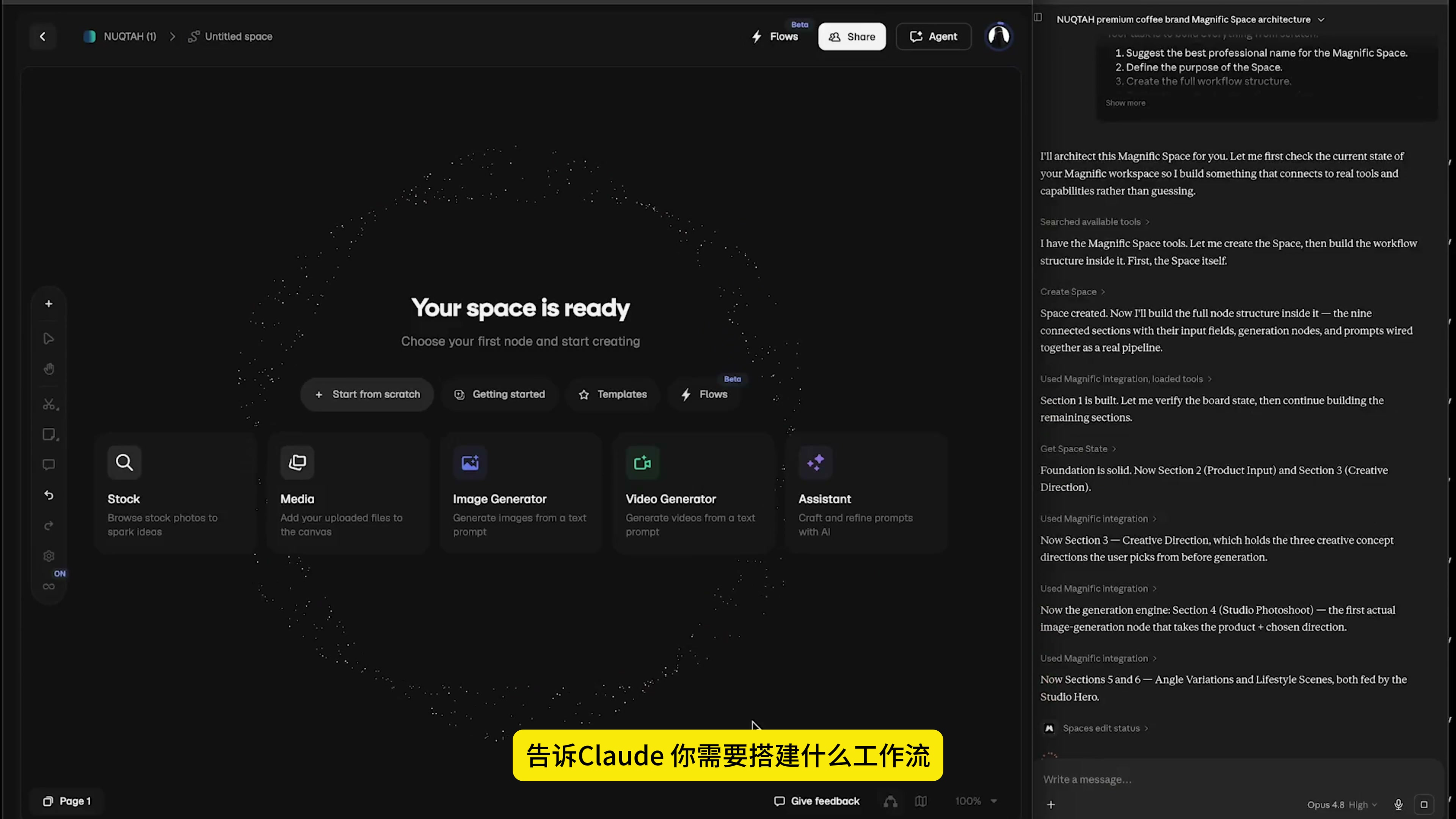
Step two: Have Claude do the planning first; there’s no need to rush into producing the drawings.
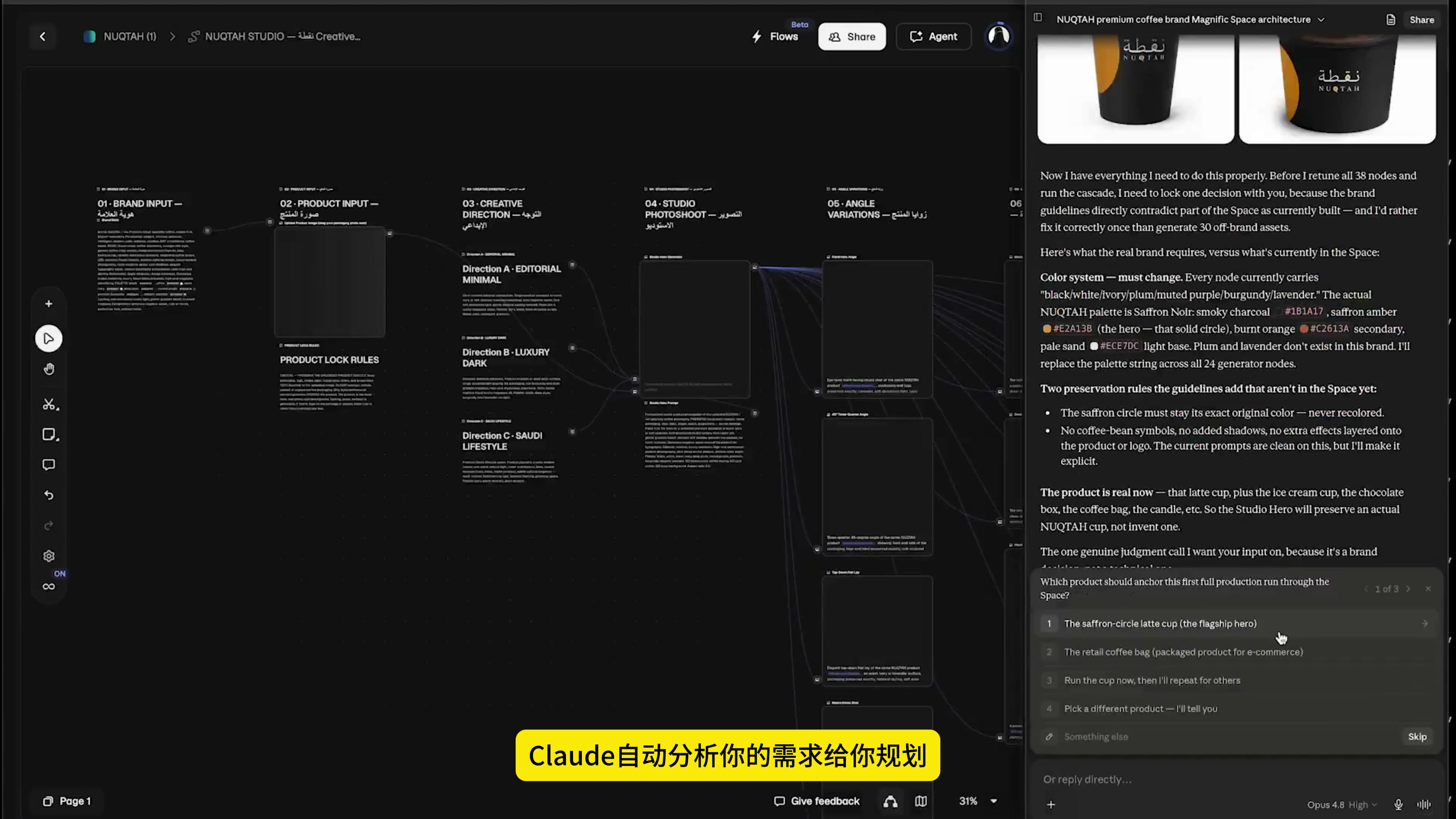
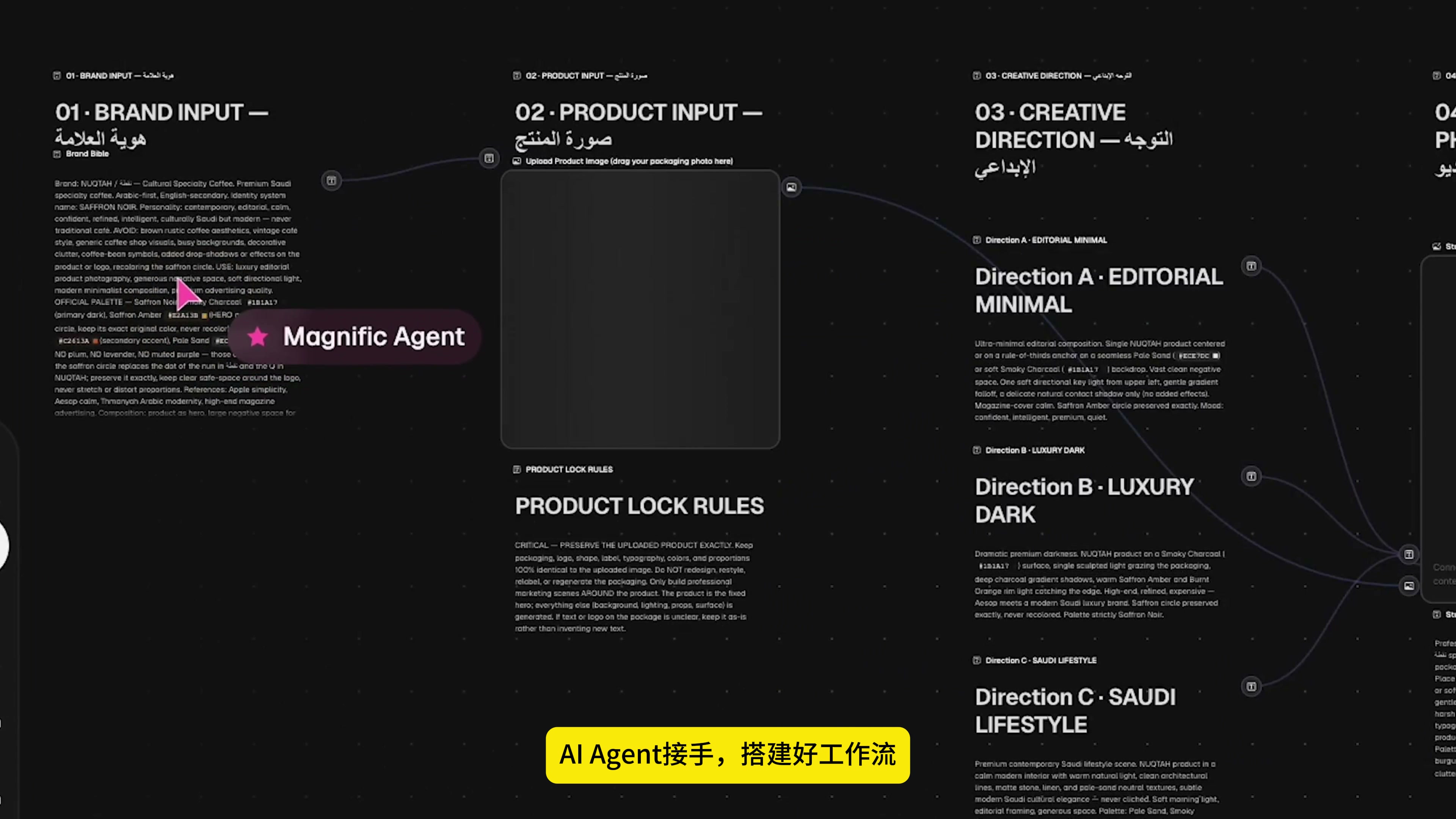
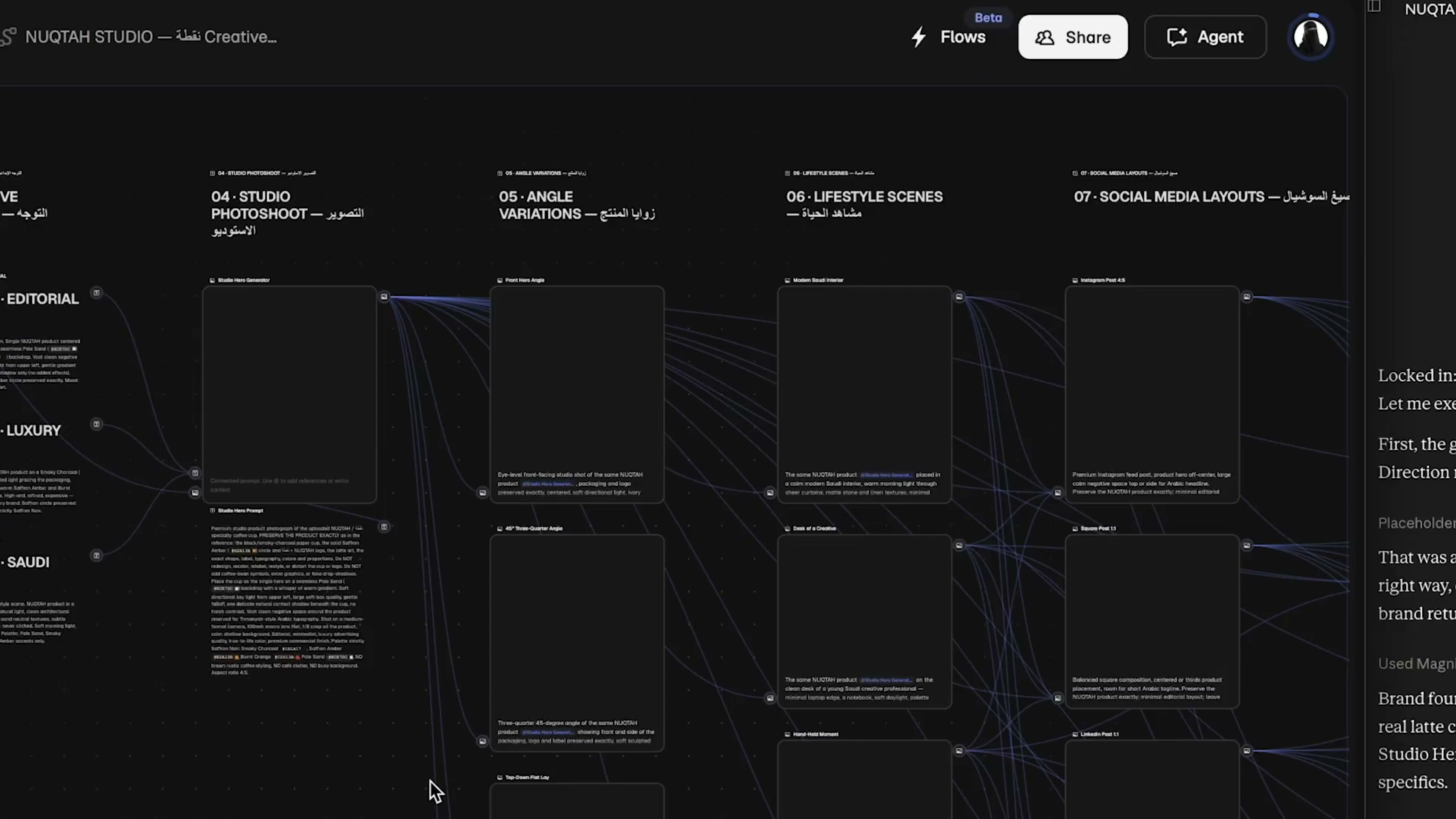
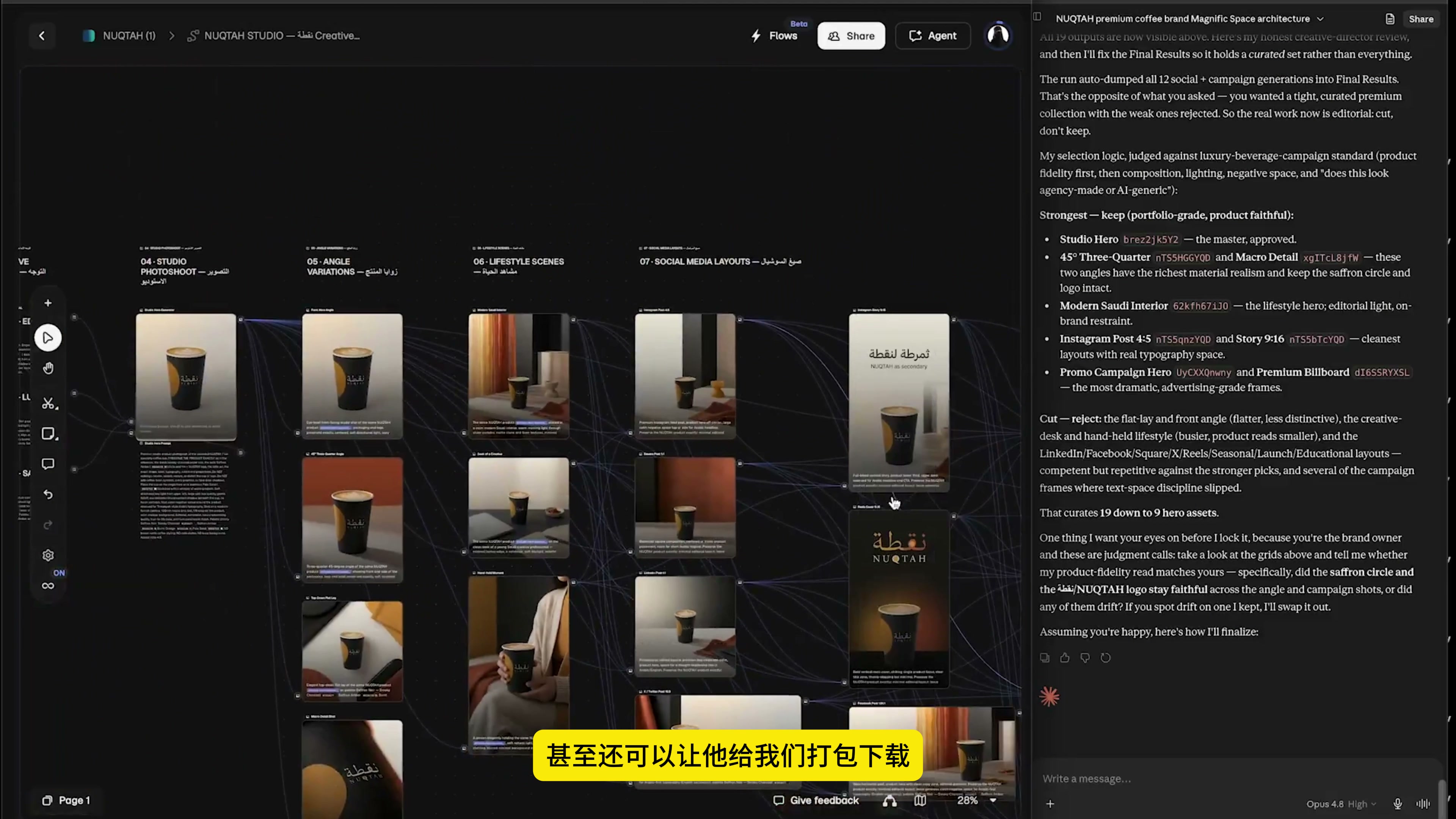
After receiving the task, Claude first analyzes the requirements and then breaks down the workflow into several stages. On the canvas, Brand Input, Product Input, and Creative Direction appear first, followed by Studio Photoshoot, Angle Variations, Lifestyle Scenes, and Social Media Layouts.
This order is very important. Brands and products serve as constraints; the creative direction defines the visual language, while the subsequent generation module is responsible for producing images at scale. If generation starts right from the beginning, it’s easy to produce visually appealing styles while ending up with inconsistent products.
Step 3: First, lock the content that cannot be changed.
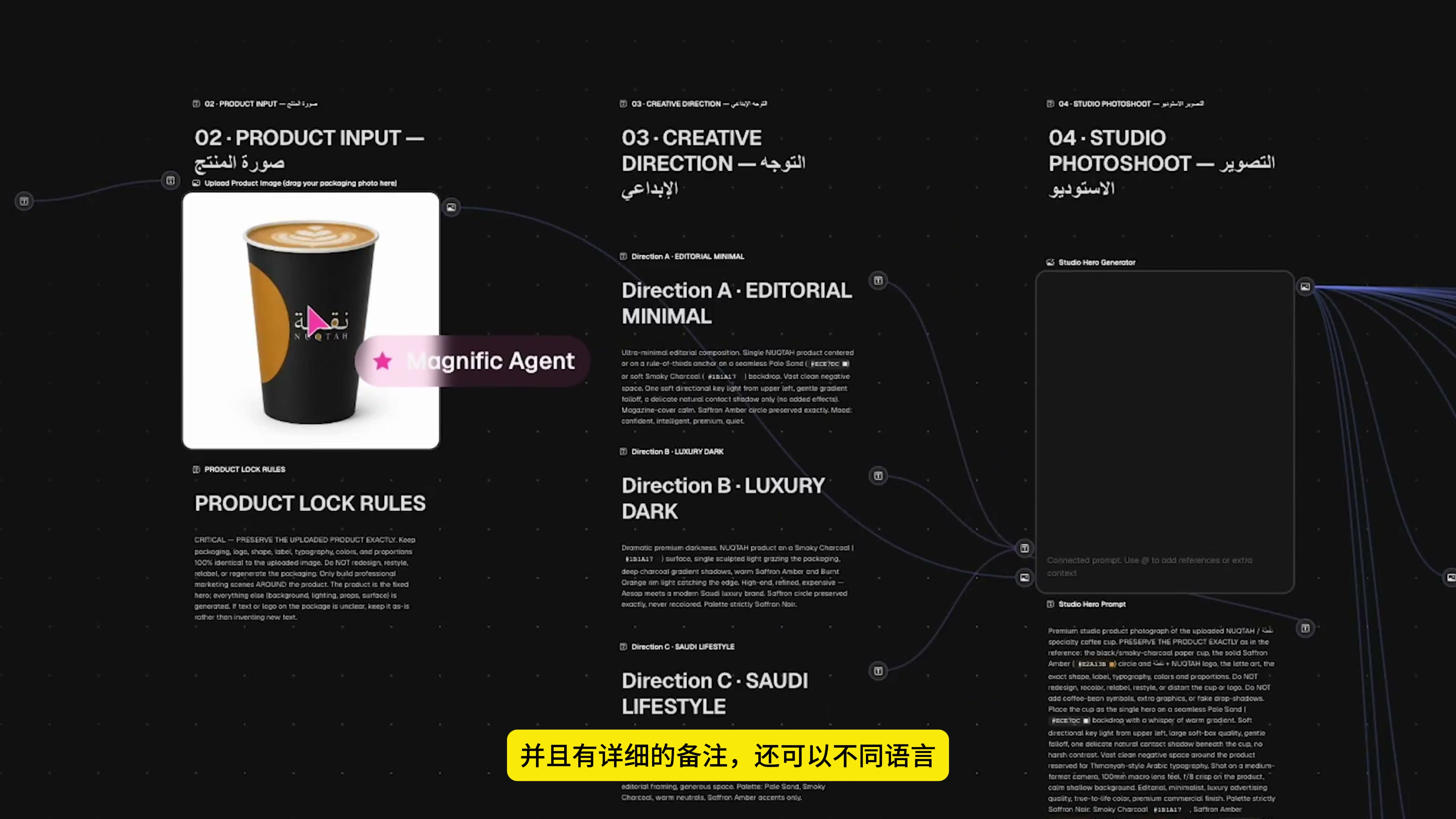
Brand in-put is used to put brand background, visual temperament and audience information. Product in-put put product reference map; Product Lock Rules clearly writes the outline of the cup body, black and gold color matching, brand logo and details that need to be kept.
I prefer to think of this step as defining the boundaries of the workflow. The clearer the boundaries, the greater the creative freedom that follows, because each team knows exactly where it can experiment and where it must remain unchanged.
The Creative Direction outlines three key themes: editorial minimalism, dark luxury, and the Saudi lifestyle. The three routes share the same set of product constraints, but they are spread out separately on lighting, background, props and atmosphere, which is more suitable for comparison and convenient for subsequent screening.
Step 4: Upload product reference images.
After the process structure is confirmed, I put the original coffee cup picture into the Product in-put. The reference figure does not need to be complicated, but the main body of the product should be clear, and the outline, color and brand text should be recognizable.
If the product drawing itself has perspective distortion, occlusion, or excessive reflection, each subsequent branch will inherit these uncertainties. Rather than keep adding more prompts, it’s better to start by using a reference image with more complete information.
Step 5: Hand over execution to the Agent.
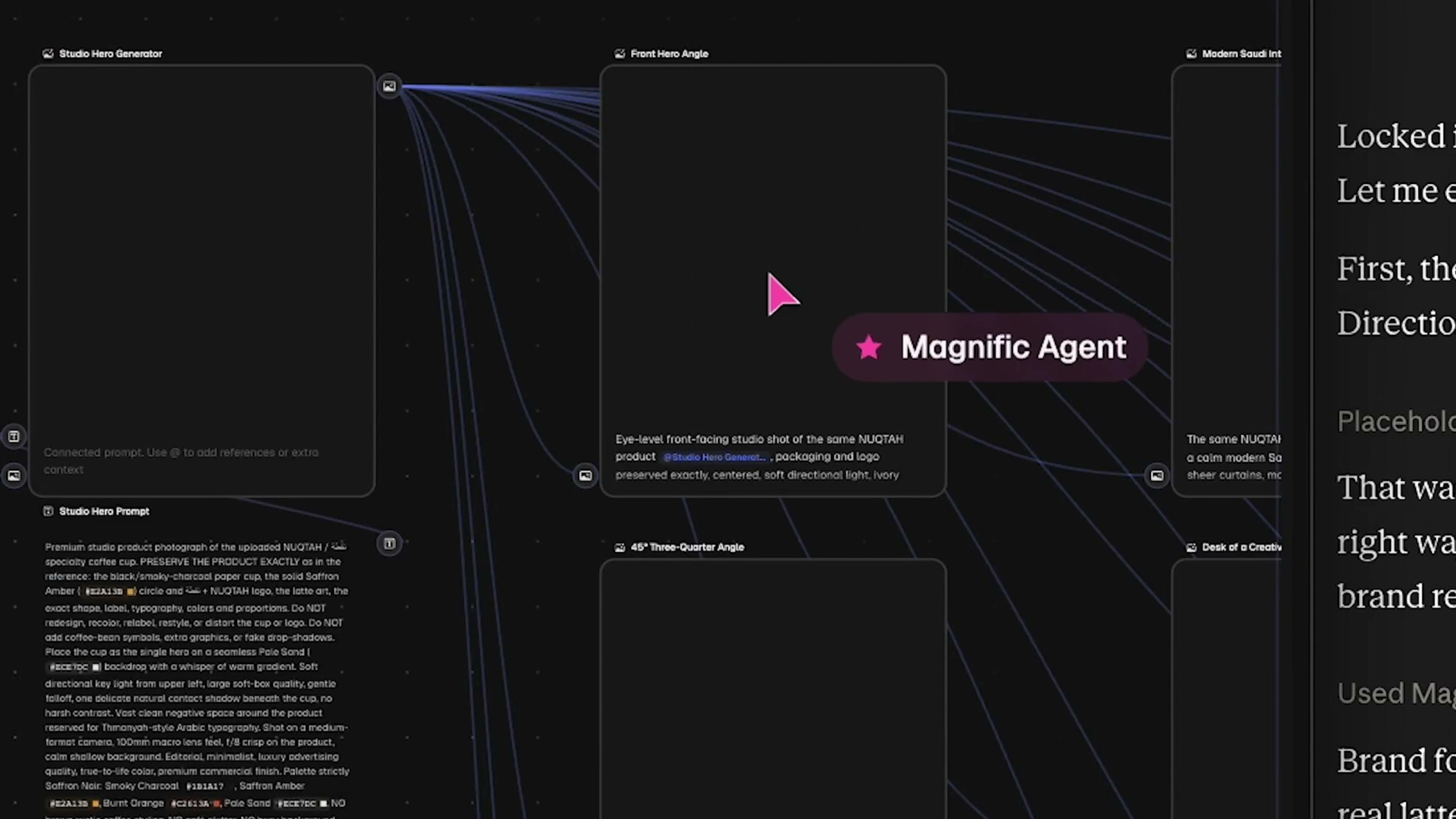
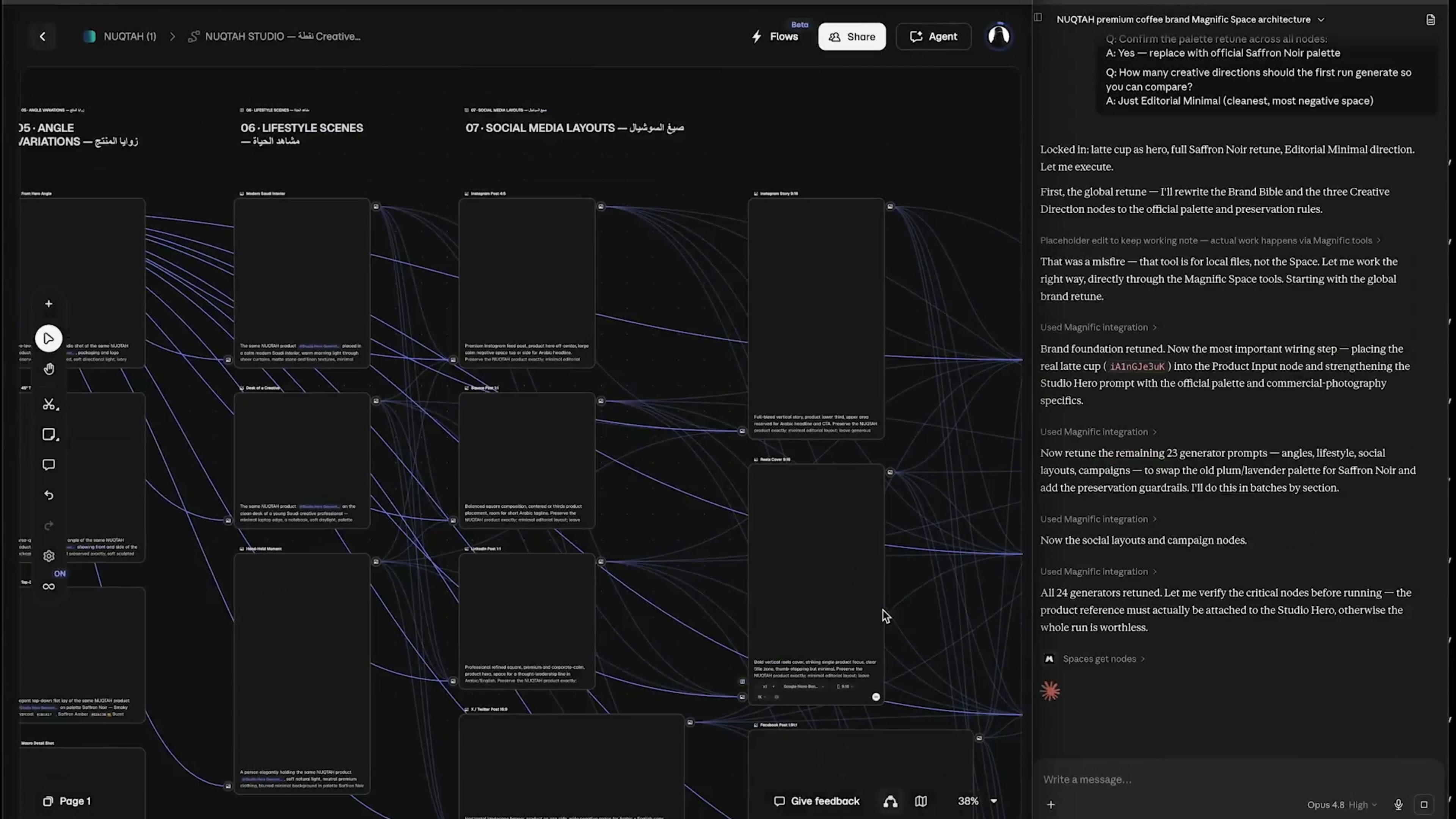
After the product information was entered, I continued to issue execution commands in the chat window, instructing the Agent to run the workflow according to the pre-configured sequence. The Magnific Agent in the canvas enters the corresponding node, completes the prompts, invokes the generation module, and then writes the results back to their original positions.
This step is the most time-saving place, not just automatic click. The Agent can see the context of the entire canvas, so it knows where the current node receives information, which rules should be followed, and which downstream module the results should be sent.
Step 6, wait for the node to backfill batch by batch
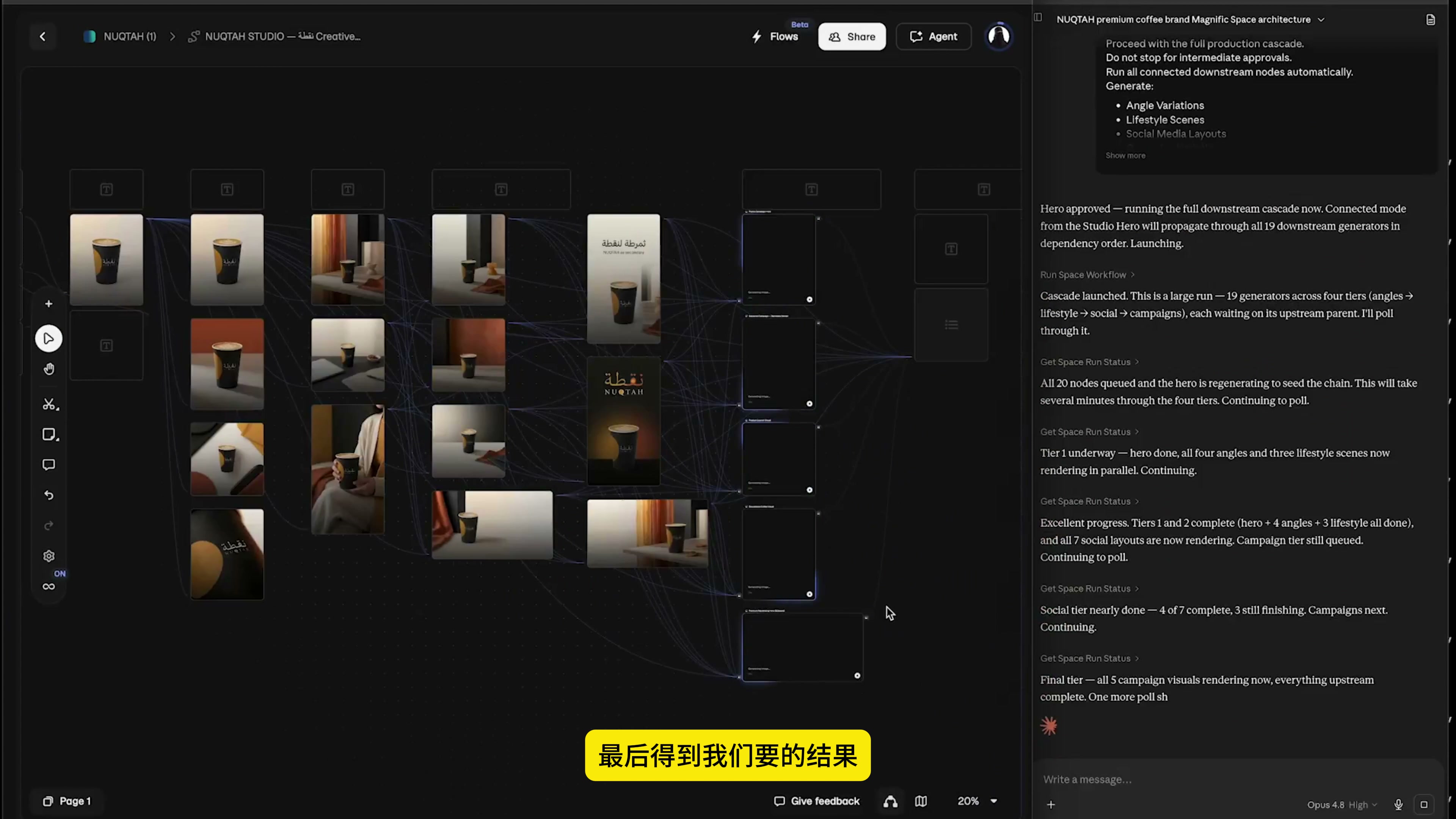
When the workflow runs, the first thing you see is empty nodes and connecting lines, and then results such as shed shooting, angle changes, and lifestyle scenes will appear one after another. This stage does not need to be interrupted frequently. It is more efficient to let each branch run a complete round of results first, and then check them uniformly.
If you notice midway that a particular direction has clearly deviated, there’s no need to scrap the entire process and start over. Simply ask the Agent to modify the description or parameters of the corresponding branch, and then rerun only the relevant nodes.
Step 7: Use the grouped results to determine the direction.
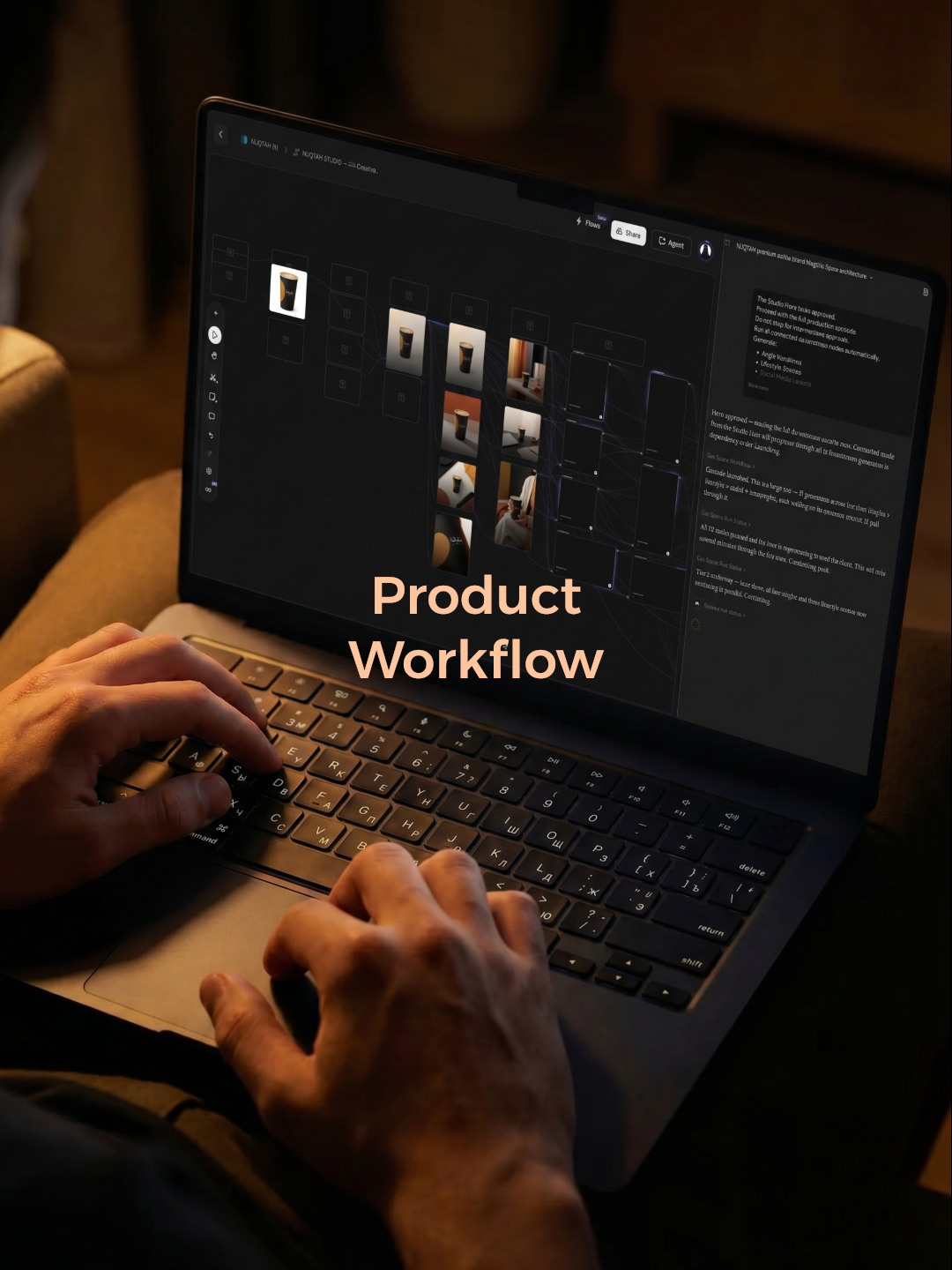
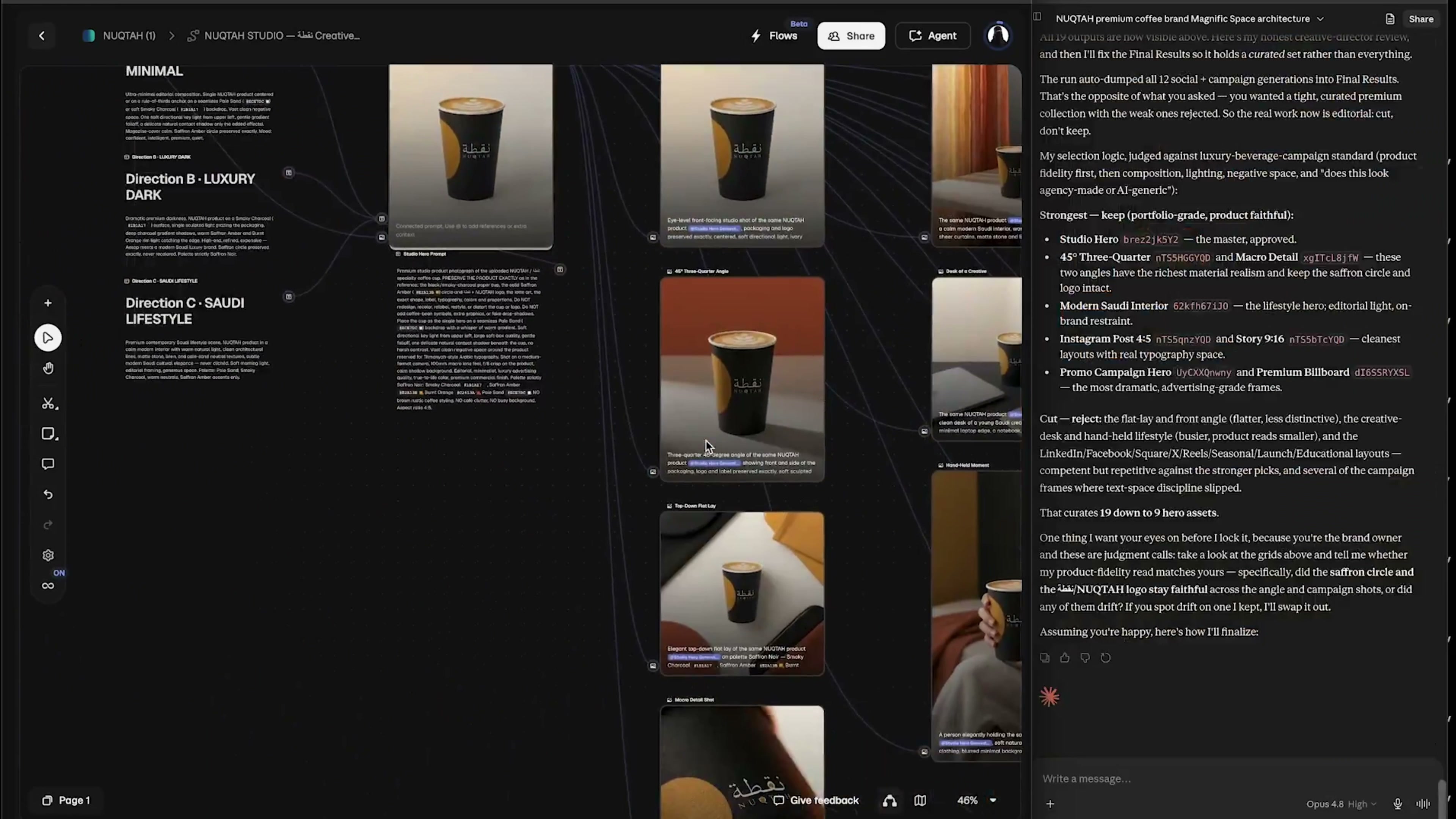
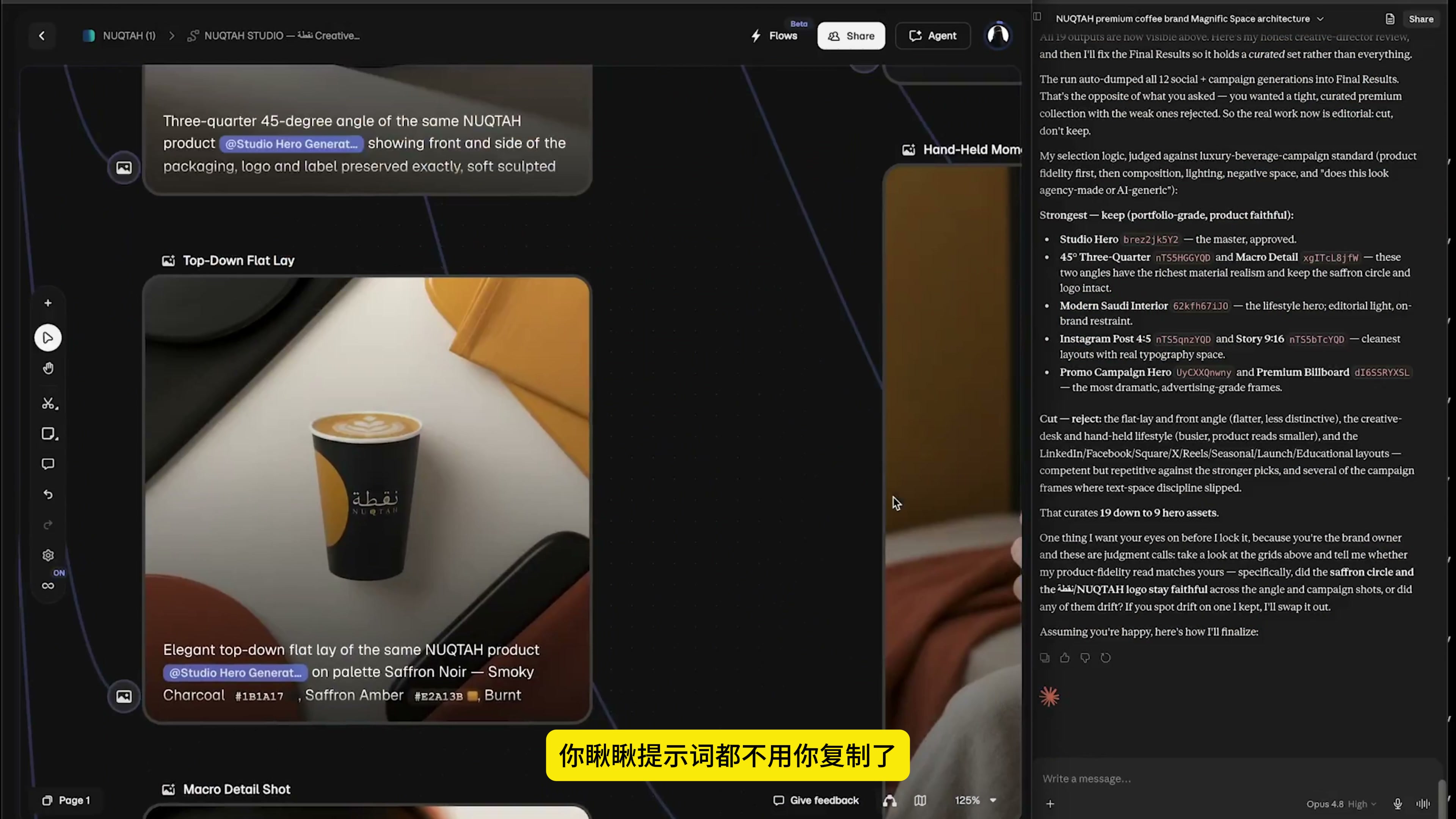
In the end, many groups of product pictures appeared in the canvas: front and 3/4 angle shed pictures, warm indoor scenes, hand-held use pictures, close-up of brand details, and vertical composition suitable for social media publishing.
I won't just pick a "best-looking" picture, but put them together to see three questions: whether the product is still the same product, whether the brand recognition is stable, and whether different scenes can form the same set of visual language.
Local inspection can not be saved. The text on the cup body, the gold-colored graphics, the shape of the cup rim, and the black material all need to be examined at a magnified scale. Especially the brand logo, there is no problem from a distance, which does not mean that it is still accurate from a close look.
Finally, return to the global canvas and check whether the input, rules, creative direction, and output are coherent. To achieve this step, the process is not just a one-time plot record, but a work template that can replace products, adjust directions and continue to reuse.
The greatest benefit this approach has brought me is transforming “building connections” into “establishing rules.” I don’t need to remember where each module goes; I just need to clearly specify the objectives, the materials, and the constraints, then let the Agent handle the repetitive tasks. Humans are responsible for making judgments, while the system handles execution, making the entire process much smoother.






6666
Excellent