When you get a well-finished product map, the first reaction of many people is to make it move directly. This approach is indeed the fastest, but the result often ends up being nothing more than slow panning, zooming in, and zooming out. The product is not clearly explained, and a video of more than ten seconds can easily look like a moving poster.
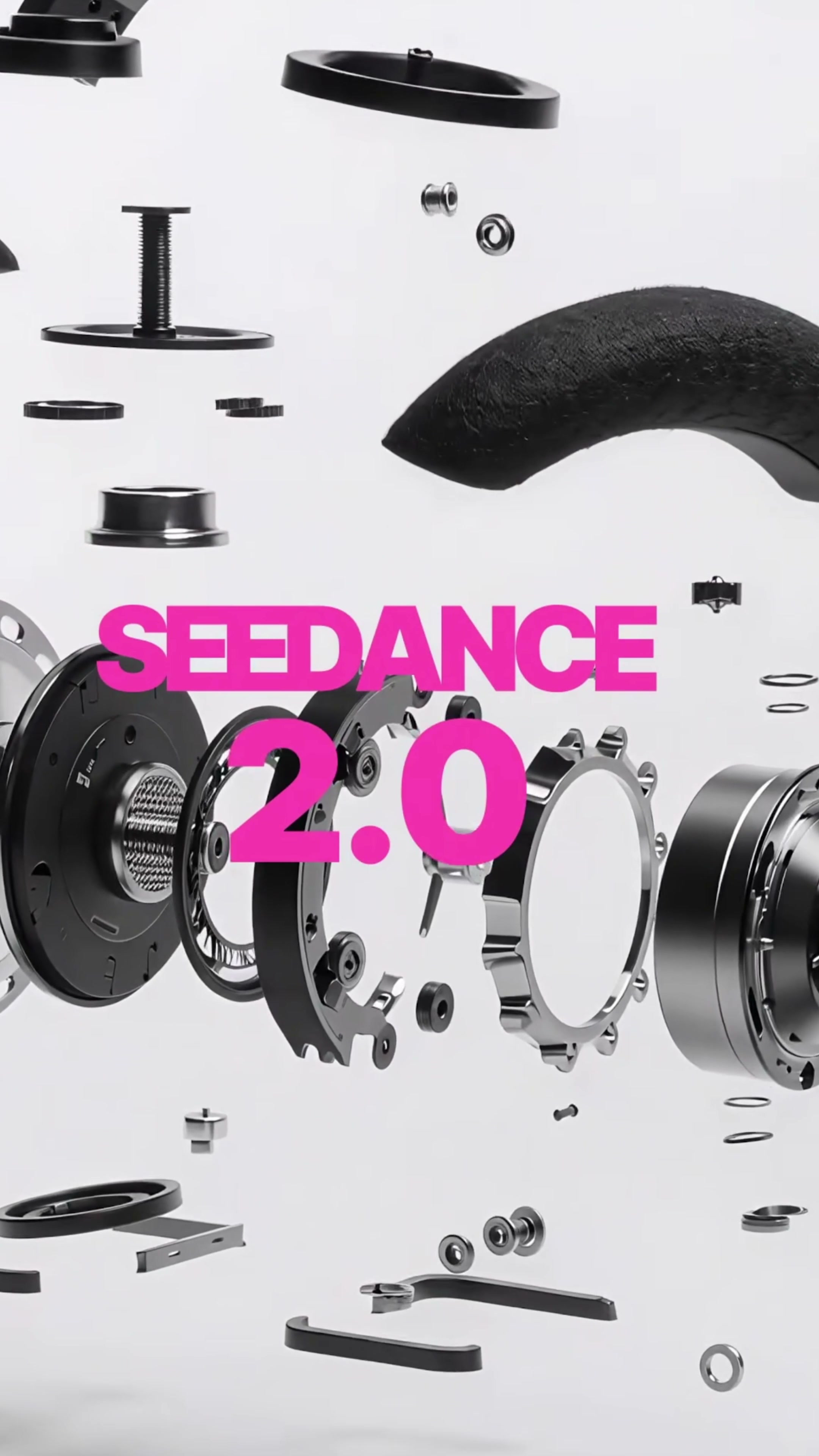
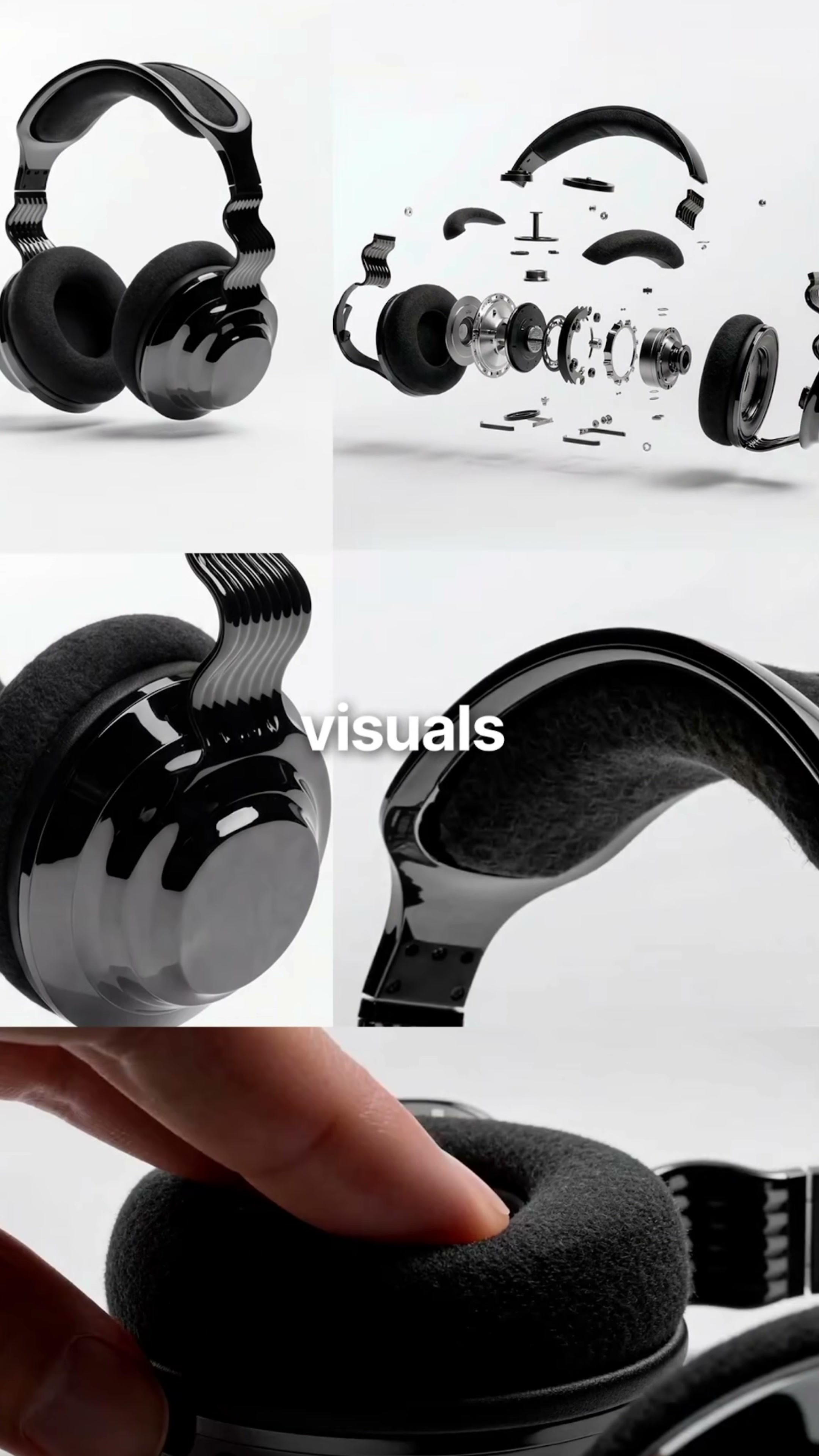
This time the earphone case changed the order: first, the static main vision was split into lenses with different scenes and uses, and then the Seedance 2.0 was used to organize the movement. The video can see the complete product, earmuff macro, finger pressing and explosive structure, etc. The Reframe settings of the Freepik Variations, as well as the reference diagram, prompt words and output parameters in the video generator are also shown at the back.
1. first determine the parts of the product that cannot be changed.
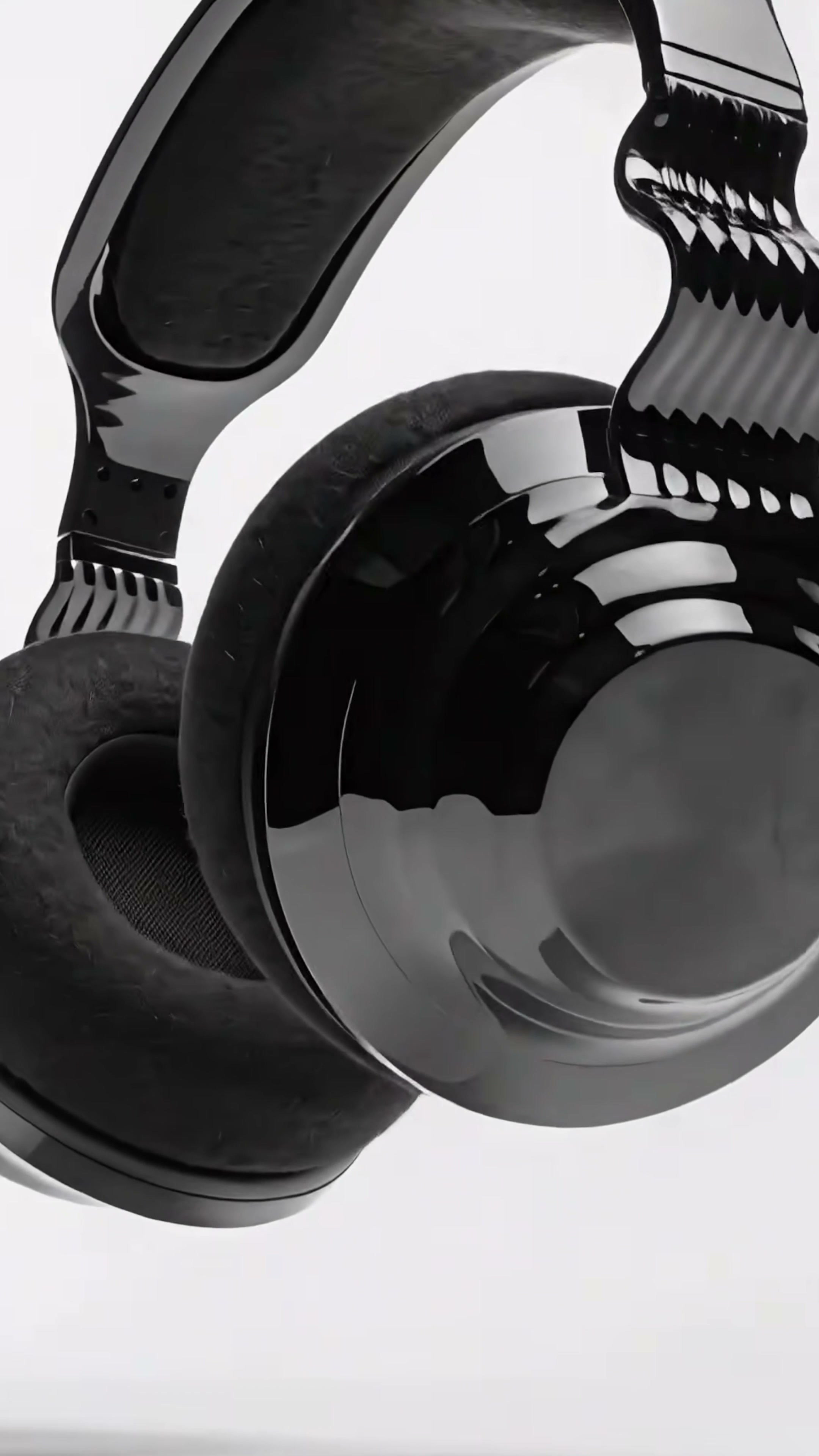
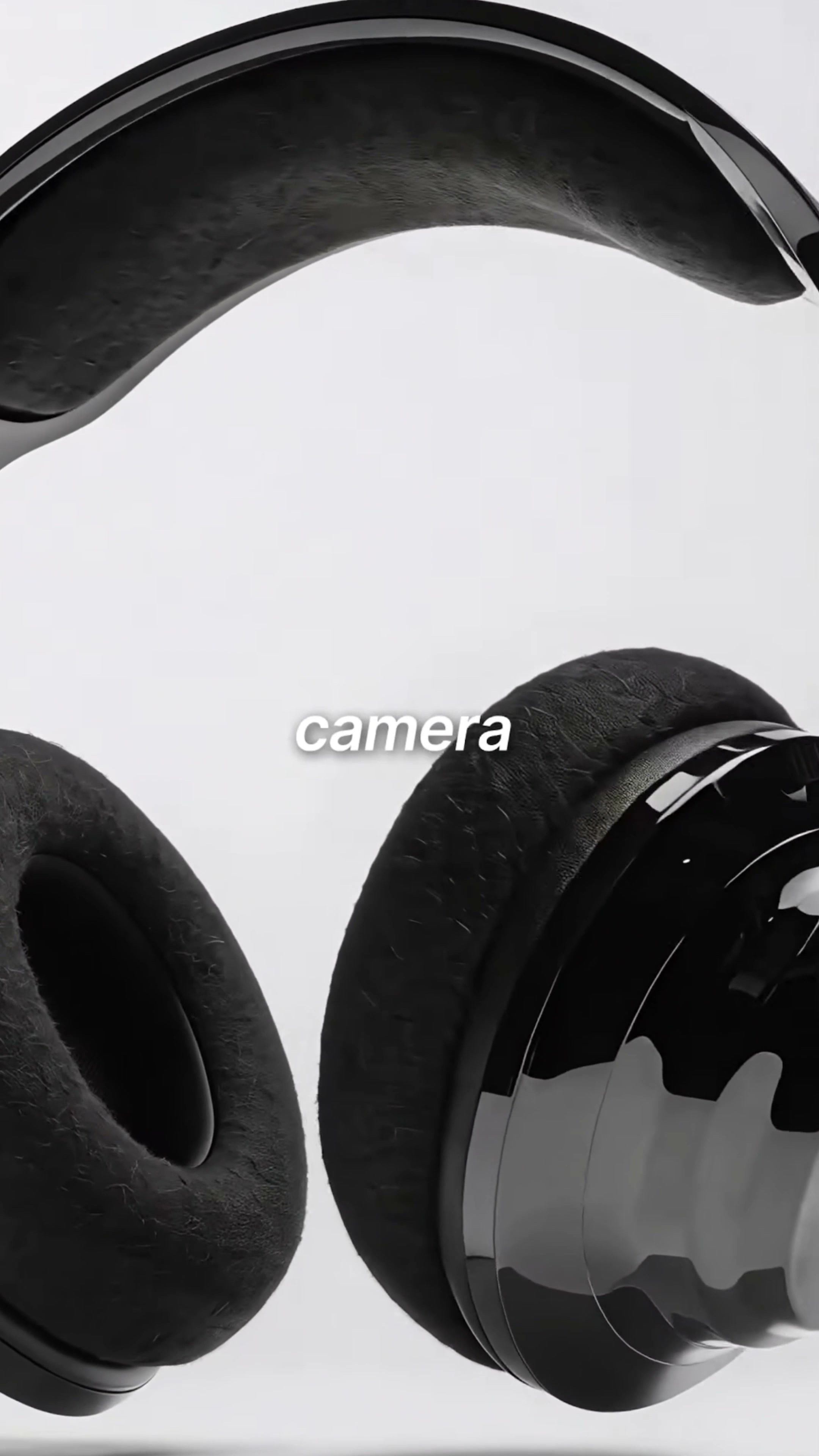
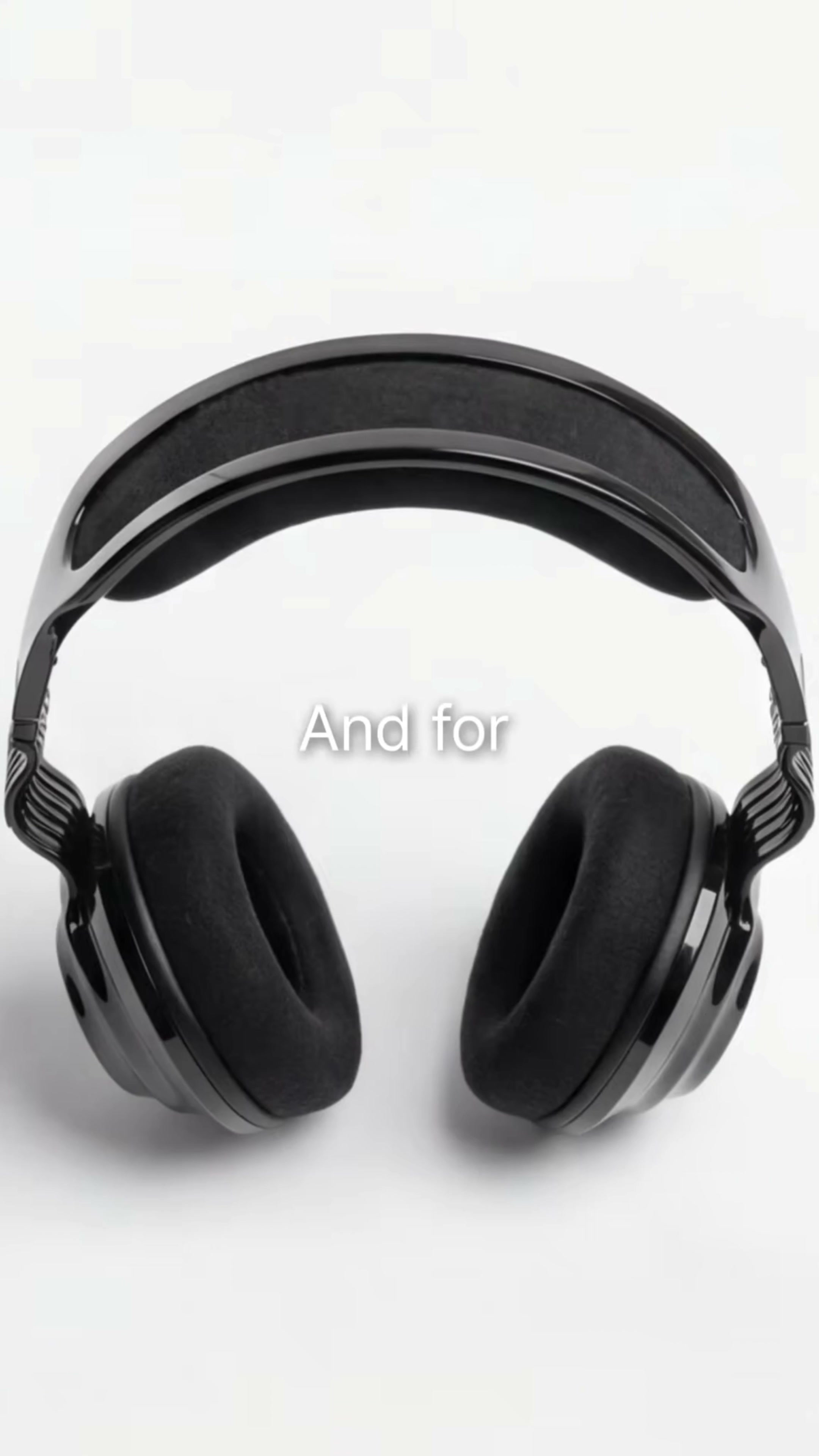
The identification points of this pair of headphones are very concentrated: black high-gloss earmuffs, dark felt ear cushions, flexible head beams with wavy contours, and rib structures repeatedly arranged on both sides of the head beams. The visuals consistently feature a pure white background and a black-and-white color scheme, with the brand name AURA.
These contents are fixed items. No matter how the lens is switched, the number of earmuffs, head beam shape, black surface, soft ear pads and overall proportions should be consistent. What can be changed is the position, scene, rotation direction, local cutting and part display mode.
I will first pick a master vision that can see the overall outline as a benchmark. It may not be the most impactful shot, but it must provide a point of reference for every subsequent shot. Once the headphones’ shape gets lost in macro shots or motion blur, even the most beautiful reflections can’t save them.
2. List the material lenses separately.
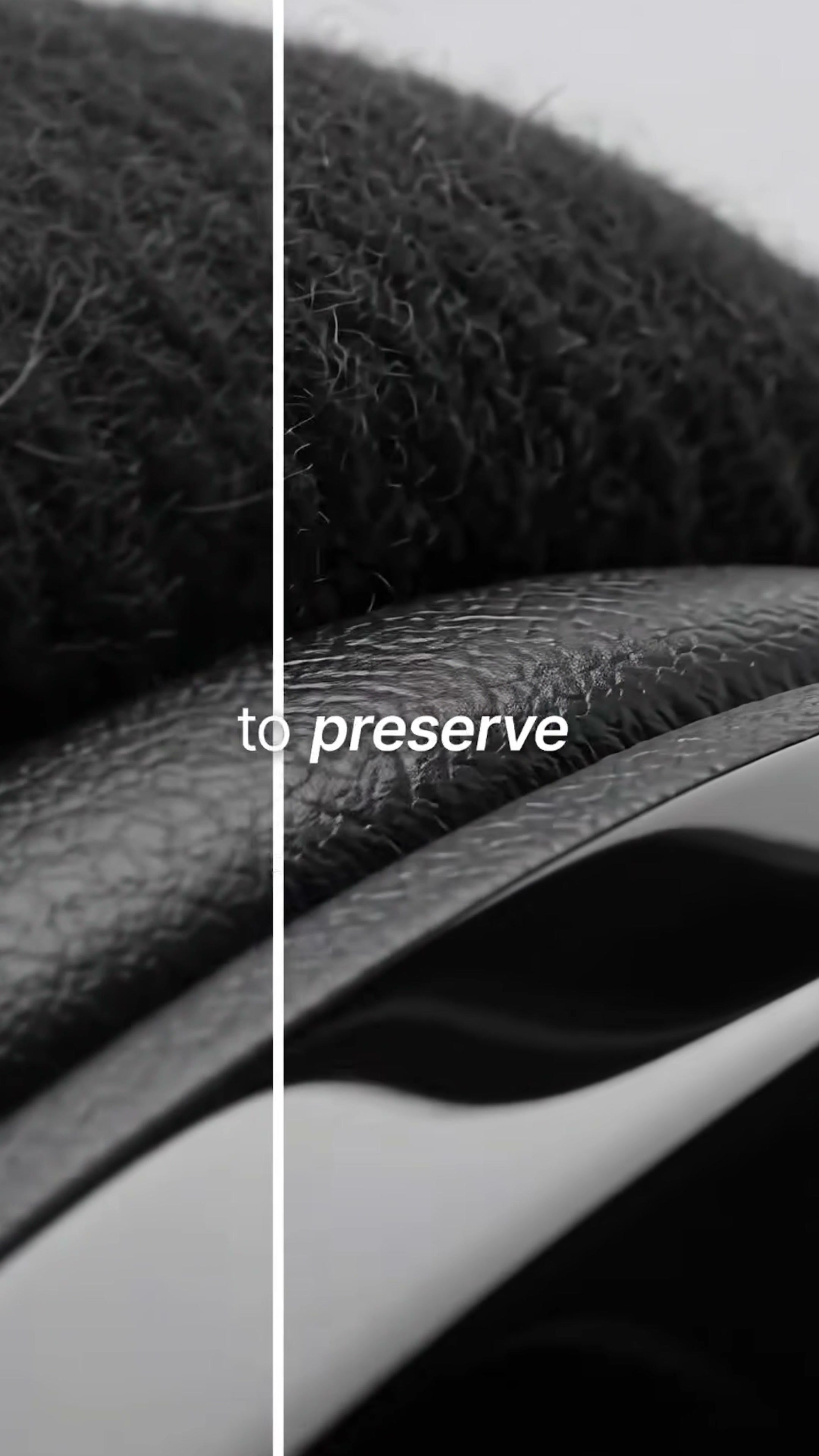
Product videos shouldn’t just capture outlines. The felt of the earcups, the glossy finish of the shell, and the metallic edges require lenses with different focal lengths so that the audience can discern whether they are soft, hard, or smooth.
The macro earmuffs in the video retain a sense of fiber, while the black shell ticks off the surface with clean white highlights. Both materials are very black, but they reflect in completely different ways. If the prompt only says “black headphones,” the model will likely treat them as a single type of plastic.
When writing the prompt, I will take the material apart and describe it: the earmuffs are soft dark felt cushions, the shell is glossy black shell, and the head beam has flexible ribbed structure. Rather than piling on adjectives like “sophisticated,” “refined,” and “cinematic,” it’s better to specify what kind of surface the light should fall on.
3. Interactive shots should be planned in advance.
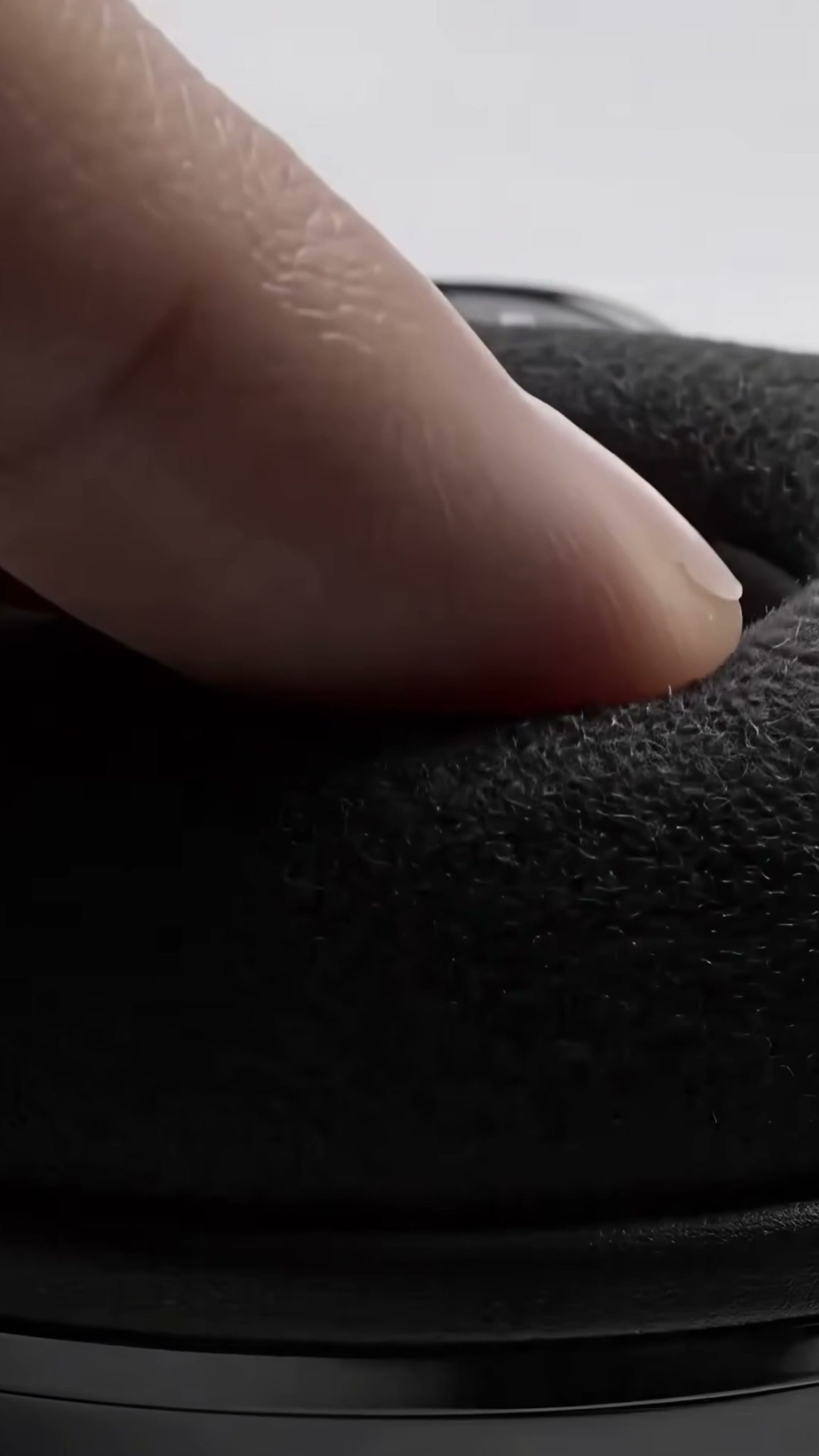
The picture of the finger pressing on the earmuff undertakes a very practical task: to make the soft and hard relationship visible. Static images can only show the texture, while a press reveals that the ear cushions have both resilience and thickness.
This lens is also the most prone to problems. Fingers may change the shape of the earmuff, the contact point may wear the mold, and when the pressing amplitude is too large, the whole product may even deform like rubber. After generation, each frame must be inspected for the fingers, earpad edges, and the connections between the earpads and the housing.
If the brand has not tested actual rebound performance, these lenses are only suitable for expressing visual concepts and should not be used as structural or performance proof.
4. exploded drawings are responsible for explaining the structure, but cannot be passed off as engineering drawings
In the video, there is an explosive shot of the headset parts unfolding along the axial direction. It can rapidly increase the amount of information and is also suitable as a rhythmic turning point for product videos: look at the complete form in front, enter the interior in the middle, and finally return to the appearance and material.
However, the number of parts and their connections generated by AI may not correspond to actual products. The screws, diaphragm, and annular structure may look plausible, but that doesn’t mean they can actually be assembled. It’s fine for conceptual advertising; however, if you’re creating a product manual, a presentation deck for a launch event, or a crowdfunding page, you must switch to real CAD models or engineering‑verified exploded‑view visuals.
I prefer to define this type of picture as a "structural lens". It conveys a sense of complexity and sophistication, but does not assume responsibility for technical instructions.
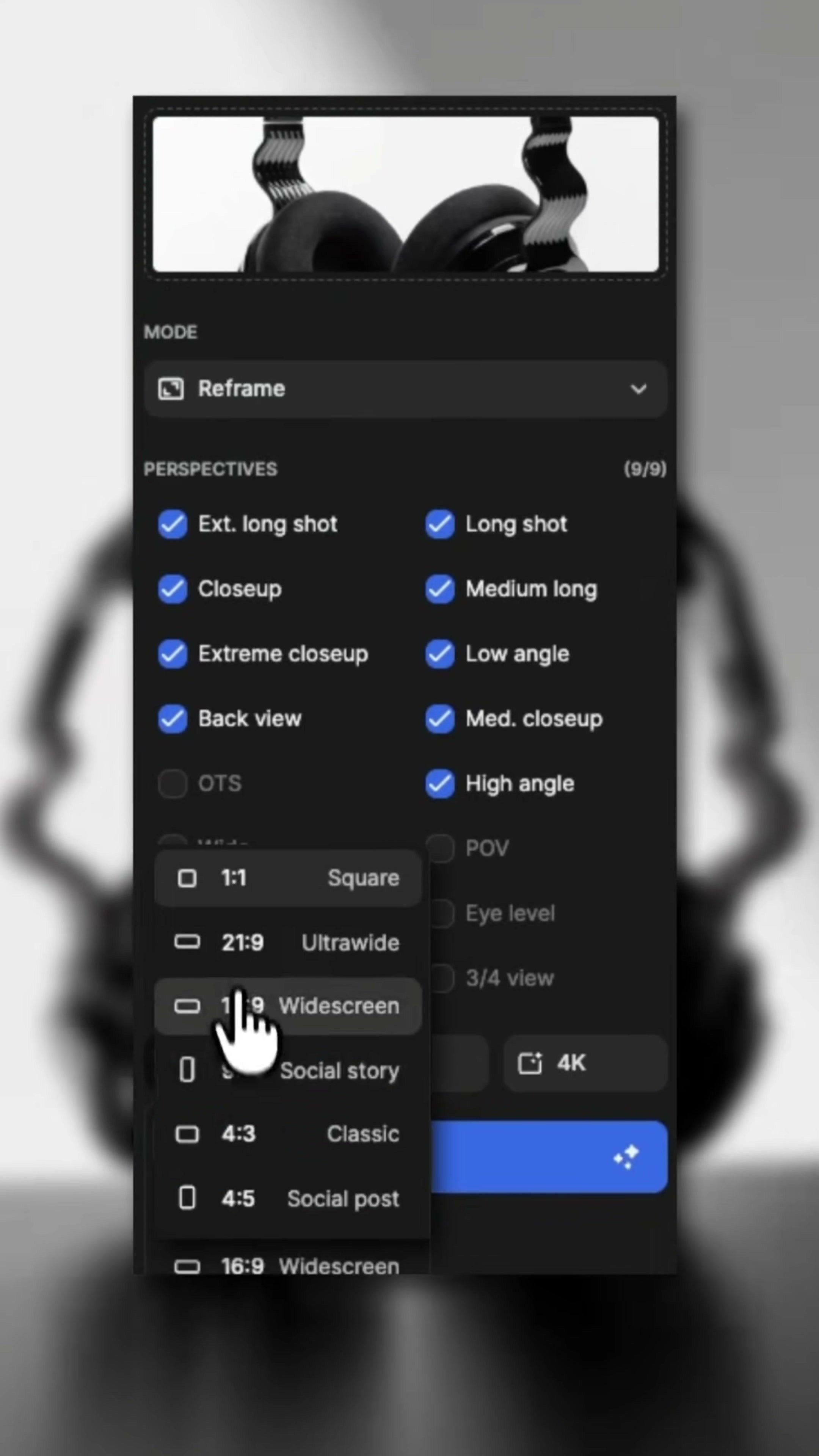
5. first use Reframe to build a lens library
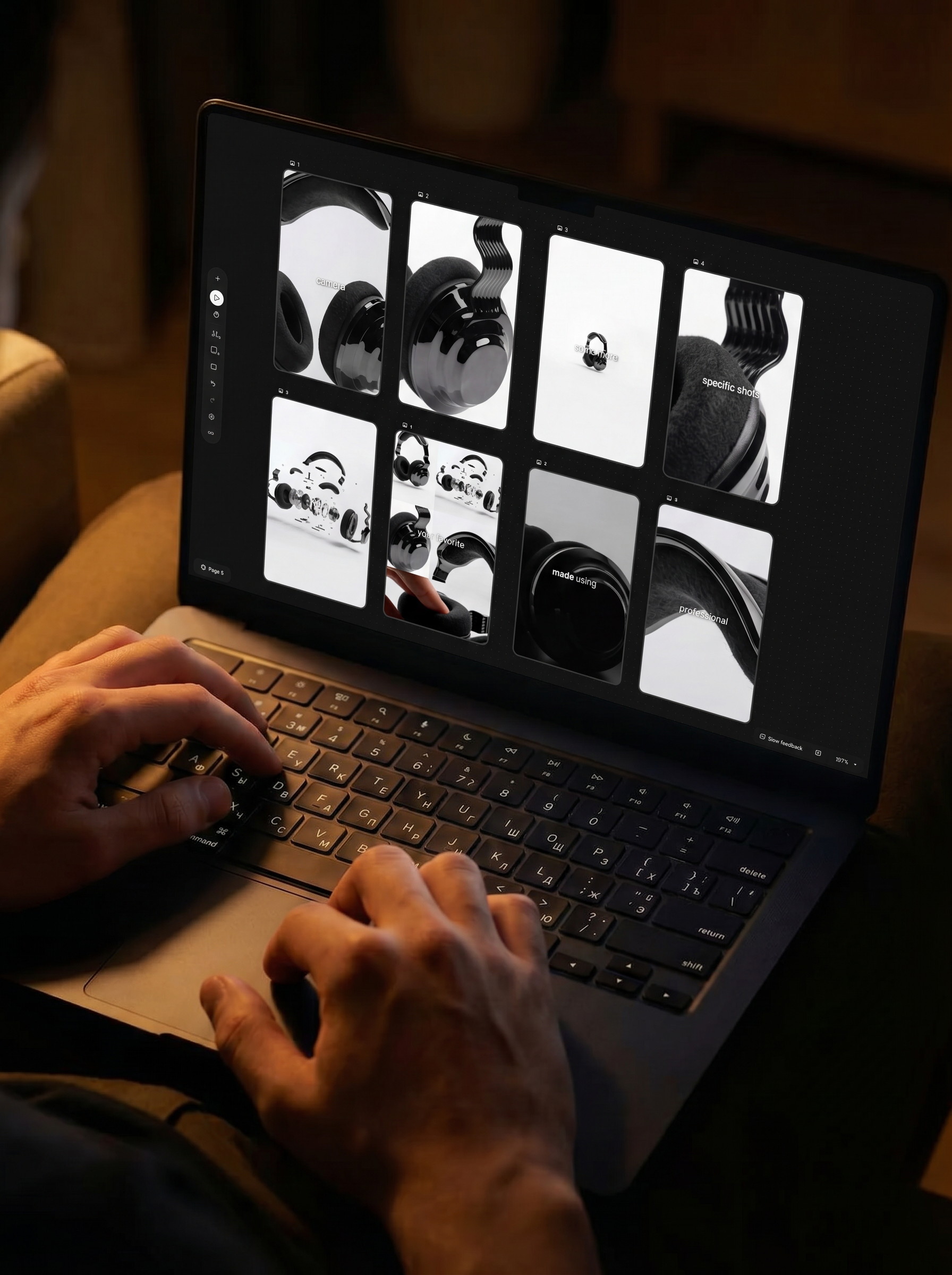
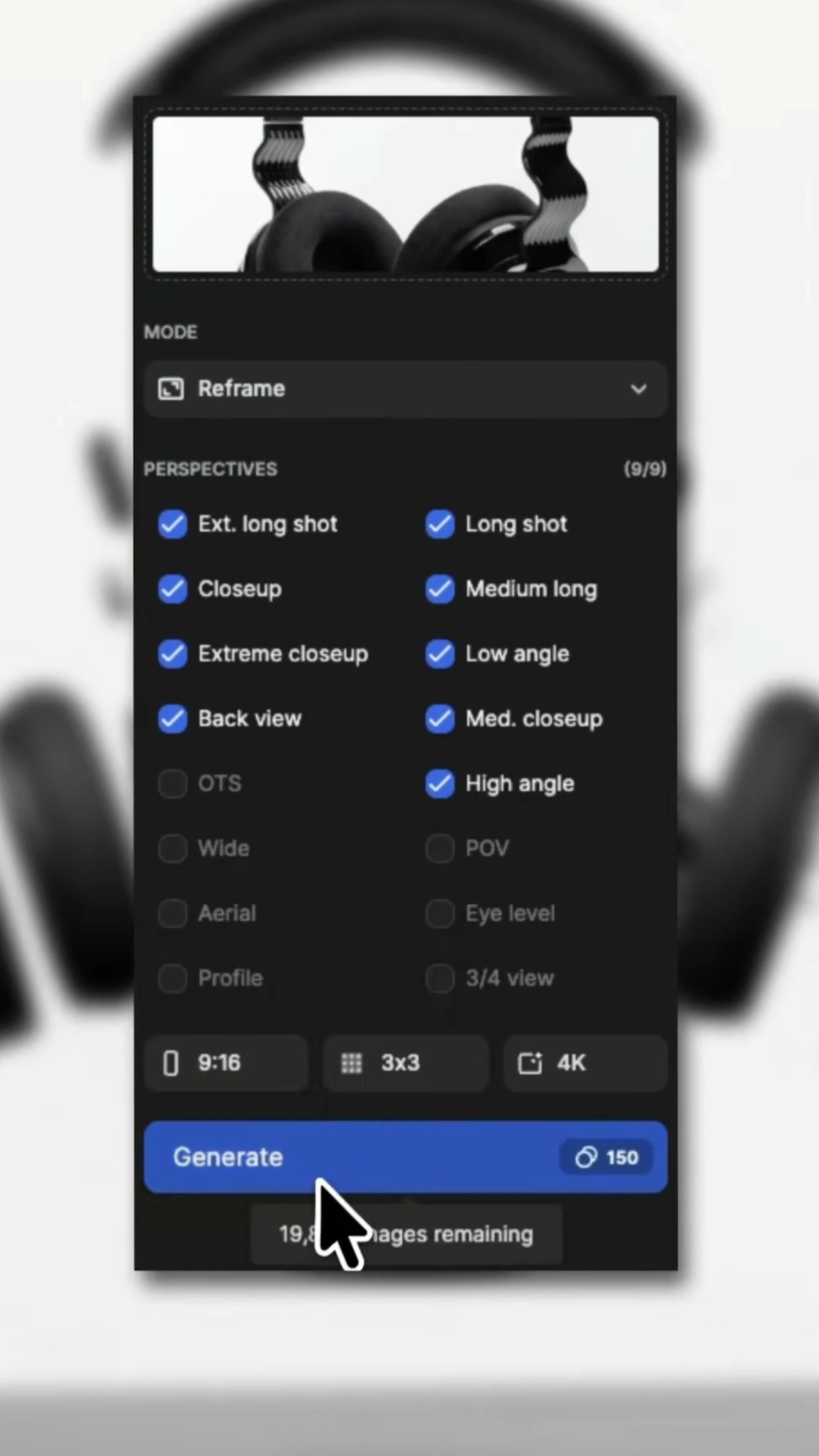
After entering the Reframe of the Freepik Variations, a variety of scenes and angles are checked in the video, including long-range, close-range, extremely close-range, rear-view, low-angle, medium-close-range and high-angle, etc. The interface is displayed as 9/9.
The advantage of generating multiple camera positions at one time is that you can look at the choices first and then decide which pictures are worth entering the video. For product advertising, I usually only keep four categories: the main lens that explains the whole, the macro that explains the material, the special angle of manufacturing changes, and the functional lens that shows the structure or interaction.
The output specifications displayed at the end of the interface are 9:16, 3 × 3, and 4K. 9:16 corresponds to the portrait‑mode content; the 3×3 layout makes it easy to compare nine results at once. The 4K here refers to the Reframe frame settings; the output parameters displayed in the subsequent video‑generation interface are a separate set and should not be confused with this.
6. Not every generated result needs to be used.
Reframe the generated front view, the earphone is completely put into the vertical picture, which is suitable for opening, closing or product frame setting. Its task is simple: let the audience know what product it is.
The other set of results also contains complete headphones, explosive structures, close-ups of earmuffs, and parts of the head beam. This is close to a list of shots available for editing. The next thing to do is not to continue endlessly generating maps, but to check whether they come from the same pair of headphones.
I will focus on comparing the shape of the earmuff, the number of ribs in the head beam, the connection position and the highlight direction. As long as there are noticeable discrepancies among these fixed elements, it is not appropriate to splice them together directly and continuously. It is better to have one less lens than to change the structure of the product in two seconds.
7. Select Seedance 2.0 and clearly reference the character in the image.
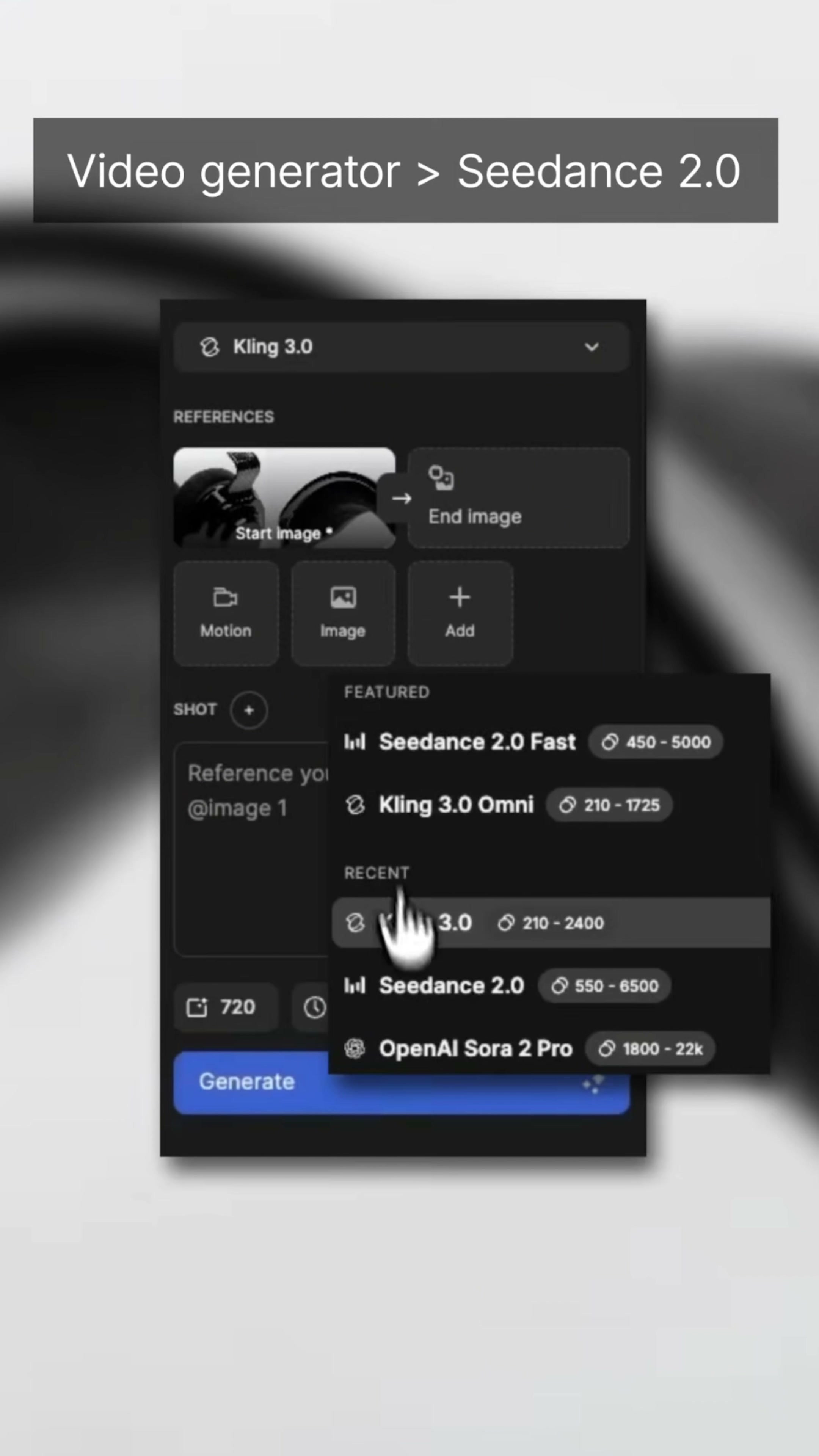
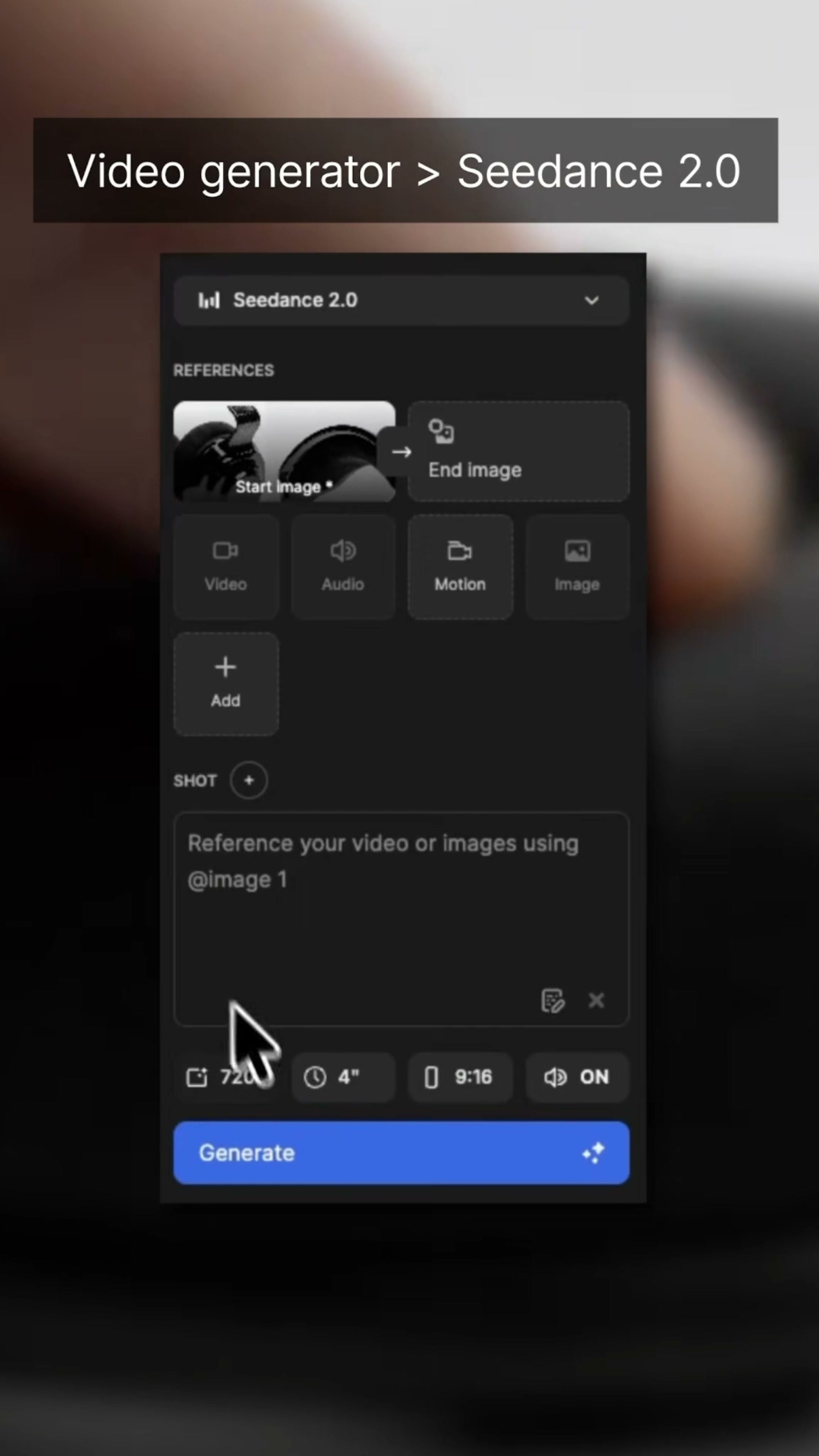
Multiple options are visible in the video generator's model list, and the presentation then switches to Seedance 2.0. The interface includes a Start image, while the End image remains empty.
This means that the starting diagram is responsible for locking the opening form, and the subsequent movement is mainly deduced by the cue word and the model. When there is no end figure, the picture is more free, but the product structure is also easier to change in the second half. If the ending must fall to the specified packaging, Logo or fixed angle, it is best to prepare another confirmed ending screen.
The interface also provides reference access points for Video, Audio, Motion, Image, and Add. The video does not show the specific addition process of these modules one by one, so they cannot be written as the steps already performed here. What can be confirmed is that the starting diagram and text description are used this time.
8. When writing prompts, first describe the shot, then the atmosphere.
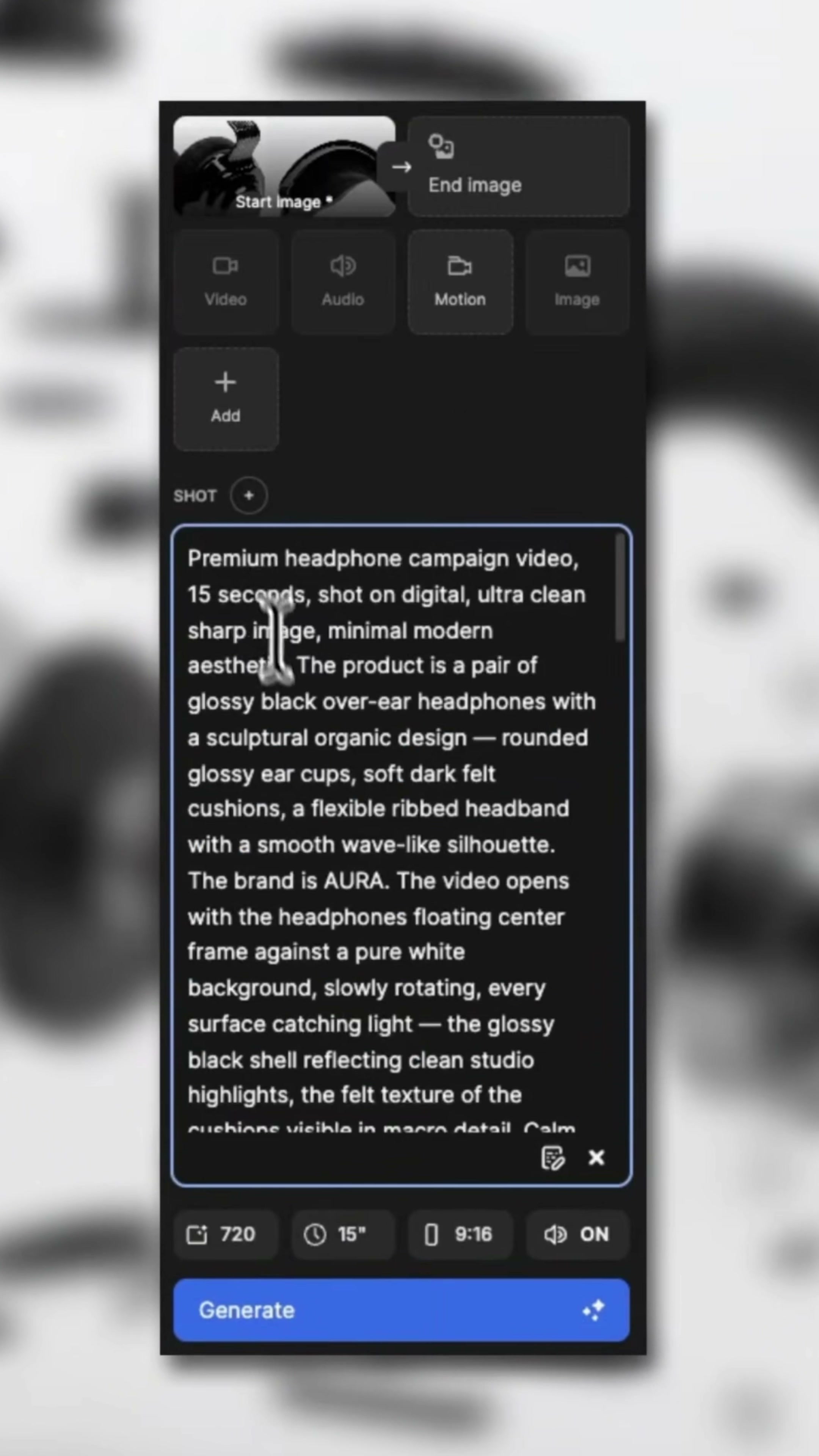
The prompt in the video starts with "Premium headphone campaign video" and clearly writes 15 seconds, digital, ultra clean, sharp image and minimal modern aesthetic. Next, we continue by defining the black high-gloss earcups, rounded ear covers, dark felt ear pads, flexible ribbed headband, AURA brand, pure white background, and slow rotation.
The good thing about this hint is that the order is clear. First tell the model what to make, then define what the product looks like, and then explain how the first mirror appears, how to move, and which materials need to be seen by the lens. It doesn't just stop at "doing a premium headset ad".
If you want to reuse, you can write according to five questions: how long is the video? Which details of the product cannot be changed? What is the first mirror? How does the lens move? What parts or structural pictures need to appear finally. Stop when adjectives are enough, leaving space for executable lens information.
9. Check Generate Parameters
The parameters displayed on the video generation interface are 720, 15 seconds, and 9:16, and the audio switch is ON. The vertical aspect ratio is consistent with the previous ReFrame shot library, reducing the risk of having to crop the footage again during rendering.
Resolution and duration affect generation costs and detail stability, but the video does not show the actual time taken, nor does it fully display the final export settings. All that can be confirmed here are the interface parameters; it is not possible to infer the download format, bitrate, or actual generation speed based on this information alone.
The 10. result depends on whether the material has been saved.
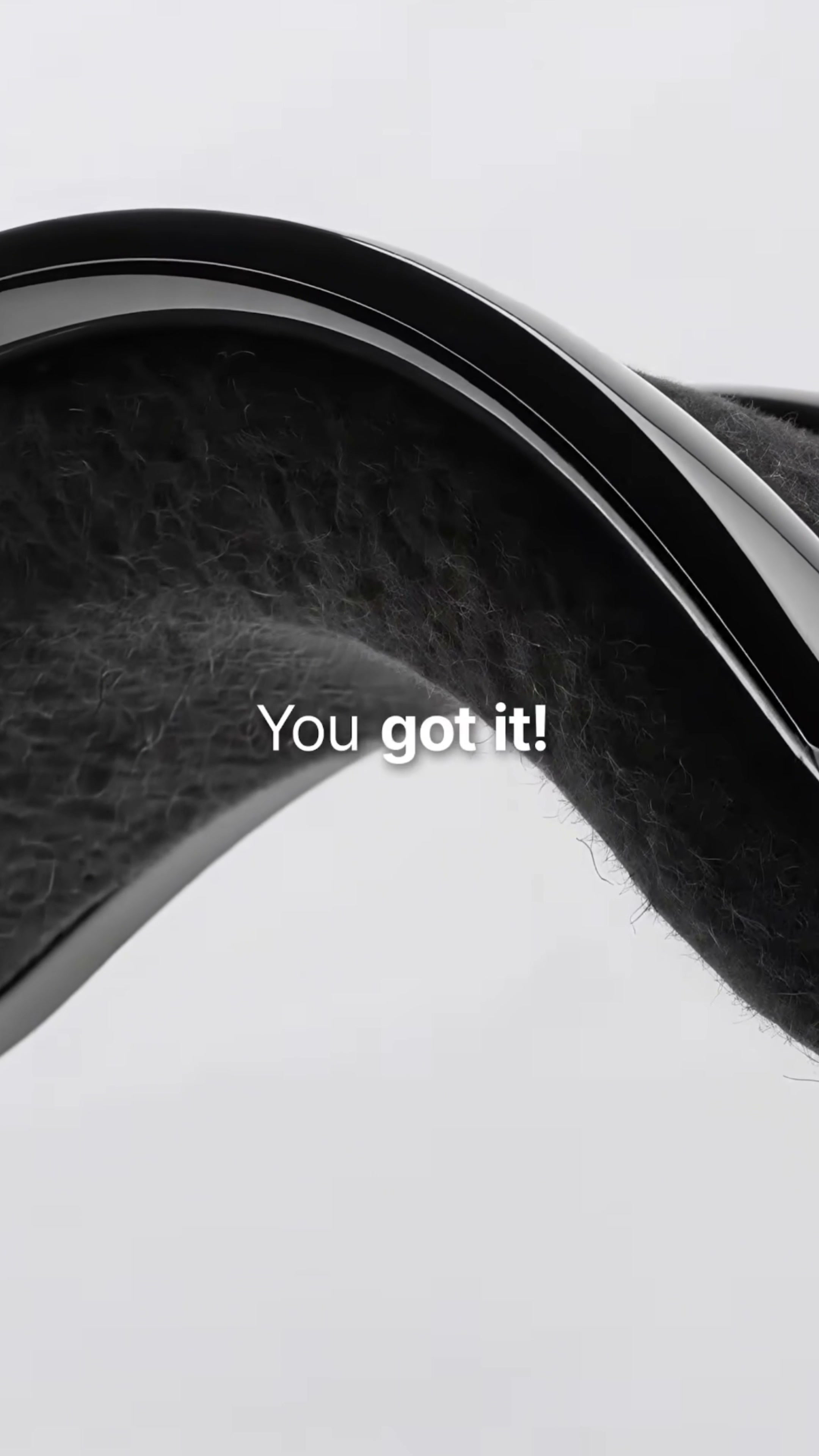
The macro in the generated result still sees the ear pad fibers and the bright edges of the shell, and the white background remains clean. For this type of dark‑toned image, the biggest concern is when shadows blur into a solid mass, or when highlights shift and distort the curvature of surfaces.
During inspection, don’t just stop at a single screenshot. The highlights should move along the same shell curve, and the felt texture should not suddenly become short pile, leather or sponge. The closer the detail lens, the easier it is to see the material jump.
The final close-up shot of the head beam continues to retain the black soft surface and silver bright edges, and the picture can still be connected with the main vision on the front white background. This result indicates that the initial constraints on color, background, and material were effective; however, it is still necessary to revisit the full video and verify frame by frame whether the contours remain stable.
11. Apply this method to other products.
This process is suitable for products with clear shapes and material differences, such as headphones, speakers, shavers, coffee machines or small appliances. First, break the main image into a sequence of shots, then let the video model handle the motion; this approach is usually more controllable than generating the entire clip directly from a single image.
Fixed items should be written into each key link: product proportion, structure, material, color and Logo. The variables are left to the camera design, such as distance, angle, rotation, decomposition, and interaction. The former ensures that it remains the same product, while the latter determines whether the video has rhythm.
AI can quickly fill in the gaps in shots, but selecting shots, arranging their sequence, and determining whether the structure is credible still remain the designer's responsibilities. In particular, for exploded views and interactive prototypes, visual completeness only indicates that they are ready for further review; it does not mean they can be released to the public just yet.








Different from others
Quite good.