At the same time with the role and vehicle to do video, the most likely problem is not the scene, but the consistency. The character has changed his face, one piece of equipment is missing, and the vehicle may become another in different shots. Cram all the requirements into a video cue, which is usually difficult to check item by item.
This time I did not directly generate the final shot, but first split the task into three segments: character, vehicle and video. Each paragraph first out of the optional scheme, after confirmation to the next paragraph. Agent is responsible for the node and connection process, I only deal with reference diagrams, specifications and selection.
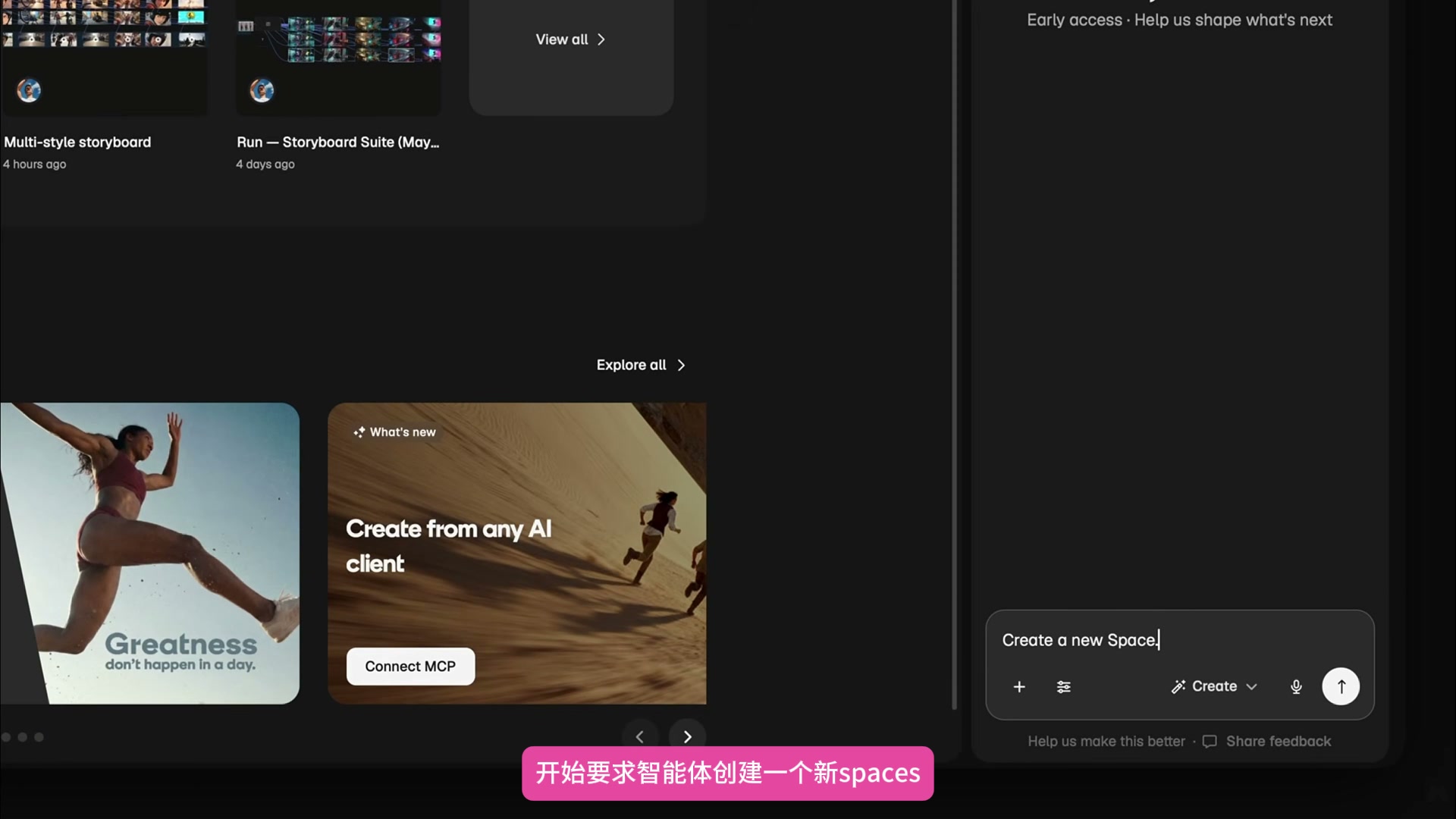
The first step is to have the Agent create a new Space
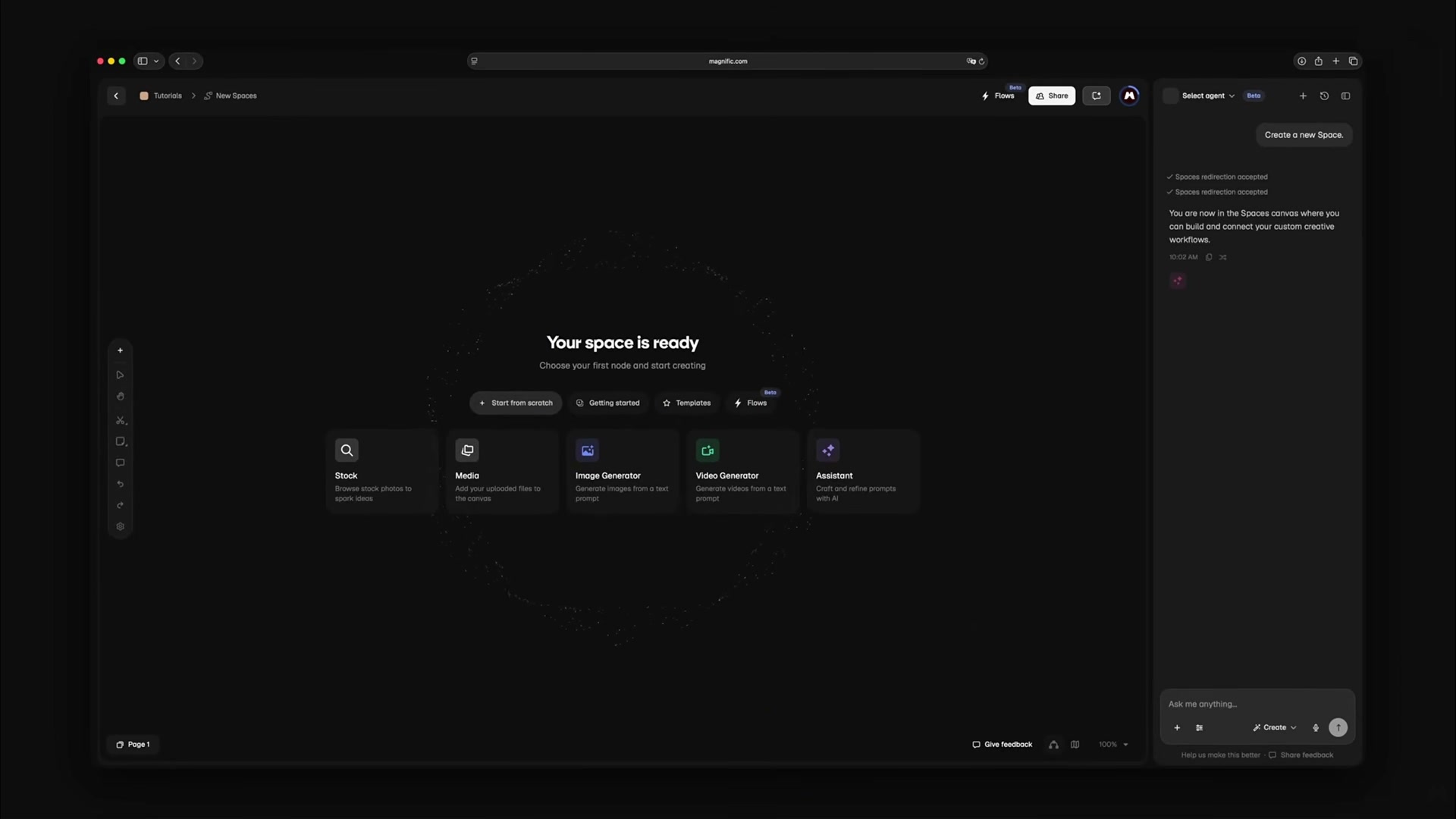
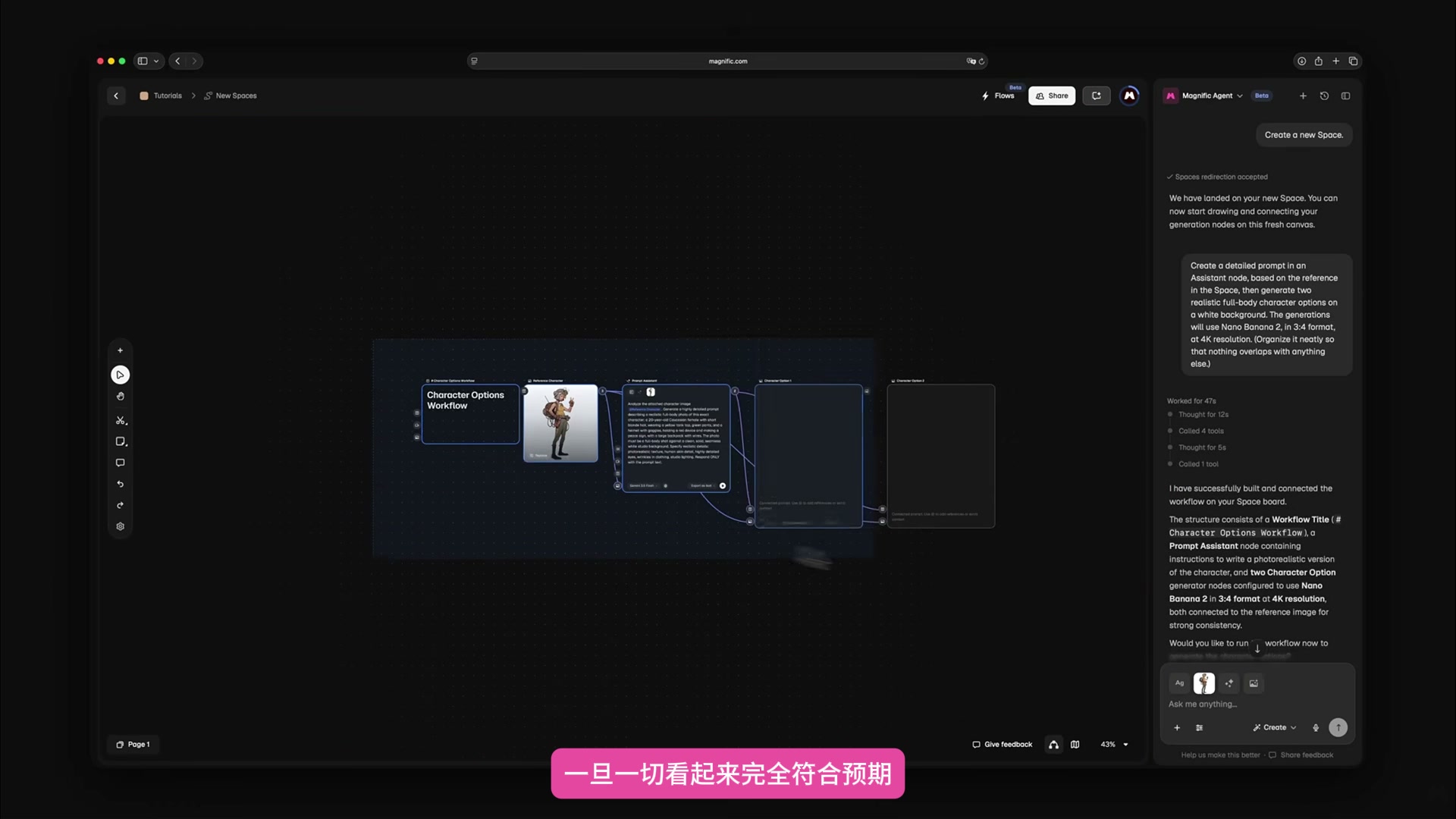
I made a request to "create a new Space" from the dialogue panel on the right side of the home page. After the agent is created, open the canvas. The common tools entry is displayed in the center, where the subsequent reference diagrams and generation nodes are placed.
It’s actually better to leave the new canvas blank. It does not inherit the nodes and connections in the old project. Agent only needs to build a structure around this chase, and it is easy to see each branch when checking.
The second step is to deal with the roles first and don't rush to make videos.
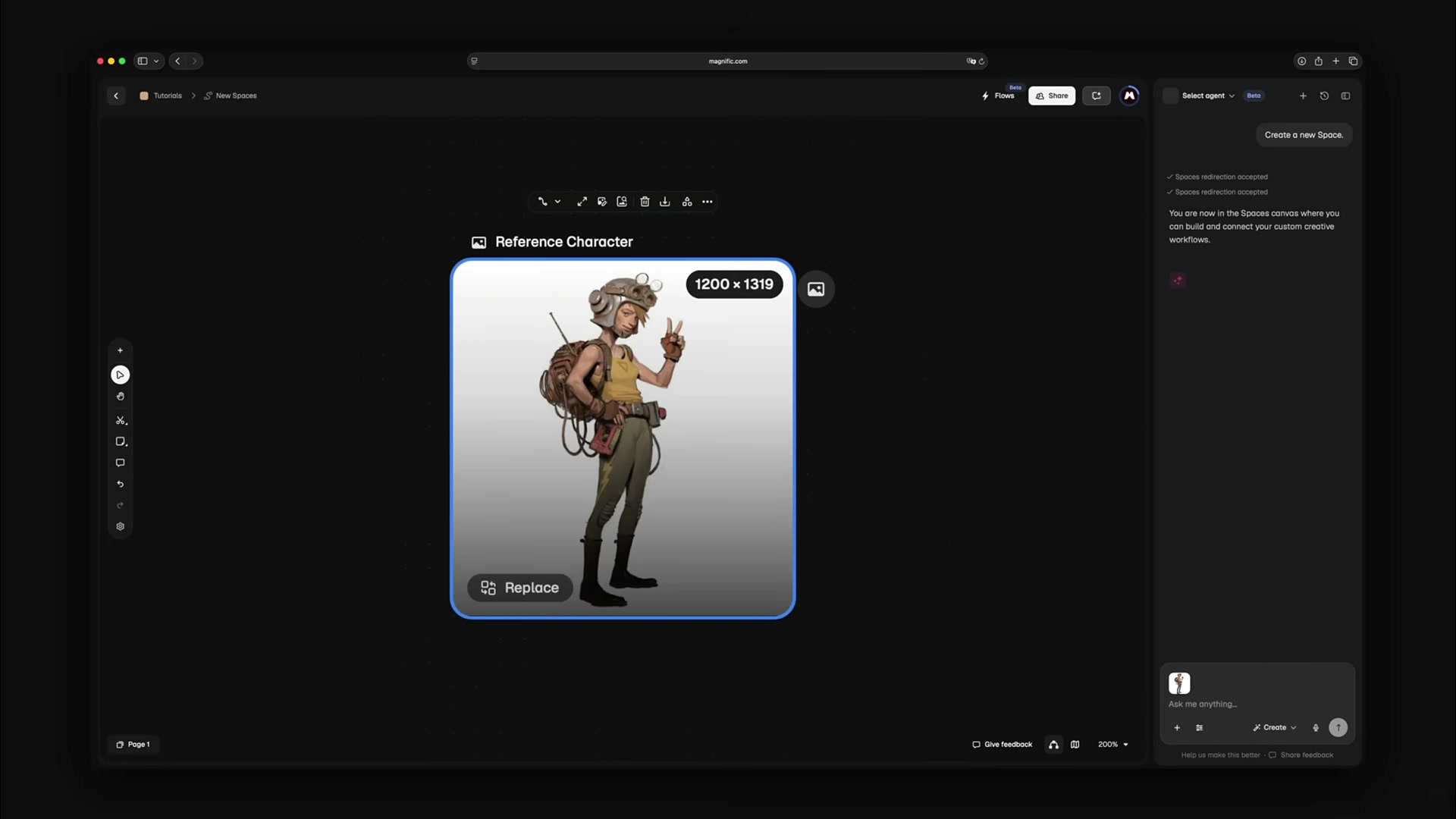
I start by uploading a concept map of the female character, keeping the costume, goggles, backpack and overall outline. The reference figure here assumes the identity anchor point, and the following realistic role cannot be separated from these features.
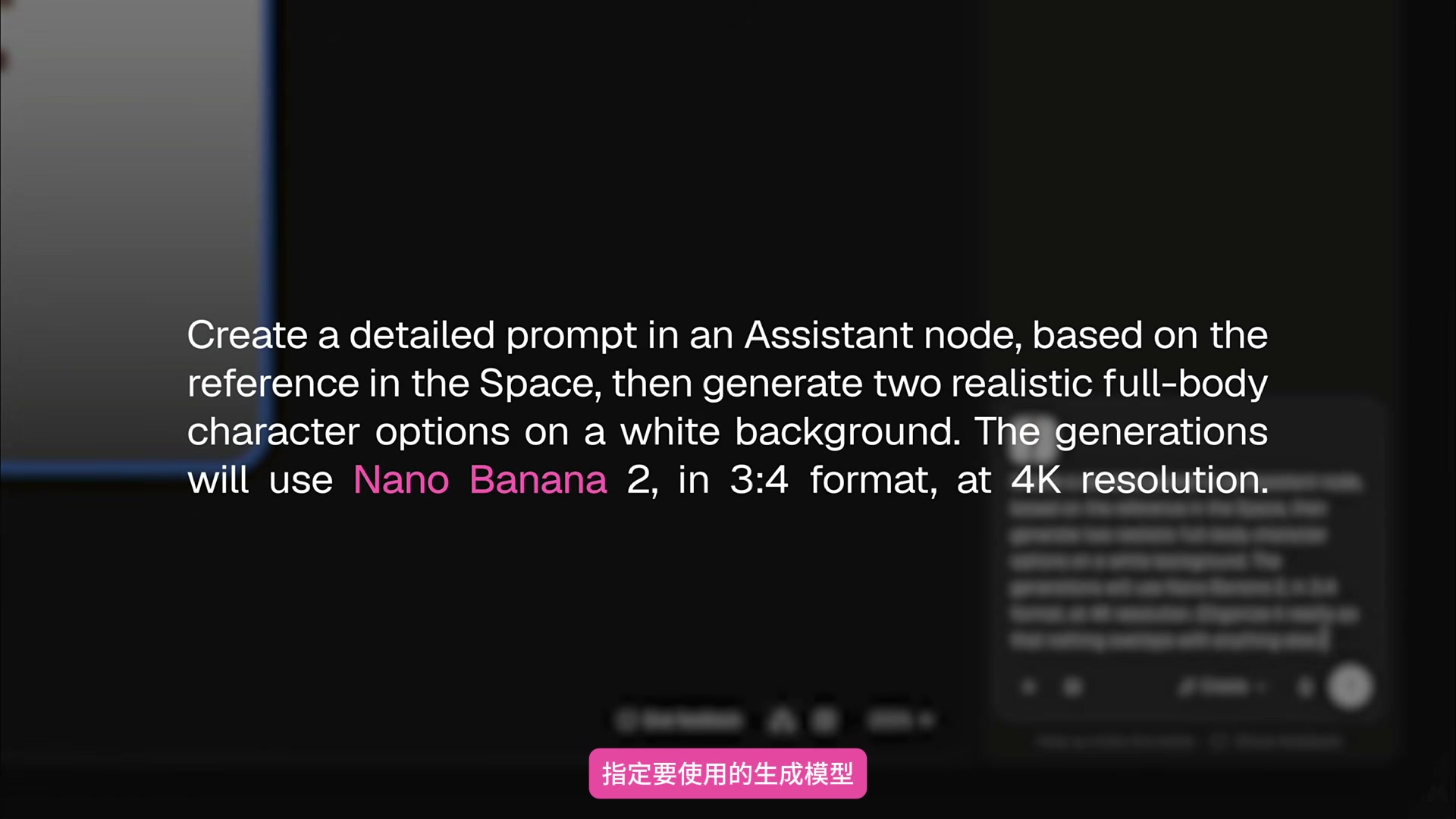
The requirements for Agent are very specific: based on the current reference diagram, organize detailed tips in the Assistant node; Generate two realistic full-body role schemes with white background; The model is specified as Nano Banana 2, with a picture ratio of 3:4 and a resolution of 4K.
The model, scale and resolution are best written directly into the requirements. The video also demonstrates another scenario: if these are left blank, the Agent automatically selects an available model, but the results may not be as expected. Automatically select nodes that are suitable for trial and error and are not suitable for stable delivery.
Step 3: Let the Agent build a role branch
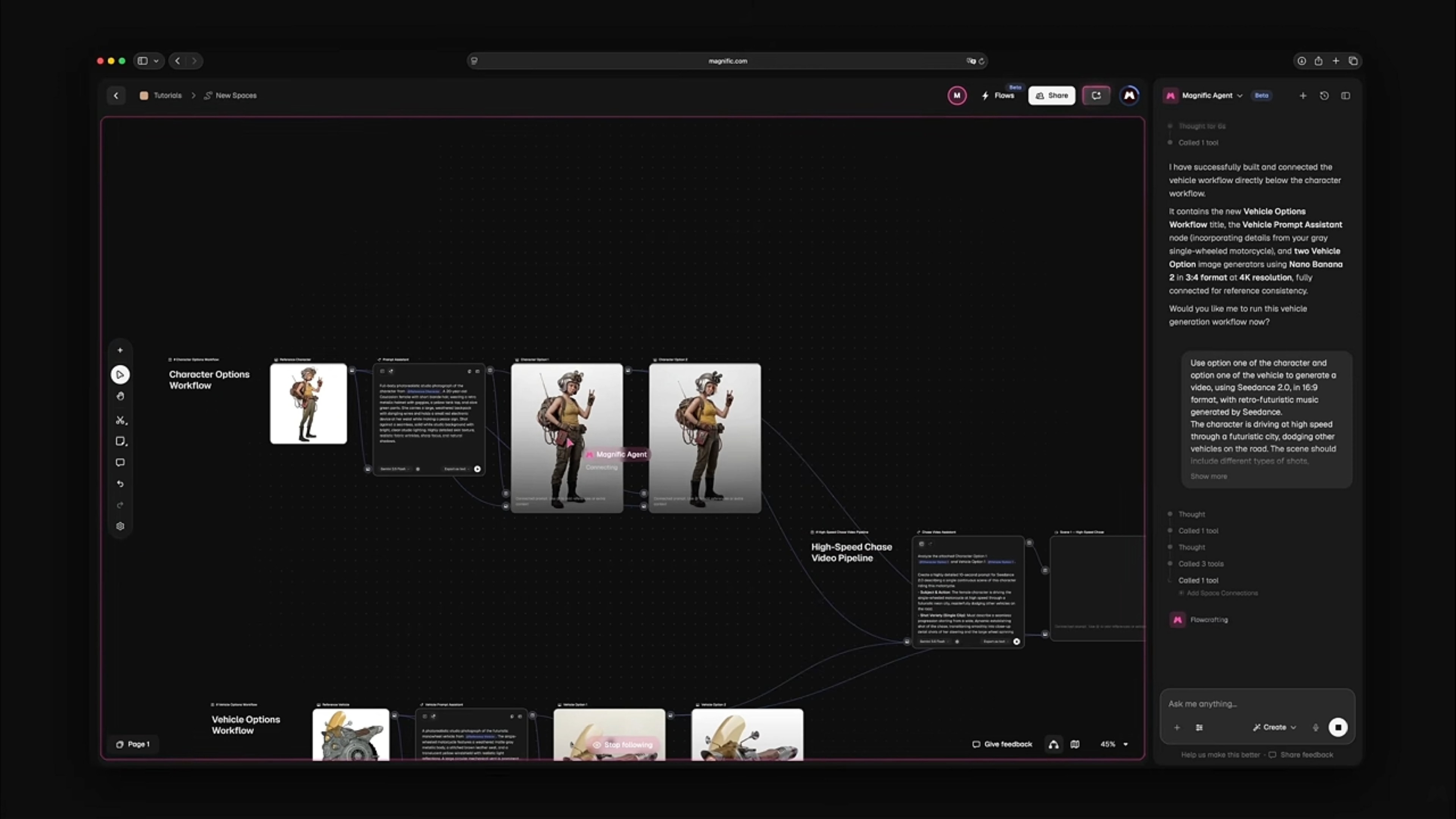
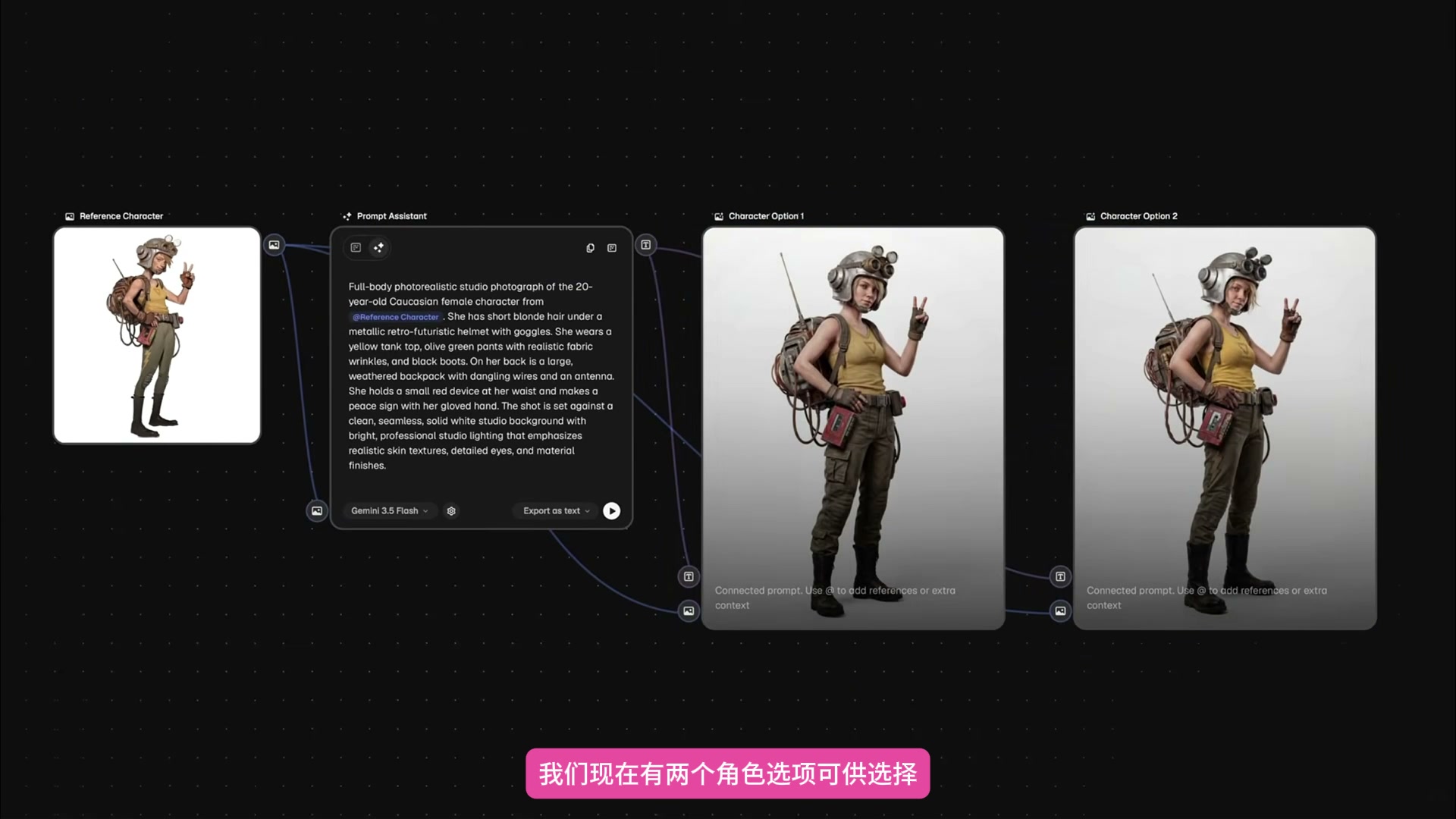
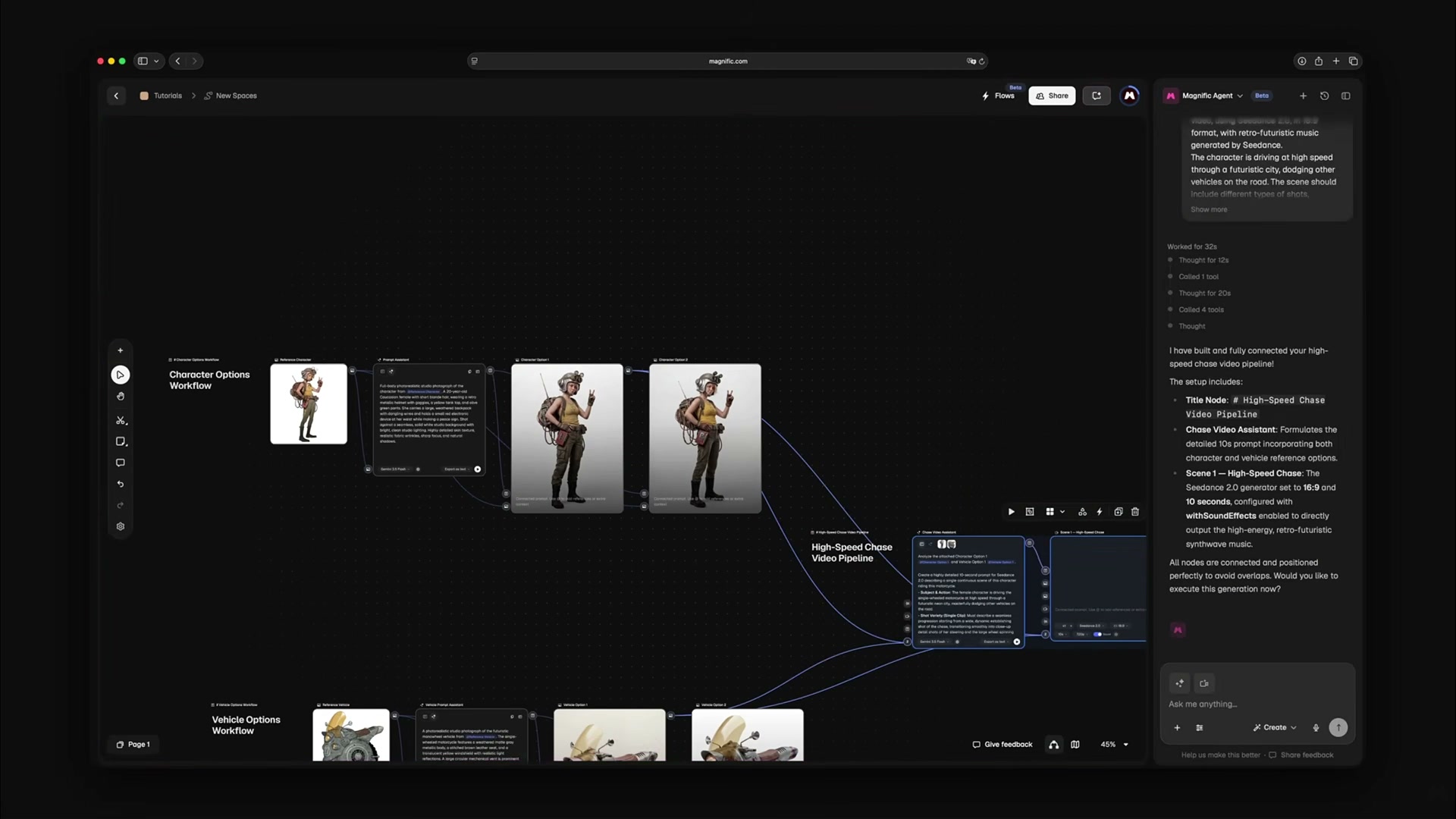
The Agent organizes the roles into Reference Character, Prompt Assistant, and two Character Option nodes. The reference graph first enters the prompt sorting node, and then connects the two candidate graphs at the same time. The whole relationship can be understood at a glance on the canvas.
After running the character branch, two realistic designs with white backgrounds were generated. Both images continue the goggles, backpack, khaki top and dark trousers, but the face, posture and local equipment are different. At this time, first choose a role that is more suitable for the subsequent video, and do not let the two sets of identities enter the next step at the same time.
Step four: Process the vehicle using the same structure.
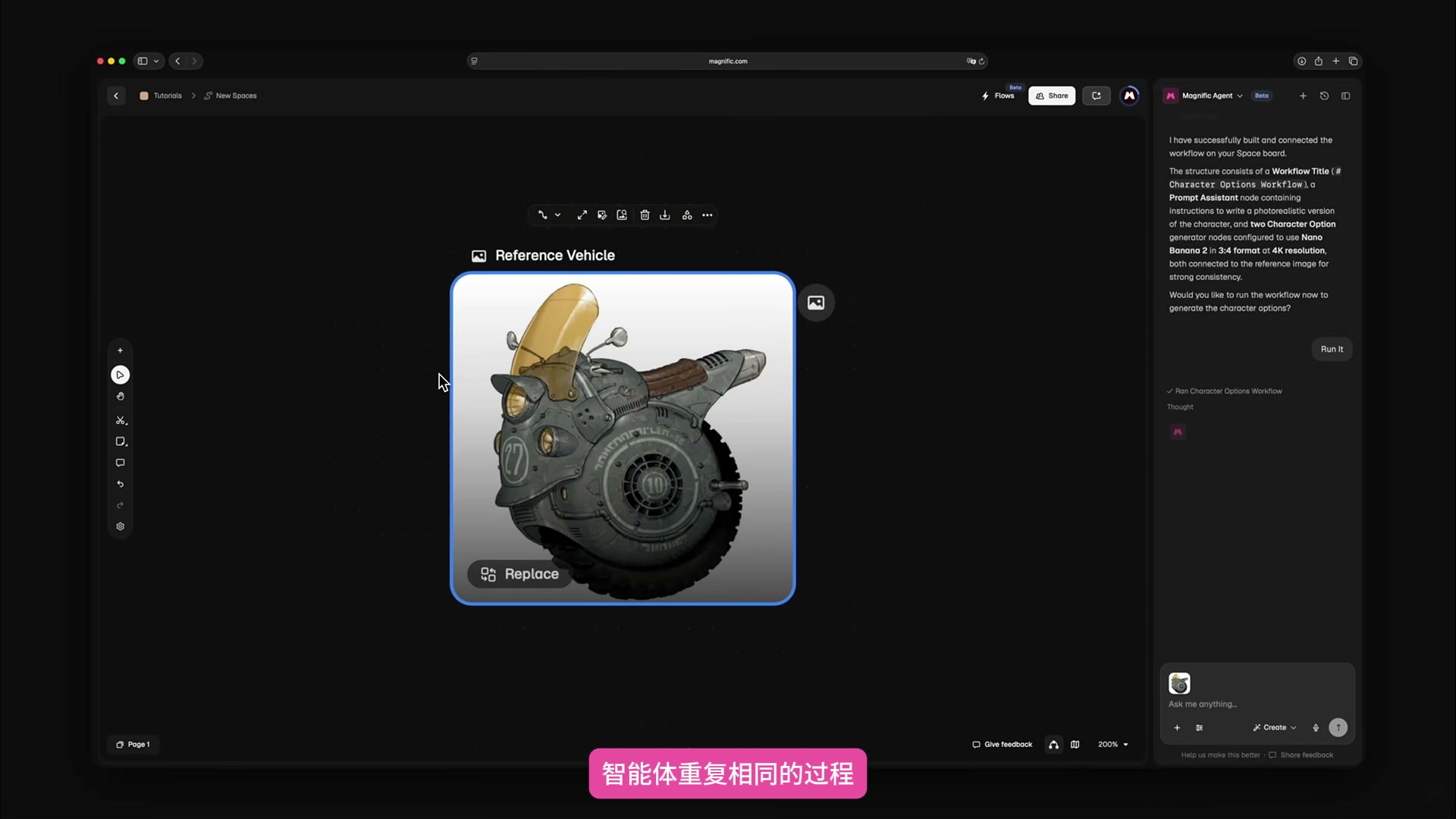
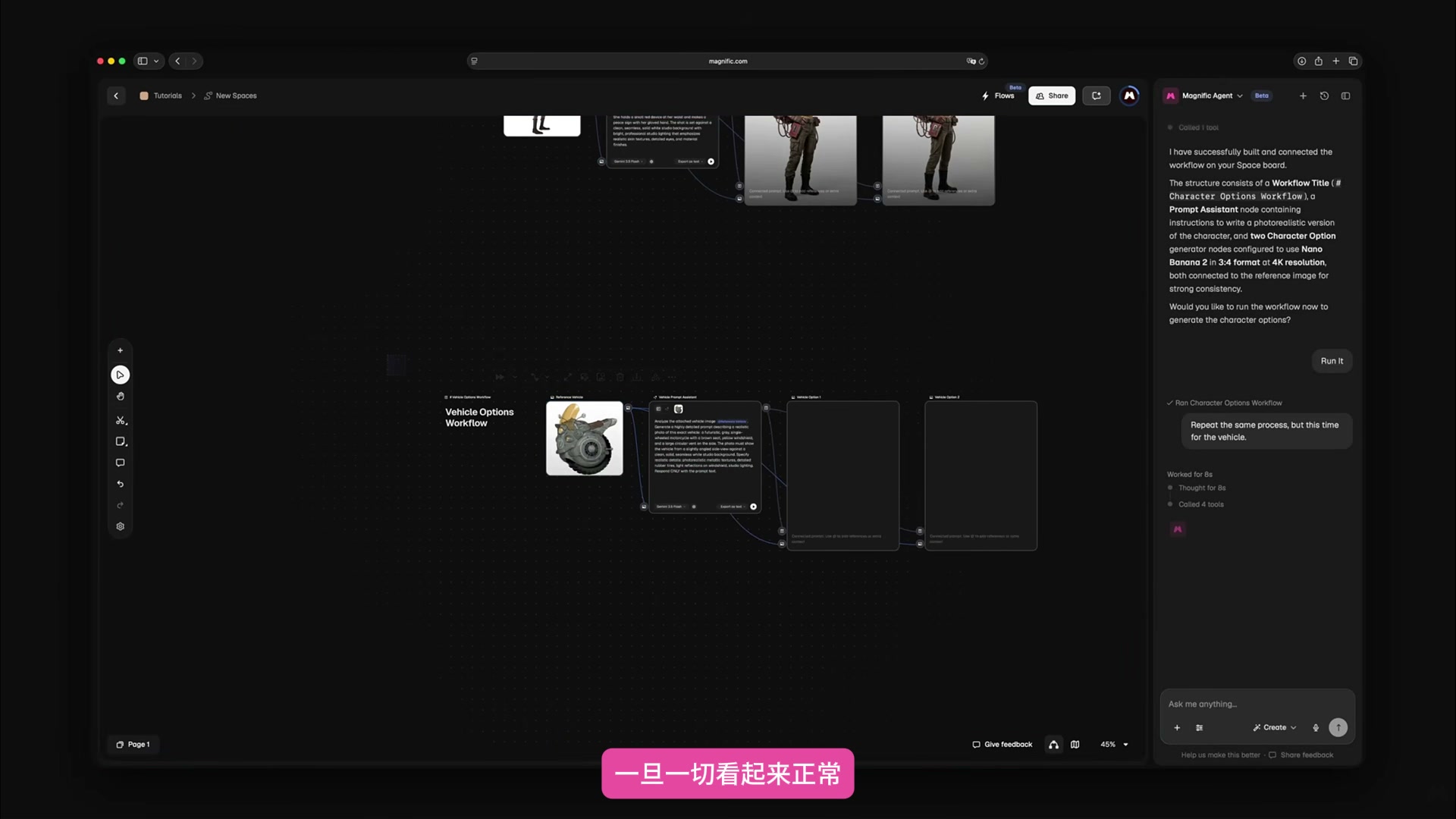
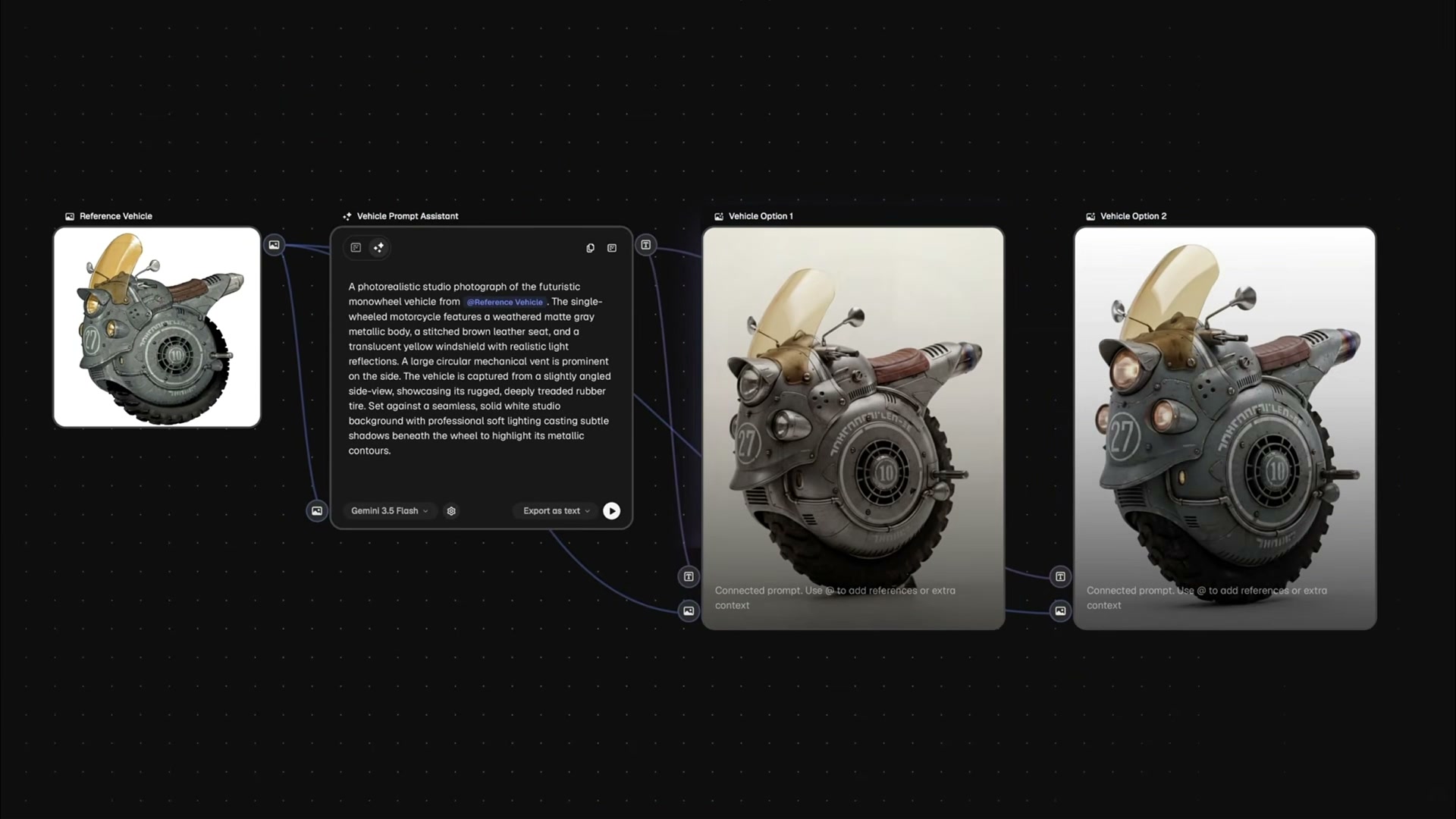
Then upload a reference image of the single-wheel retro future vehicle. I asked the Agent to repeat the role branching approach: first analyze the structure and then generate two realistic vehicle schemes. Features such as tire proportions, yellow windshield, headlights and numbering need to be retained.
When there are already multiple processes in the canvas, the directive is scoped. I will explicitly write "run only the Vehicle part" so that the agent will not re-run the completed role nodes and can reduce waiting and repeated consumption.
The vehicle branch ultimately proposed two options. They all retain the single-wheel structure and retro mechanical language, the difference is mainly in the body shell, light group details and material processing. When choosing, first look at whether the structure can still be established, and then consider which version has more lens expression.
Step 5: Give the selected character and vehicle to the video branch.
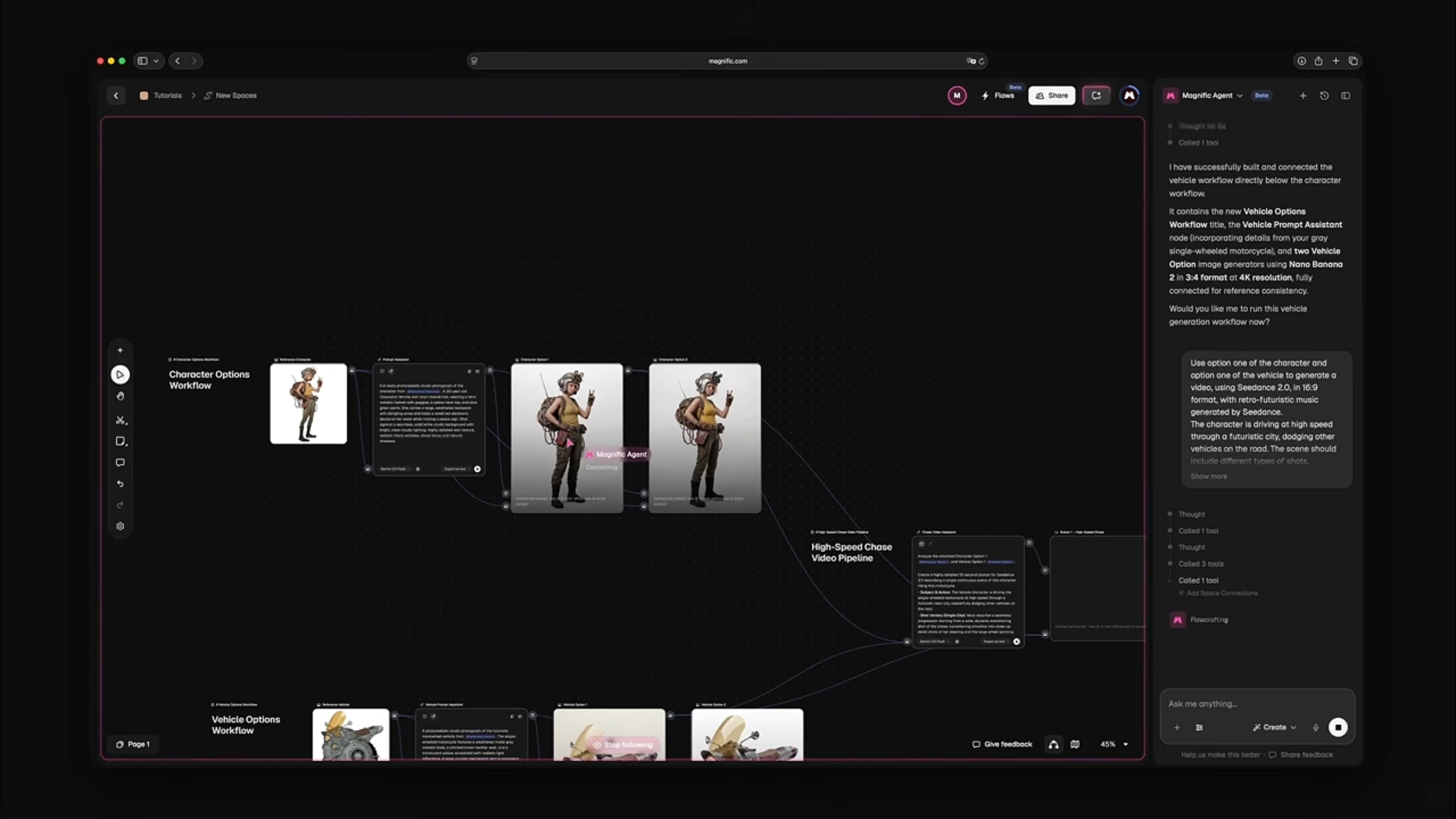
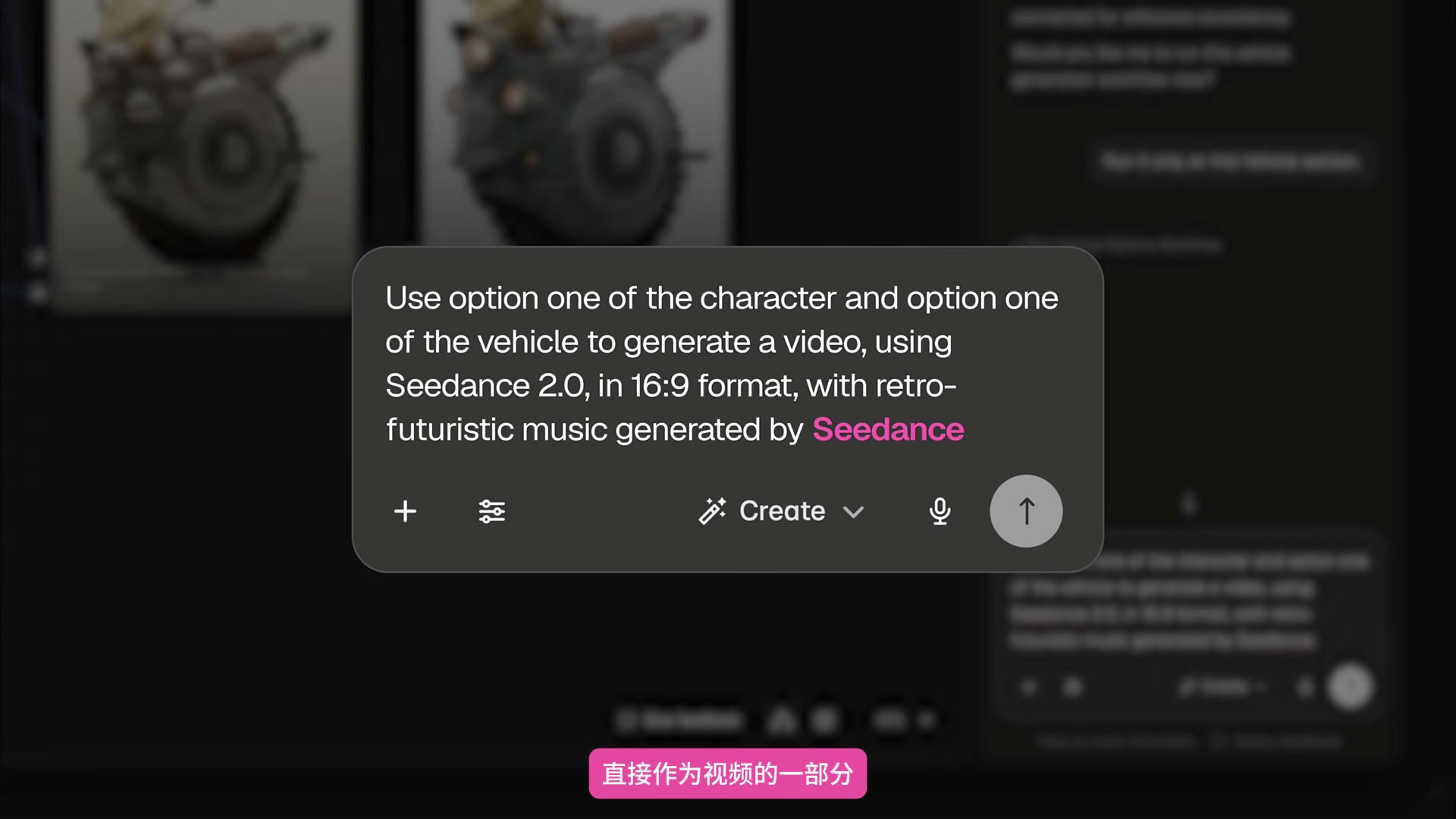
After the role and vehicle are confirmed, describe the video to Agent: use role scheme 1 and vehicle scheme 1 to generate a 16:9 picture with Seedance 2.0; The character crosses the future city at high speed to avoid vehicles on the road. The lens needs to have scene and angle changes.
The sound requirements must also be clearly stated. If you want the sound to be generated directly from the video model, write it into the same video request. When the expression is vague, the Agent may create a separate music node, and then merge the audio and video, which will add one more layer to the process.
Step 6: Run only the final video node.
The Agent builds a High-Speed Chase Video Pipeline after the role and vehicle branches, which contains the Assistant node and video generation node required to organize the shots. The previous candidate graph enters this branch through the connecting line as a consistency reference.
After confirming the structure, I only let it run the video generation part. In this way, when modifying the rhythm, lens language or sound, there is no need to regenerate the character and vehicle, and the previously identified assets will not be replaced.
Step 7: Check the fixed elements in the final shot.
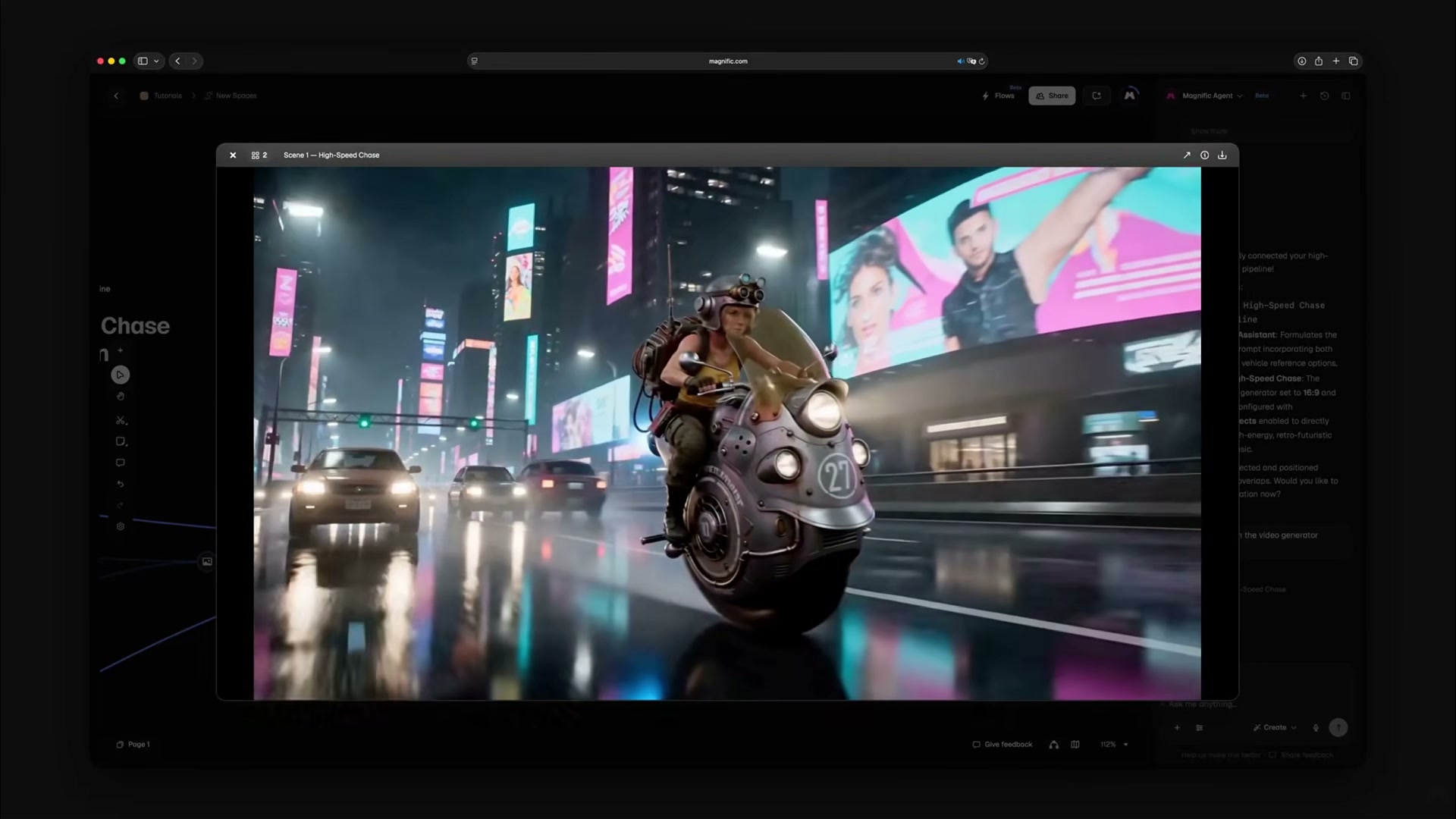
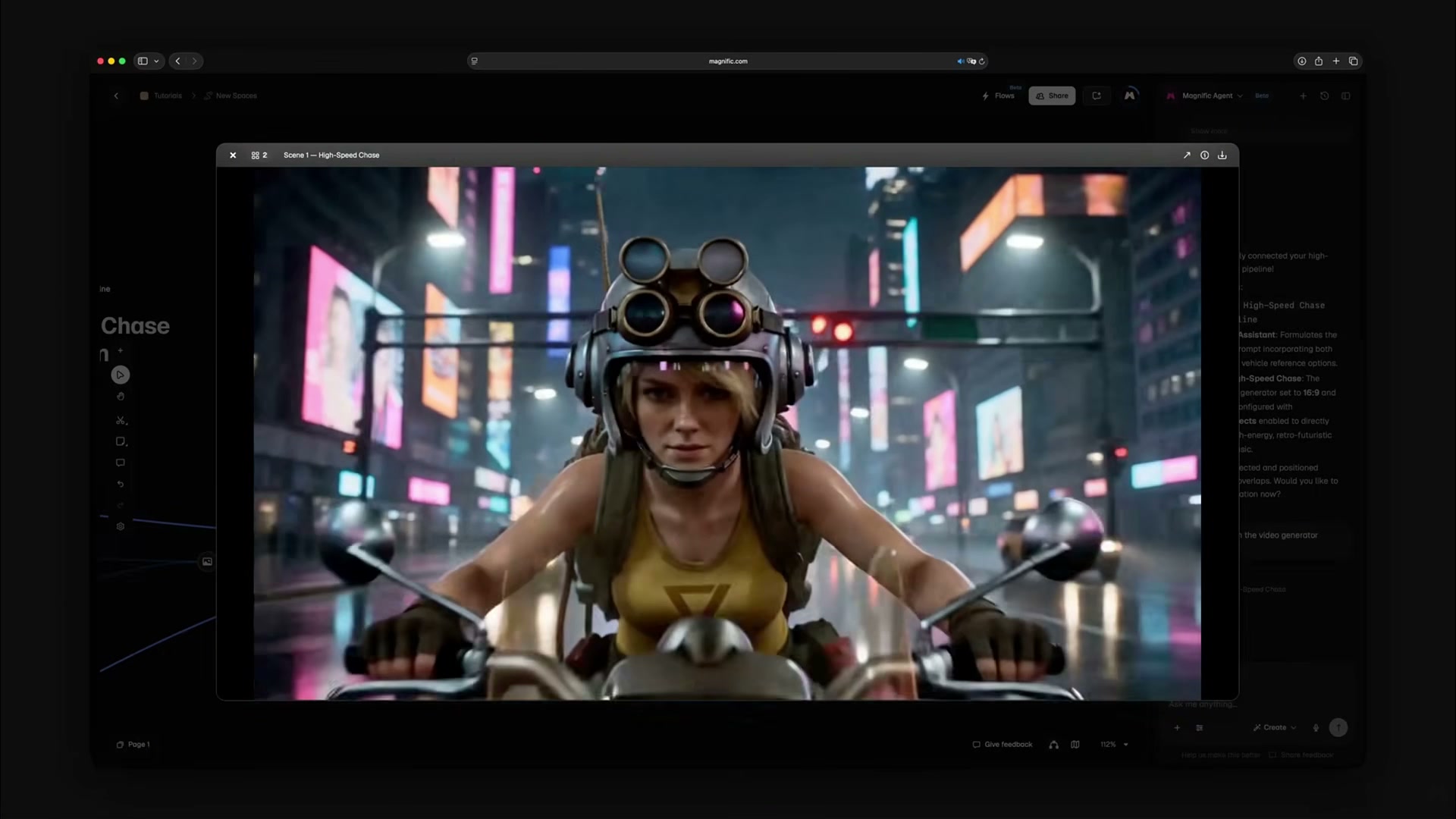
The result is a neon-lit city chase sequence set on a rainy night. The video switches between panorama, front close-up view and side motion lens. The character rides through the traffic flow on a single-wheel vehicle. The wetland reflection and advertising screen jointly maintain the environment of the future city.
I will focus on the character's face, goggles, backpack and top color, while observing the vehicle's single-wheel structure, yellow windshield, light set and front number. Lens changes can be large, but these fixed items cannot follow changes.
This process is suitable for character advertisements, concept short films and story rehearsals. It does not eliminate manual judgment, but puts judgment in a more appropriate position: first select assets, then set shots, and finally check cross-shot consistency. When you need to adjust, you can also go directly back to the corresponding branch instead of starting over.








Valuable content